
Management
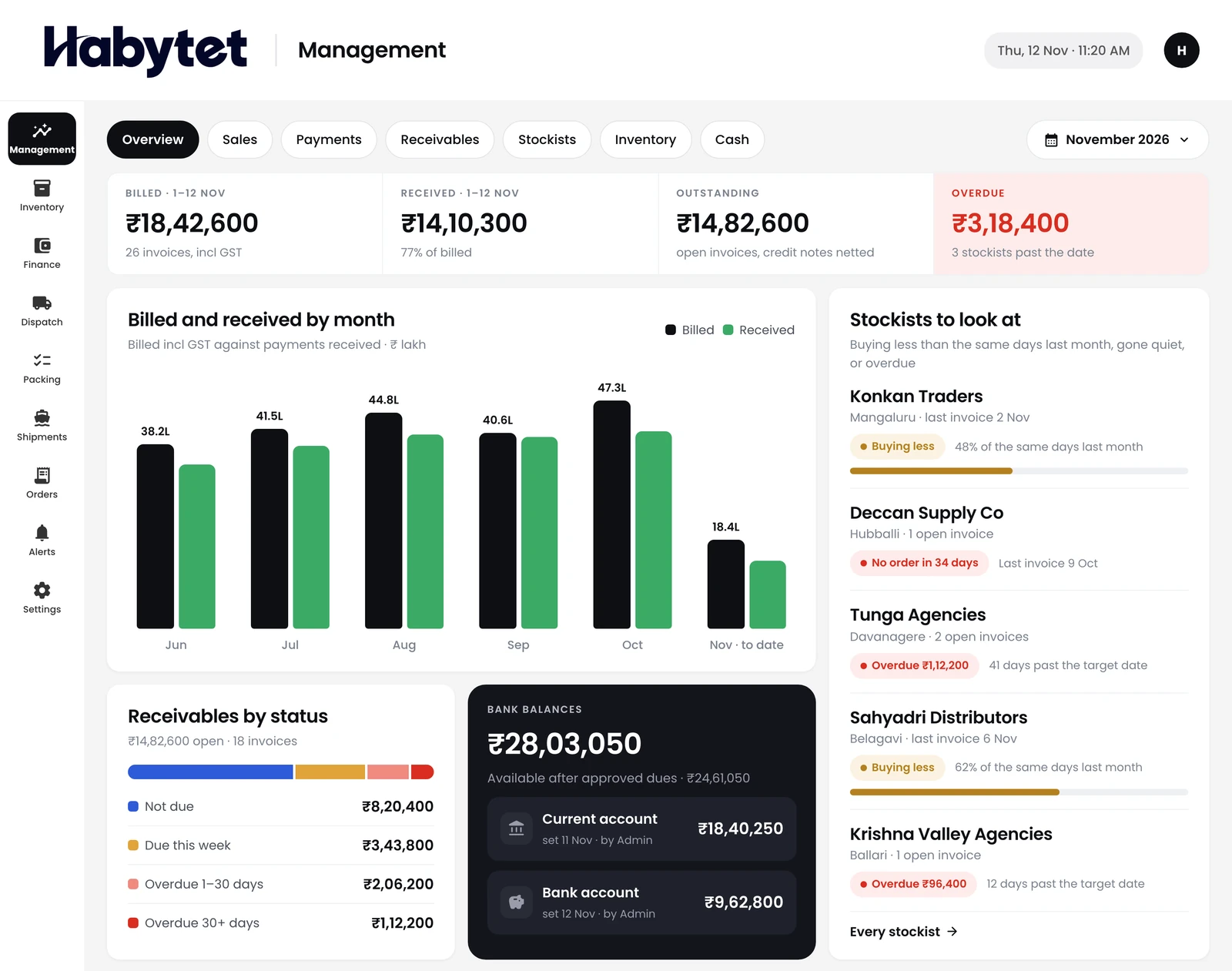
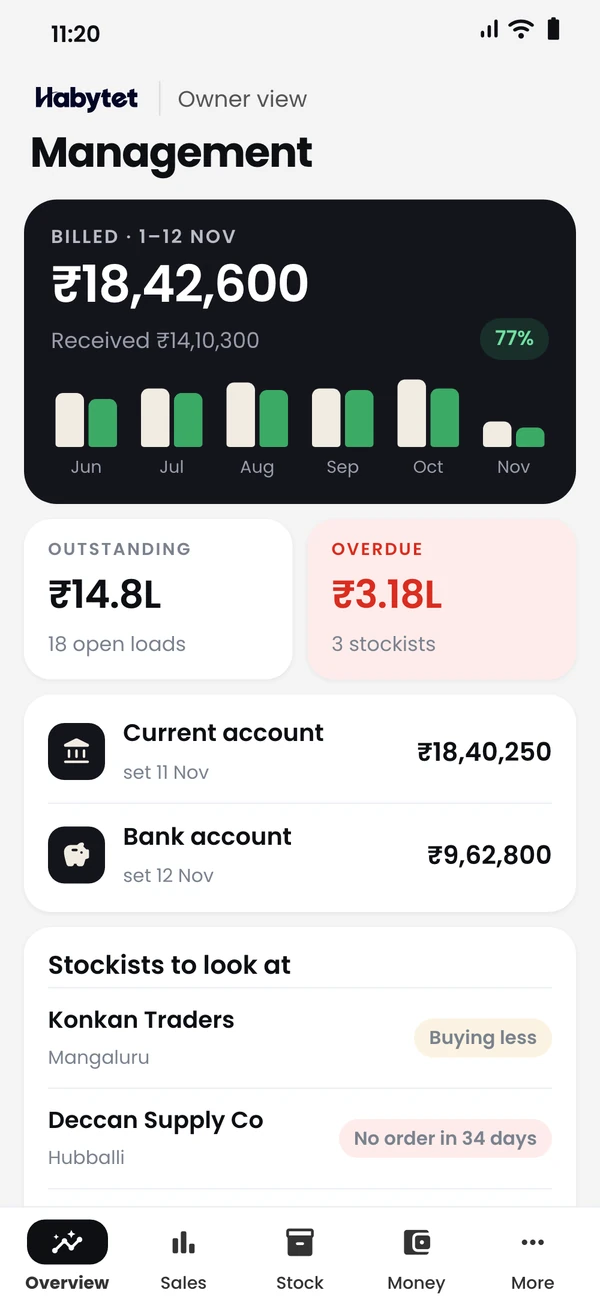
The whole business on one screen.
Products
Point of SaleBilling, kitchen and stock InventoryStock, purchases and suppliers ConstructionProjects, BOQ and site attendance ERPInventory, finance and dispatch Field SalesBeat routes, orders and attendance BanquetHalls, bookings and payments QueueTokens, waiting list and tables Fitness and StudioClasses, members and bookings
Inventory, finance, packing and dispatch on one system, with the management view on your phone.
The whole business on one screen.
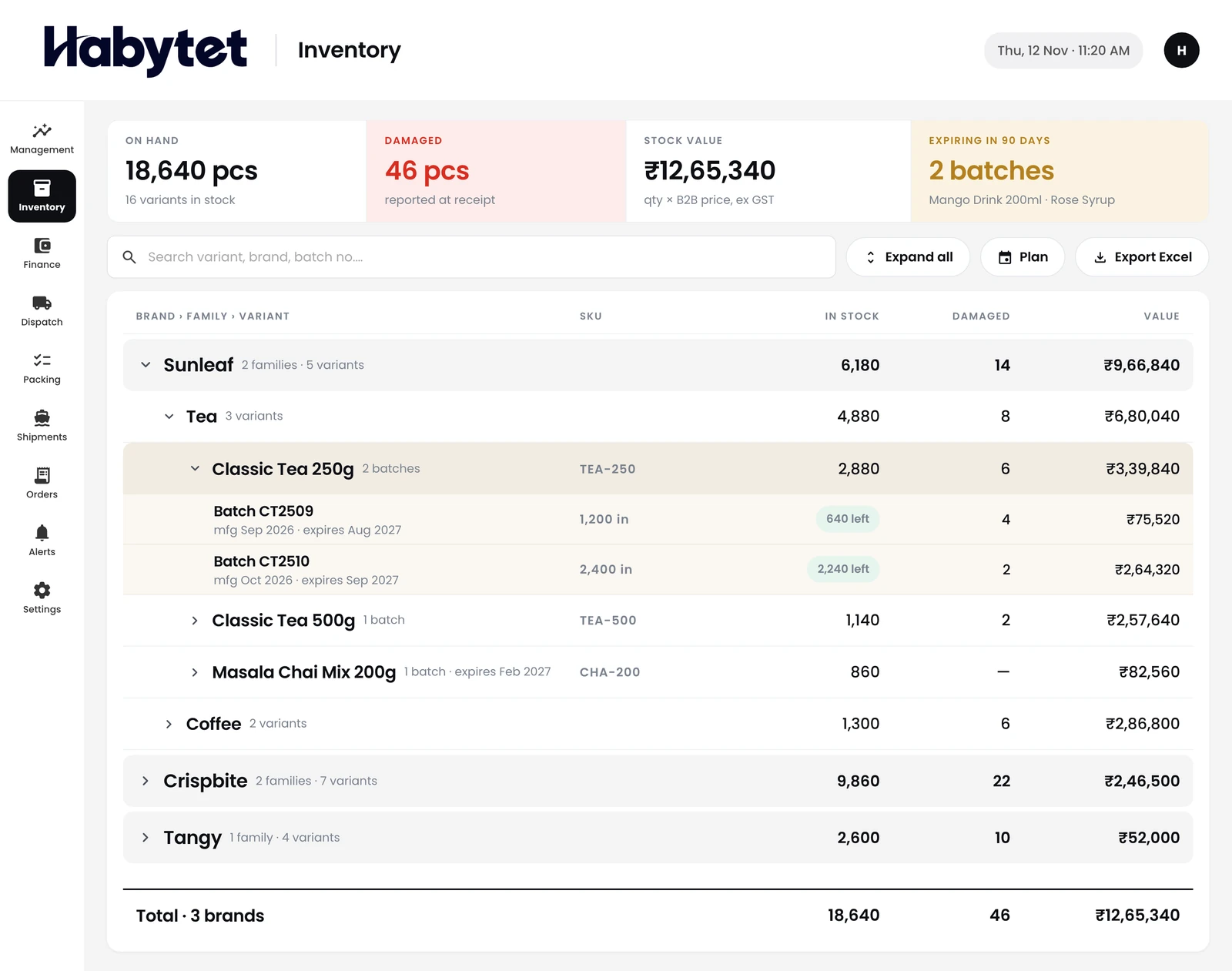
Stock for every item, batch by batch.
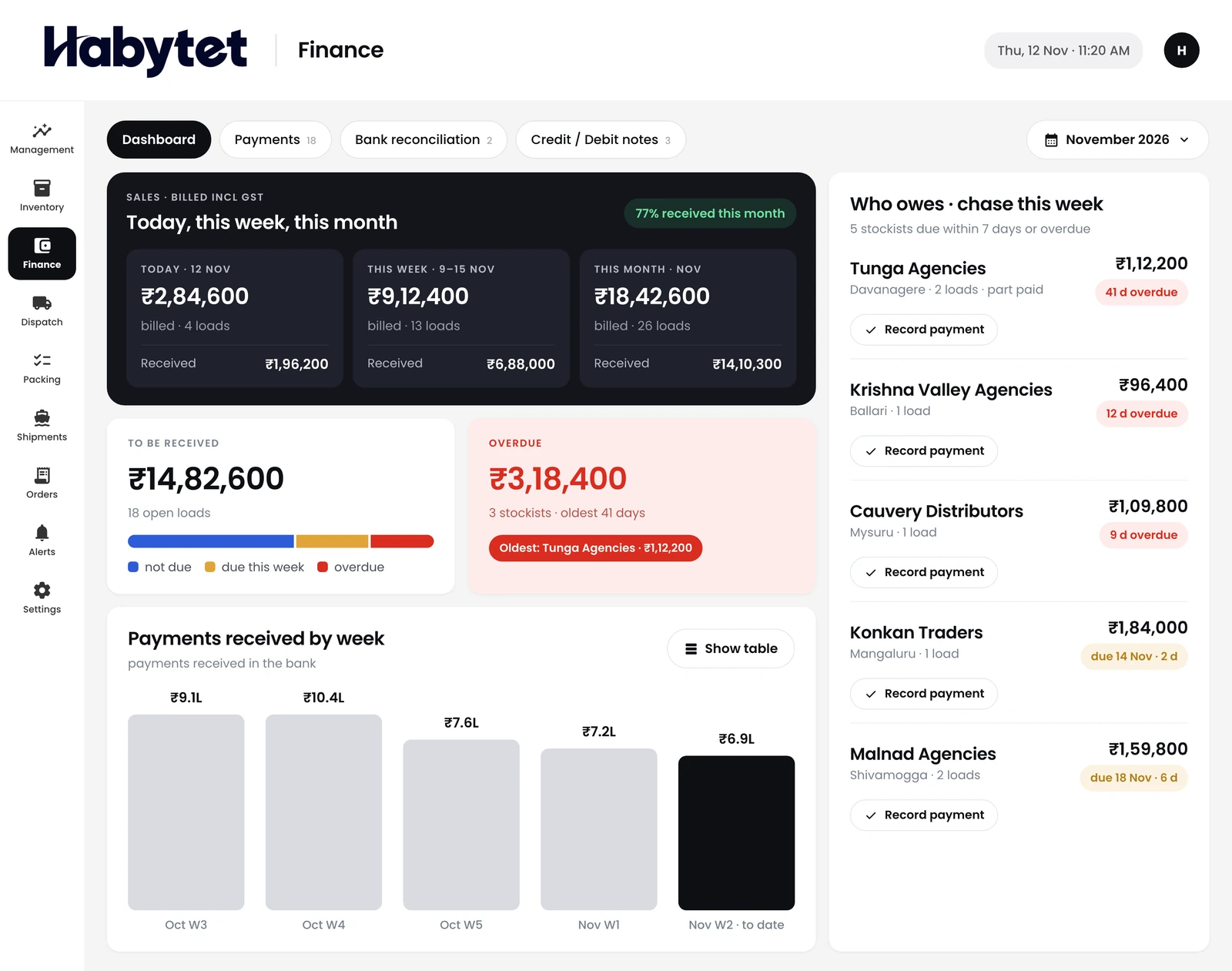
Payments, bank reconciliation, and credit and debit notes.
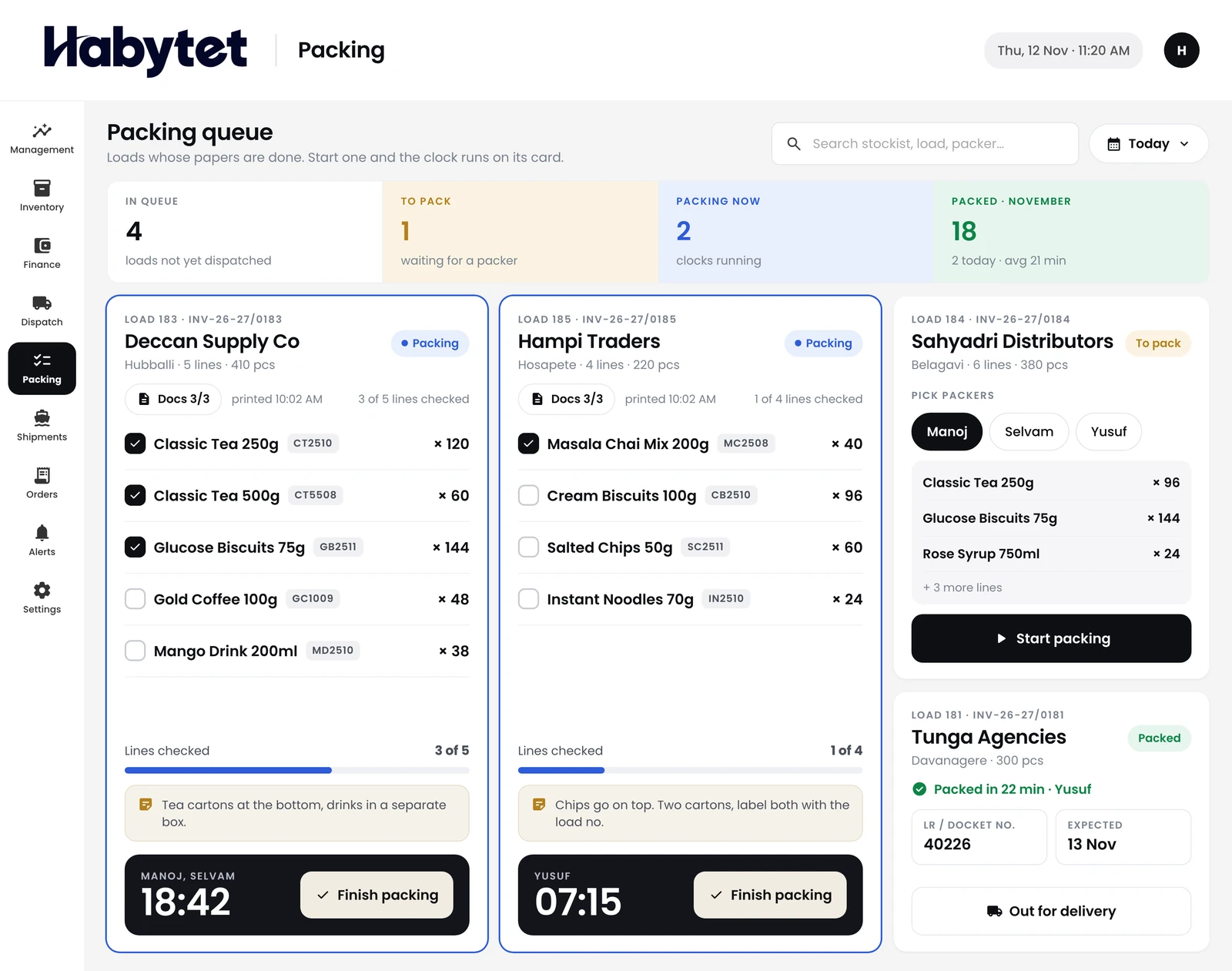
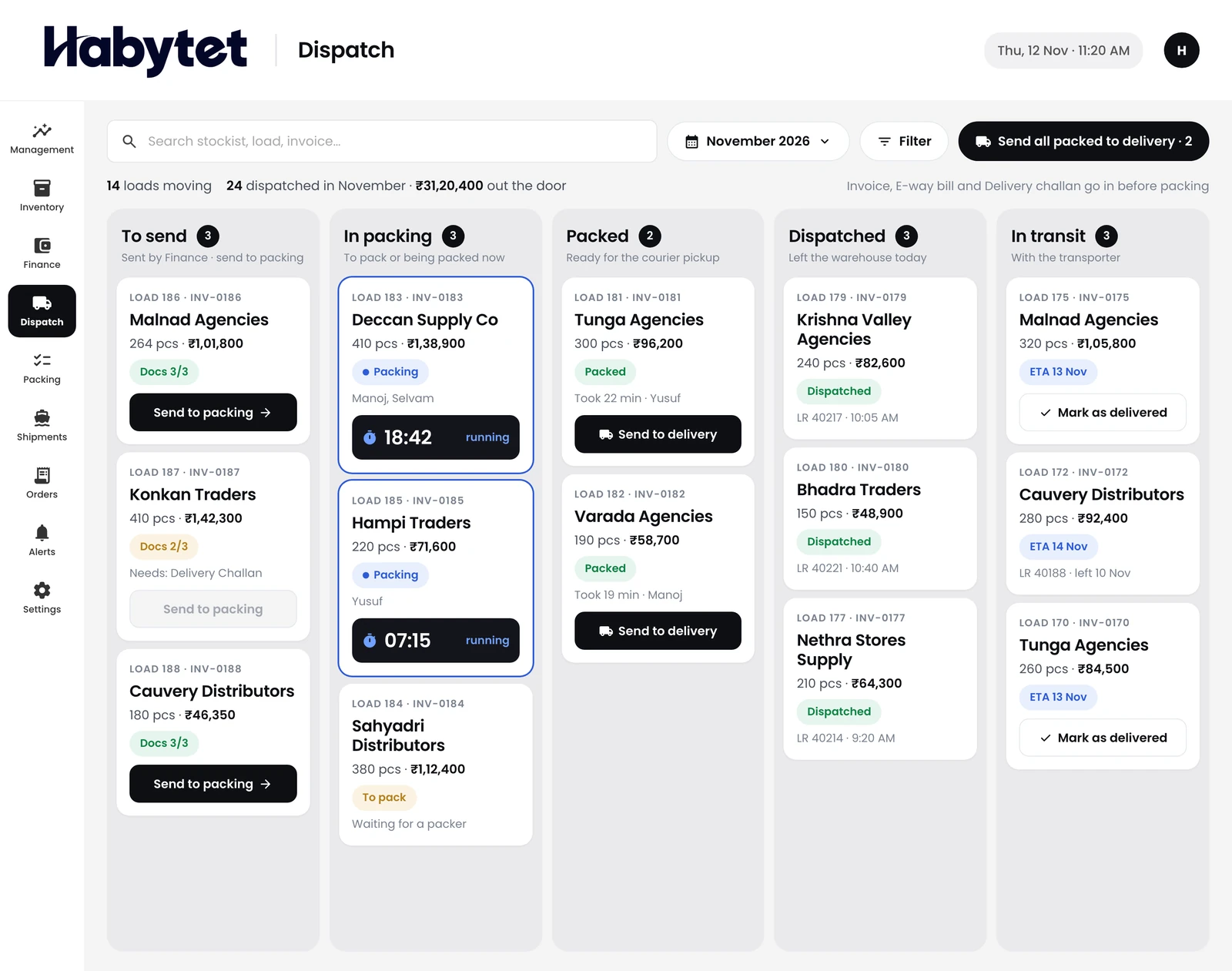
Each order packed and checked before it leaves.
Sales, stock and payments, wherever you are.



The warehouse, accounts and dispatch all work on the same records.
Stock and batches, updated as goods come in and go out.
Payments in and out, matched with the bank.
Every shipment, stage by stage, until it leaves.
Track stock item by item and batch by batch, and see what is in hand before you promise an order.
Record payments, reconcile with the bank, and raise credit and debit notes.
Pack and check each order, then follow every shipment through dispatch.
Sales, stock and payments for the whole business, on your phone.
Orders taken in Habytet Field Sales arrive in order processing, grouped into a load for each distributor. The load then moves through dispatch, packing and shipping on the same record, and is closed once it is paid.
Product by product, and batch by batch inside each product. Each batch keeps its batch number, receipt date, manufacturing and expiry dates, pieces received and any damaged, and a product is flagged when its stock falls to its low-stock level.
Incoming stock is planned as a batch before it arrives, and an admin receives it when it lands. Receiving is the only step that adds stock, and the landed cost per piece becomes the product's cost price.
Dispatch picks up what finance has issued, attaches the papers and sends each load to packing, where it is marked packed when done. Dispatch then records the courier and tracking number and follows the shipment until it is delivered.
You record payments against each invoice by bank transfer, cash, cheque or UPI, and match them with the bank statement. Credit and debit notes can be raised against a specific invoice to lower or raise what a distributor owes.
Yes. An admin sets each role's access to each screen as off, view, edit or always edit, and turns single actions on or off. Admins can also create their own roles.
Yes. Sales reports by product, distributor, store and item download as PDF or CSV, and finance exports a monthly Excel file of orders and payments.
Tell us about your business and we will call you to set up a demo.
We will call you on .