
Stock levels
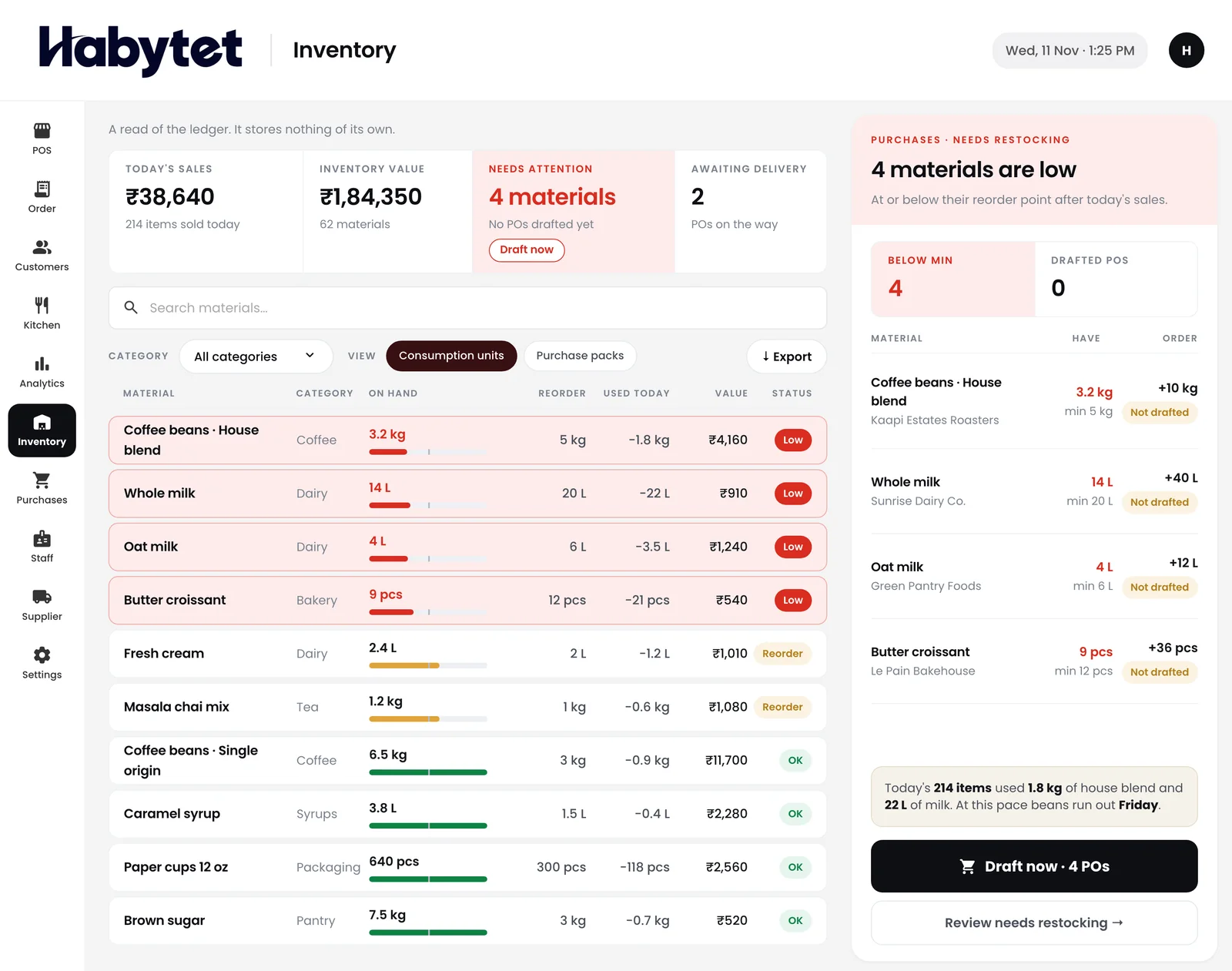
Stock on hand for every item, and what is running low.
Products
Point of SaleBilling, kitchen and stock InventoryStock, purchases and suppliers ConstructionProjects, BOQ and site attendance ERPInventory, finance and dispatch Field SalesBeat routes, orders and attendance BanquetHalls, bookings and payments QueueTokens, waiting list and tables Fitness and StudioClasses, members and bookings
Stock levels, low-stock alerts, purchases and suppliers, on the same system as your POS.
Stock on hand for every item, and what is running low.
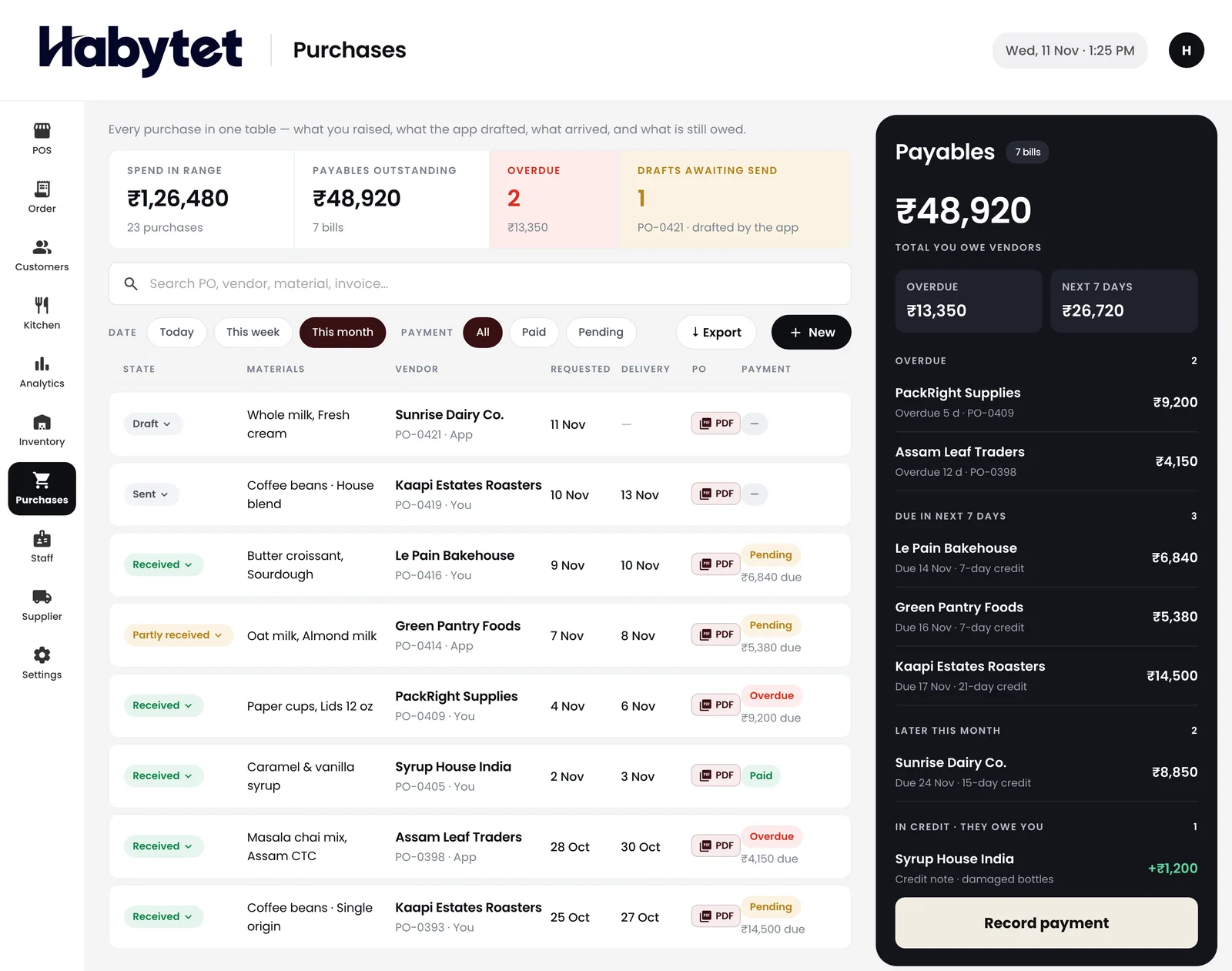
Every purchase from your suppliers in one place, with what you owe.
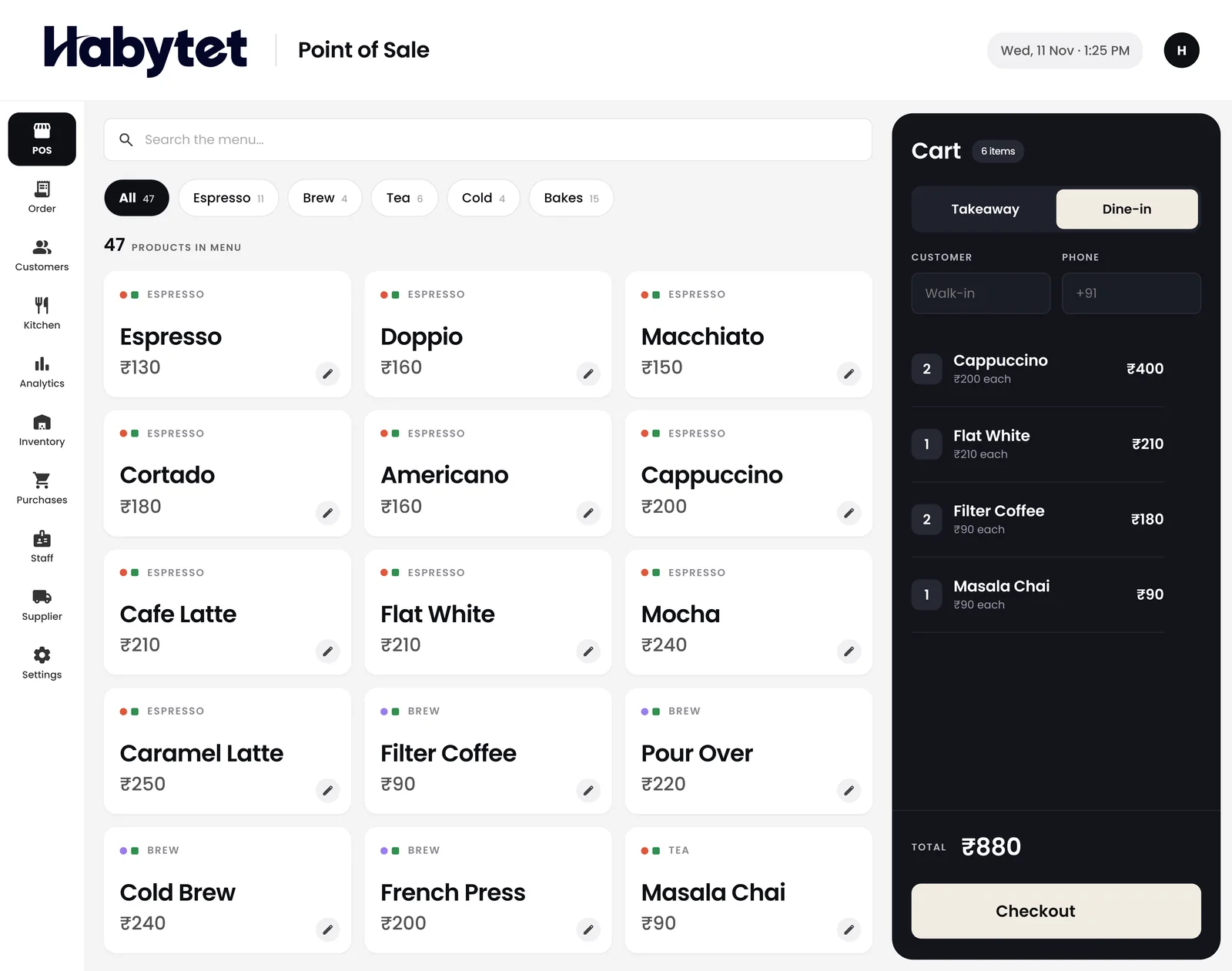
The counter bills on the same system that keeps your stock.
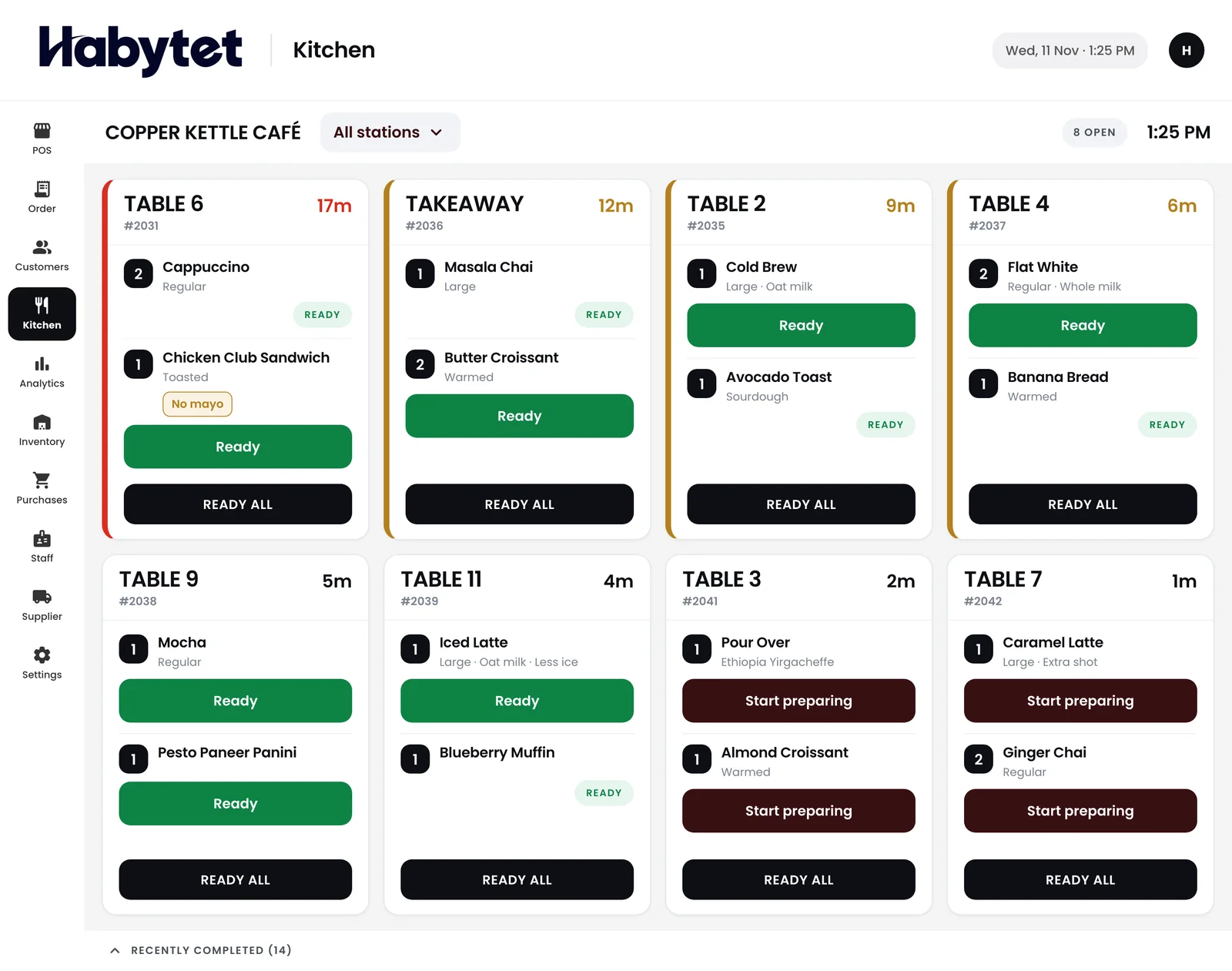
The kitchen works on the same system too.
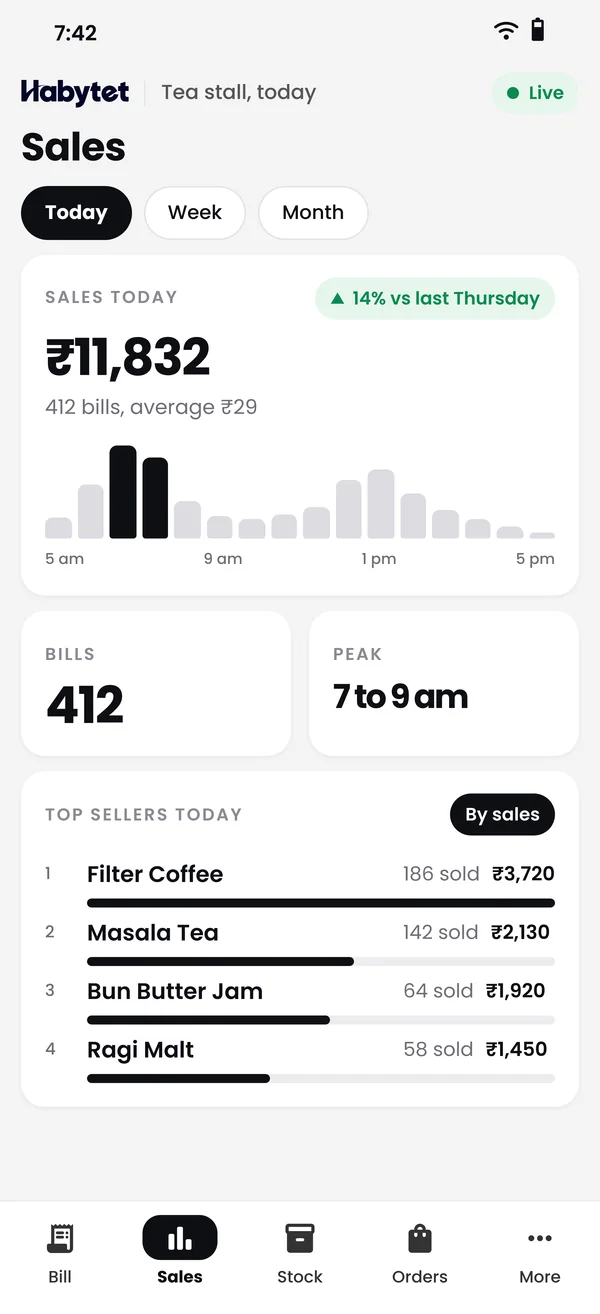
Today's sales and top sellers, so you know what to restock.


The counter, the kitchen and the store room work on one system.
Billing runs on the same system as your stock.
The kitchen sees every order on the same system.
Stock on hand for every item, and what is running low.
Stock on hand for every item in one list, and an alert when something runs low.
Record every purchase from your suppliers and keep track of what you owe them.
Today's sales and top sellers on your phone, so you know what to restock.
Billing, the kitchen and the store room all work on the same system.
Yes, for every menu item that has a recipe. Habytet Inventory takes the ingredients off stock when the kitchen starts the dish, or when the bill closes if the order skips the kitchen, and puts them back if the bill is cancelled.
Yes. You set a minimum for each item, and Habytet Inventory shows everything that has fallen below it, so you know what to reorder.
Yes. You raise purchase orders to your suppliers, receive the goods against them and keep track of what you owe. Purchase orders can be sent as a PDF.
Yes. Every movement is kept in the item's history, including sales, purchases and corrections. A correction is added as a new entry, so nothing is erased.
Yes. Stock, purchase and restocking lists export as CSV files that open in Excel.
Yes. Habytet Inventory runs on the same system as Habytet POS, so billing, the kitchen and the store room share one stock.
It runs on the same Android tablet as Habytet POS, and in a web browser. Today's sales and top sellers are on your phone too.
Tell us about your business and we will call you to set up a demo.
We will call you on .