
Billing
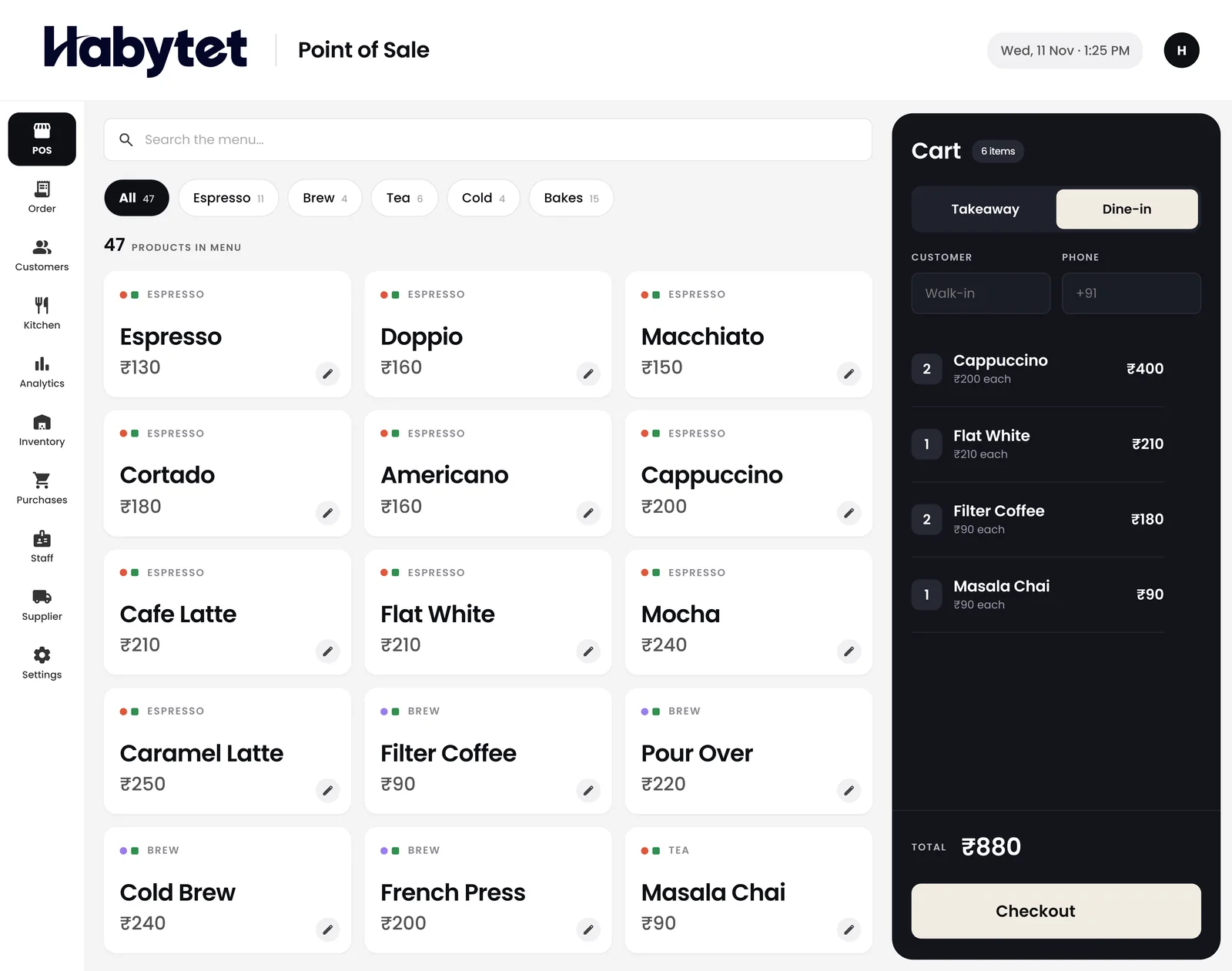
Dine-in or takeaway, the bill is ready in a few taps.
Products
Point of SaleBilling, kitchen and stock InventoryStock, purchases and suppliers ConstructionProjects, BOQ and site attendance ERPInventory, finance and dispatch Field SalesBeat routes, orders and attendance BanquetHalls, bookings and payments QueueTokens, waiting list and tables Fitness and StudioClasses, members and bookings
Billing, orders, kitchen and stock on one system. On a tablet at the counter and on your phone.
Dine-in or takeaway, the bill is ready in a few taps.
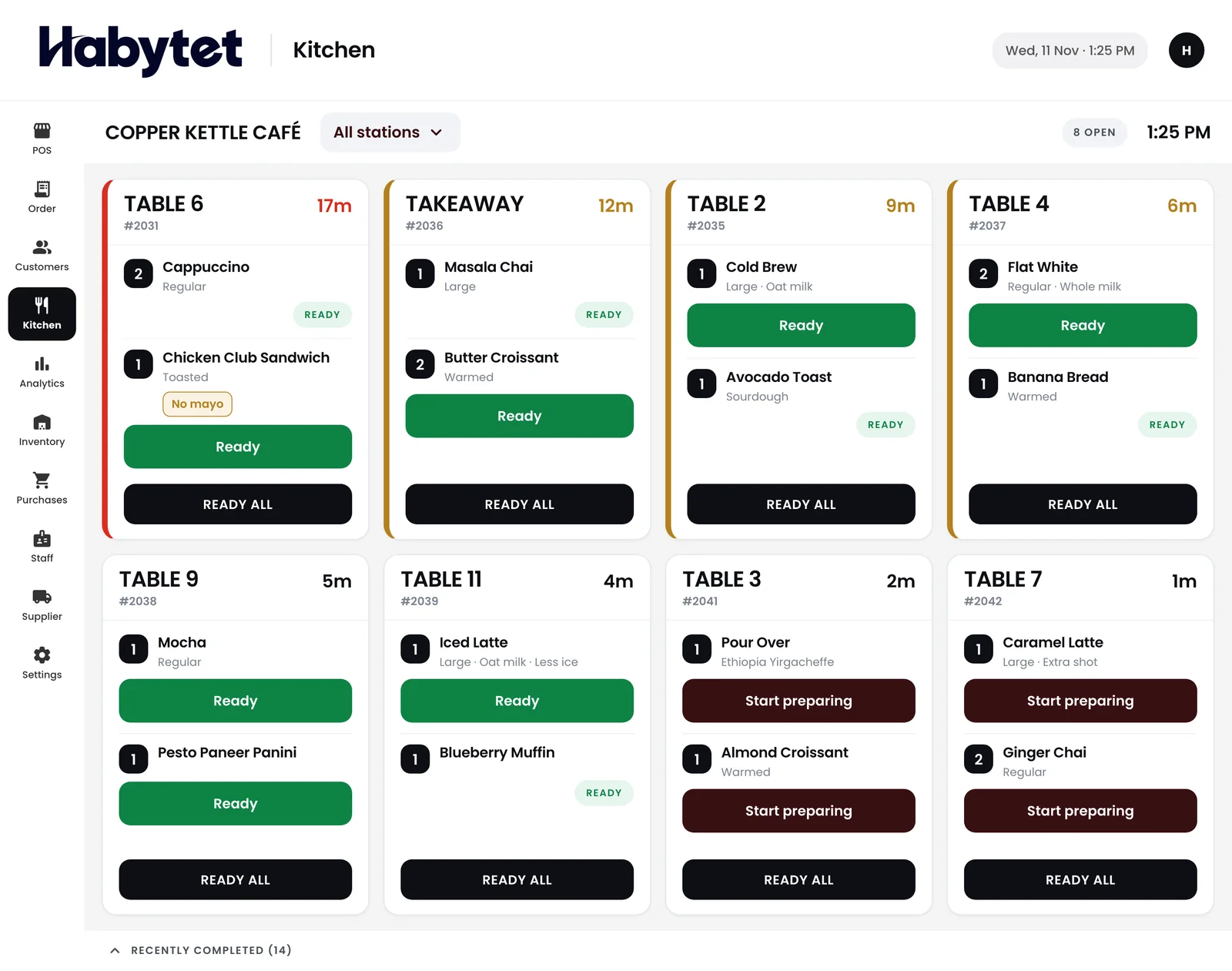
Orders show up in the kitchen table by table, and are marked ready from there.
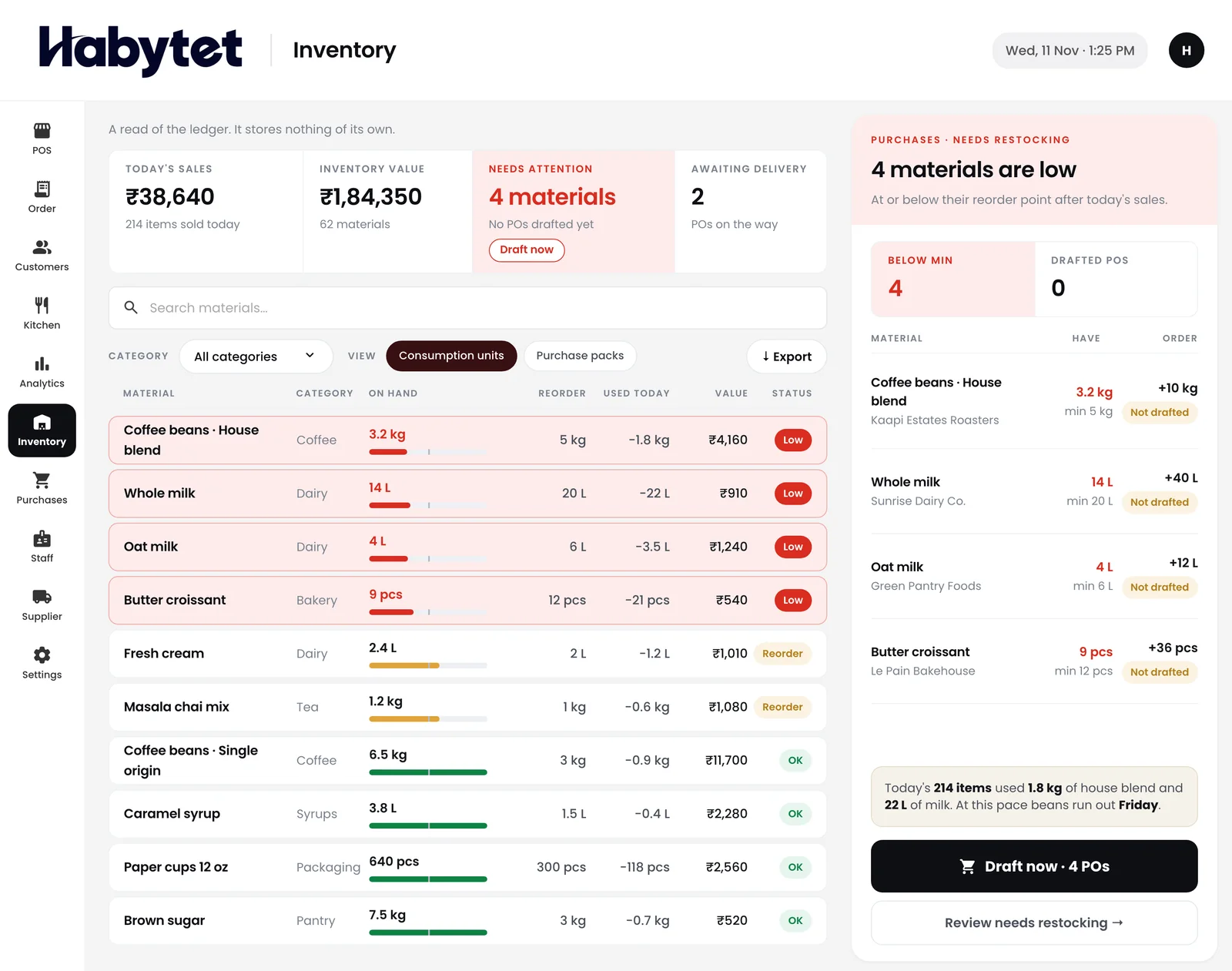
Stock on hand for every item, and what is running low.
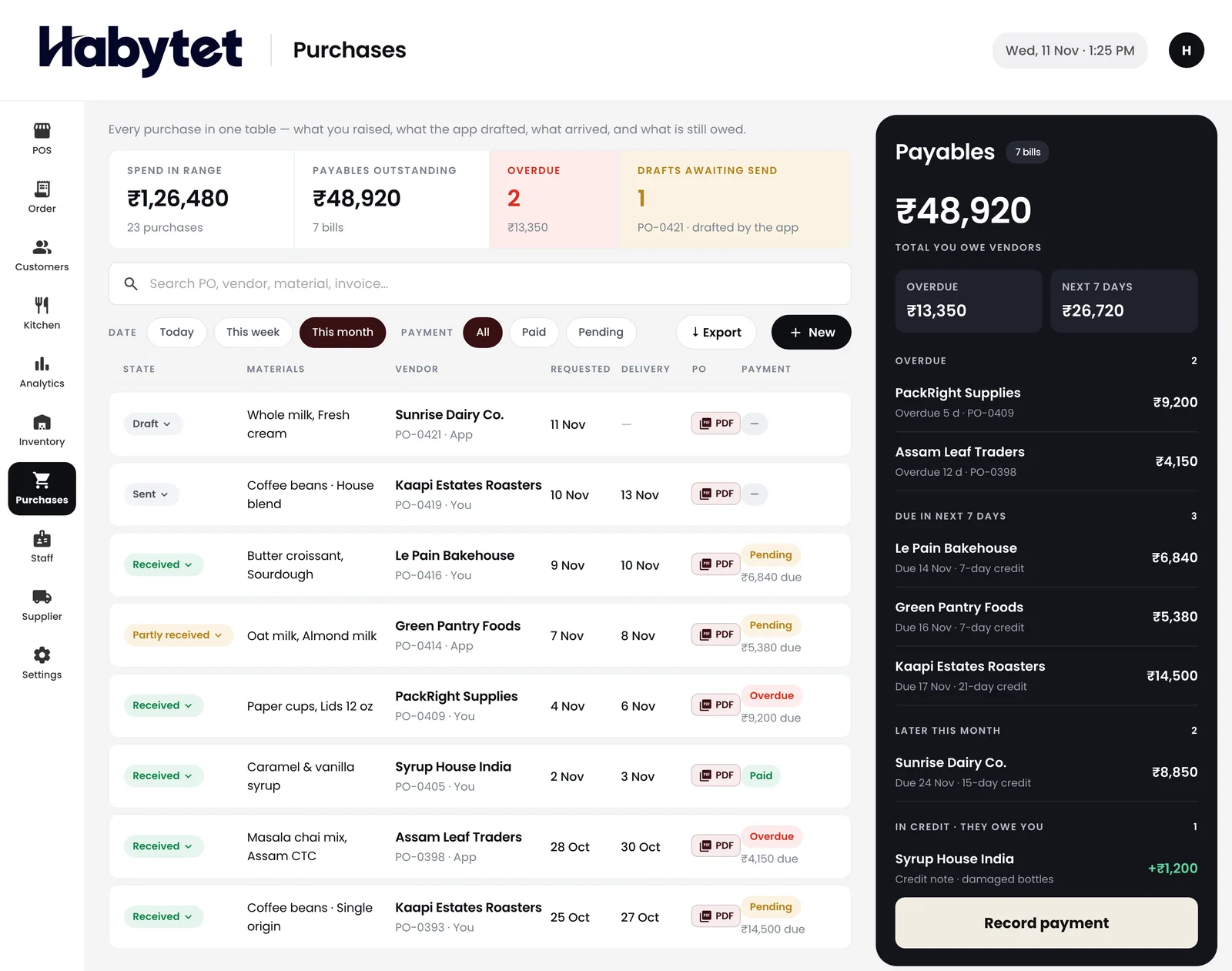
Every purchase from your suppliers in one place, with what you owe.
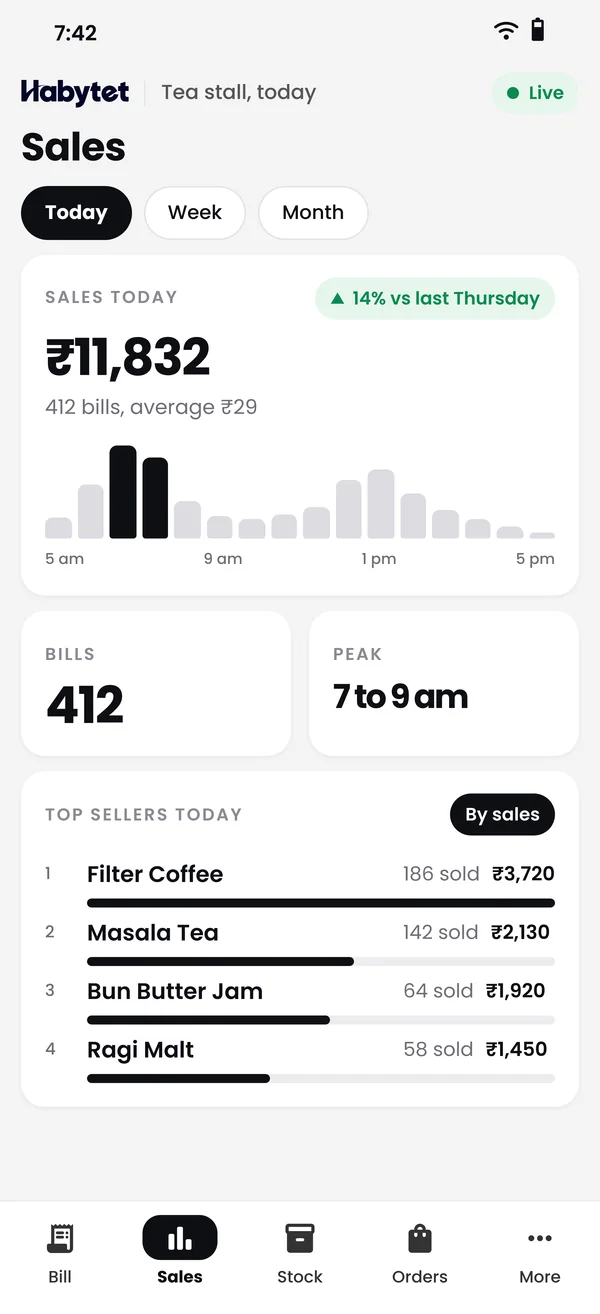
Today's sales, bills and top sellers, wherever you are.
The kitchen, the counter and the store all work on one system.
Every order shows up in the kitchen, table by table.
Dine-in or takeaway, the bill is ready in a few taps.
See what is running low and order it from your suppliers.
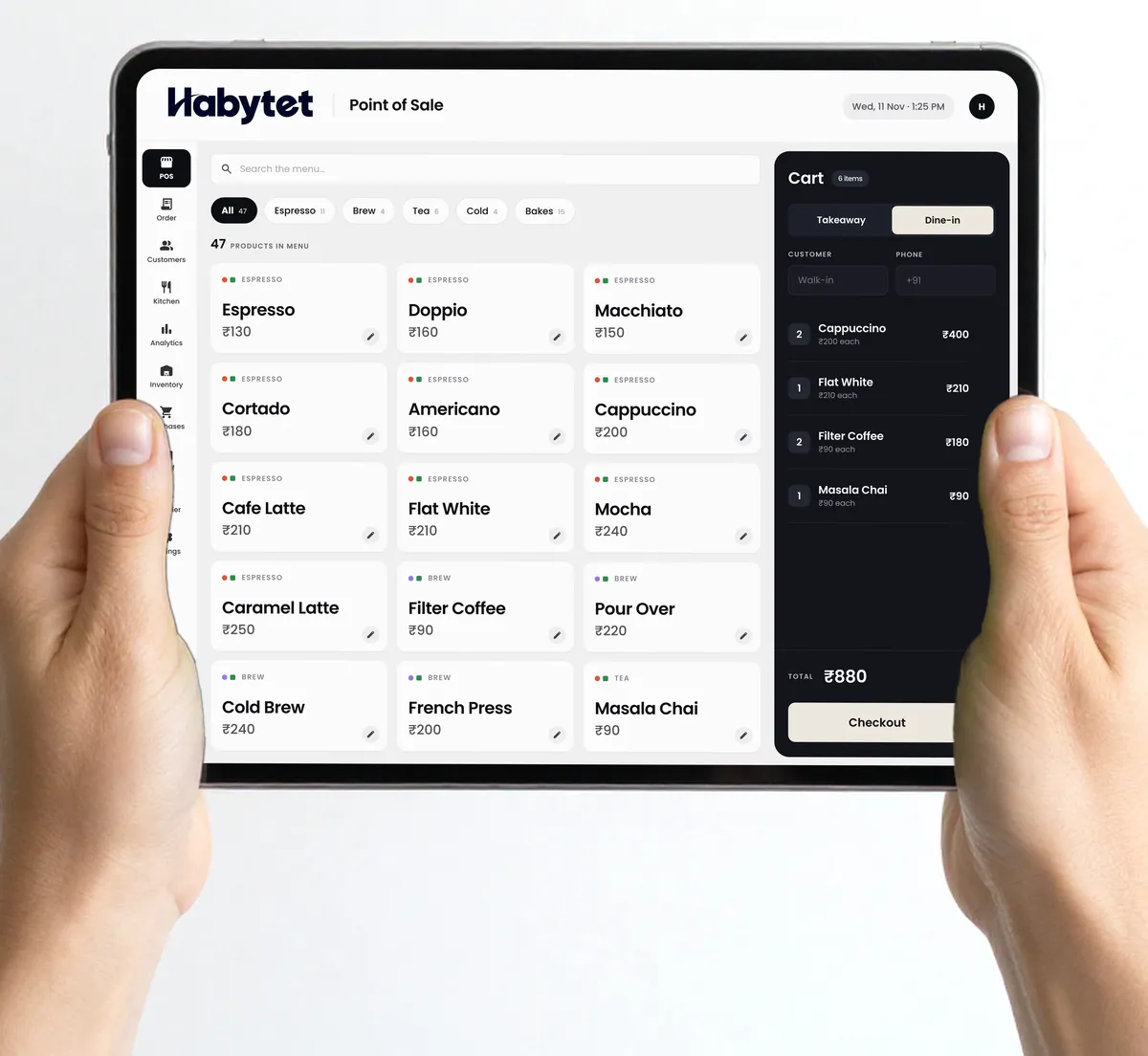
Take orders at the table or the counter, dine-in or takeaway. Each customer's details stay with their bills. Swiggy and Zomato orders can come in too, through UrbanPiper, once it is set up for your restaurant.
Sales, bills and top sellers for the day, on your phone, wherever you are.
Know what is running low, raise purchases with your suppliers and keep track of what you owe.
Everyone on your team, from the kitchen to the counter, works on the same POS.
Habytet POS runs on an Android tablet at the counter. Sales and reports can also be checked in a web browser on your phone, and the counter, the kitchen and the store room all work on the same system.
Yes. The Android app prints customer bills and kitchen tickets on a thermal receipt printer on your shop’s network. It can print the bill by itself when a sale closes, and sends one kitchen ticket to each kitchen station the order needs.
Yes. Once you enter your GSTIN, Habytet POS adds GST to each bill and prints your GSTIN on it. Menu prices can include GST or have it added on top.
Yes. Orders show up on the kitchen screen table by table, and the kitchen marks each dish as started and ready. You can split the kitchen into stations by menu category.
UPI, cash, card and online payments. One bill can be split across more than one mode, and you can allow customers to pay later.
Yes. You create roles and choose what each one can do, such as billing, the kitchen screen, seeing money, purchases, inventory, reports or settings. Every staff member signs in with their own login.
Yes. Sales, bills and top sellers are shown with charts for today or any date range, and you can check them on your phone wherever you are.
Yes, through UrbanPiper, a service that connects restaurants to delivery apps; it is not a direct link to Swiggy or Zomato. It is set up for each restaurant: you need your own UrbanPiper account, and onboarding and menu mapping are done with UrbanPiper before orders flow, so it is not switched on straight away. After that, orders arrive with no re-typing, and staff accept or reject each one and set its preparation time from the Orders screen. UrbanPiper certified the connection for production use in 2026.
Tell us about your restaurant and we will call you to set up a demo.
We will call you on .