
Restaurant billing software in Kochi, for meals and seafood
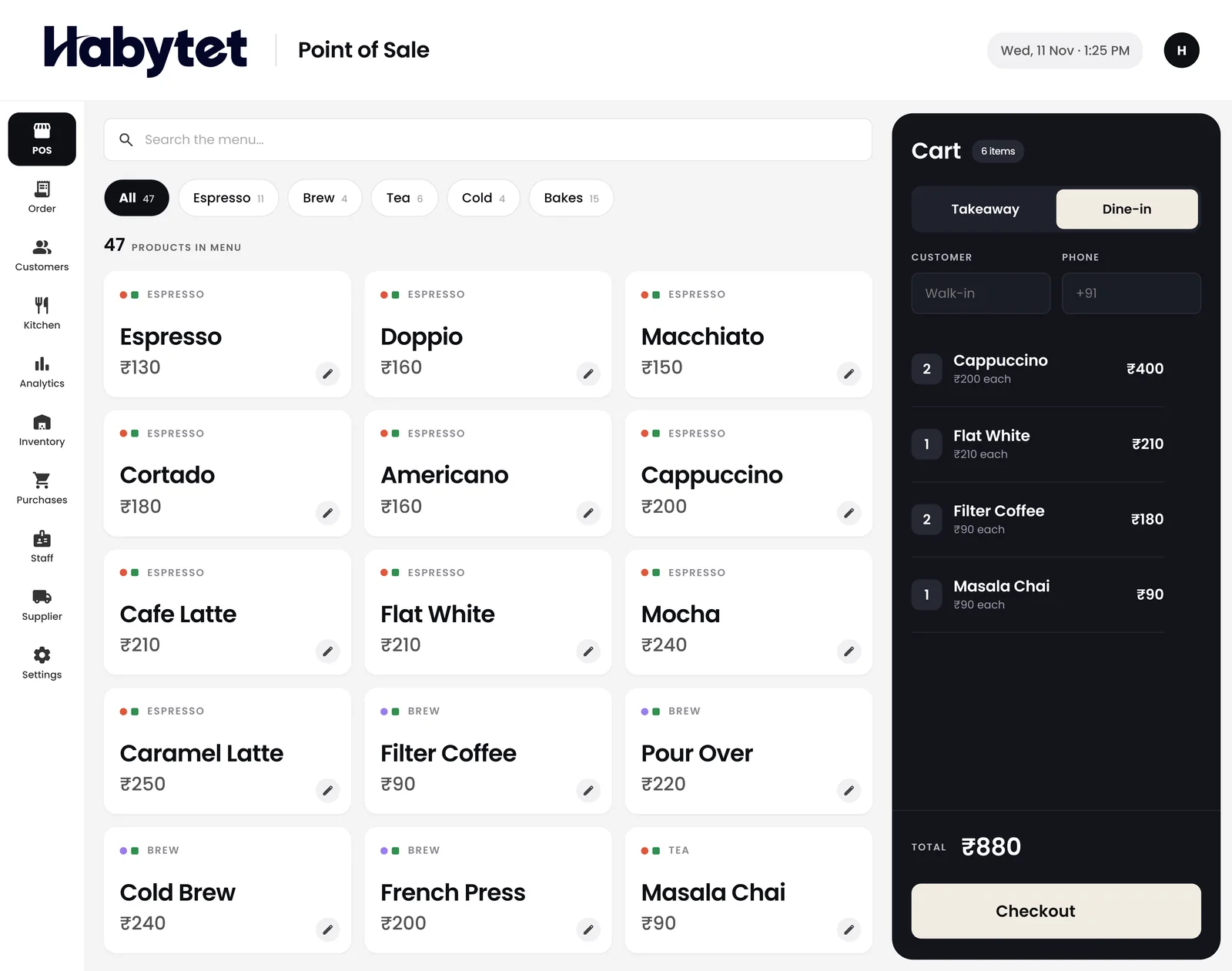
Habytet POS is restaurant billing software for Kochi, made by Habytet. It runs on an Android tablet, puts GST and your GSTIN on each bill, takes UPI, cash, card and online payments, and shows the kitchen and stock on the same system.
What a Kochi business needs from its POS
Kerala GST on a restaurant bill
Kerala's GST state code is 32, so a GSTIN registered in Kochi begins with 32. For a sale inside Kerala the tax is billed as CGST and SGST. Habytet POS adds GST once the GSTIN is entered, lets menu prices include GST or have it added on top, and prints the GSTIN on the bill. Its PDF invoice splits GST into CGST and SGST halves.
Meals, seafood and tea shops
Kochi restaurants serve Kerala meals, fish curry, appam and stew and fried seafood, in tea shops and family restaurants from Ernakulam to Fort Kochi and Mattancherry. Habytet POS bills dine-in and takeaway together, lets regulars pay later, and keeps each customer's details with their bills.
Setup and support for Kochi
The team that sets Habytet POS up around the way you already run is the same team that supports it. Fill in the short form on this page and Habytet calls you back to set up a demo and explain how setup would work.
Good to know in Kochi
- Kerala's code in the GST system is 32, so GSTINs registered in Kochi and the rest of Kerala begin with 32.
- A sale inside Kerala is billed with CGST and SGST in equal halves.
- Kerala meals and the sadya, a feast served on a banana leaf, are central to the way people eat out and celebrate.
- Kochi's Fort Kochi and Mattancherry are historic neighbourhoods on the waterfront, known for their old streets and for the Chinese fishing nets.
- Fish curry meals and fried seafood are familiar sights on Kochi restaurant menus, alongside appam and stew.
Using Habytet POS in a Kochi restaurant
One bill for meals, drinks and extras
Items can have sizes and add-ons, so a plate of meals, an extra fry or a side is part of the same bill. Take payment by UPI, cash or card, or let a regular pay later.
Fry, rice and tea, each with its own ticket
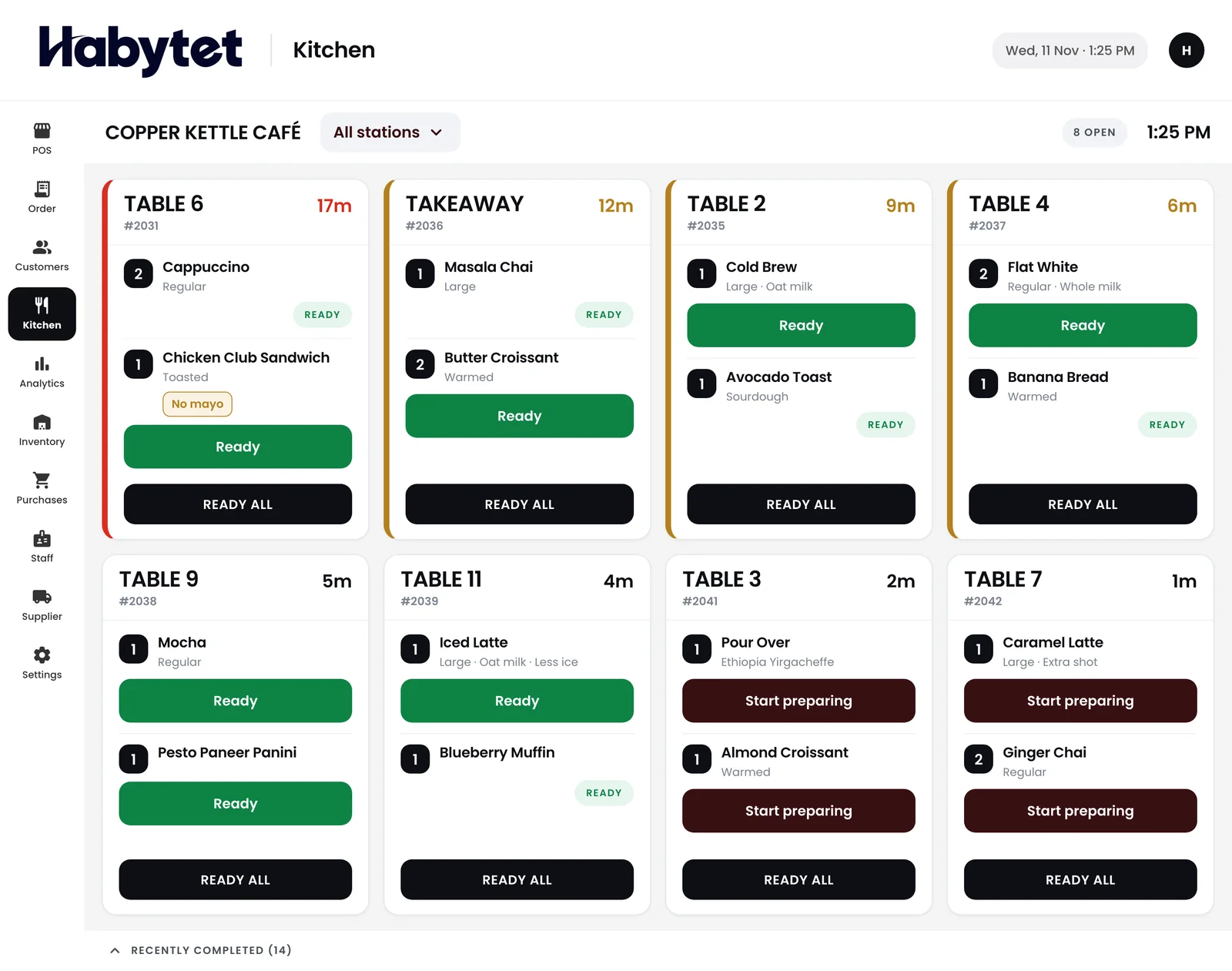
Set the kitchen up in stations by menu category, such as the fry counter, the rice section and the tea counter. The kitchen screen shows every table's dishes as started and ready.
Fish and vegetables, on record
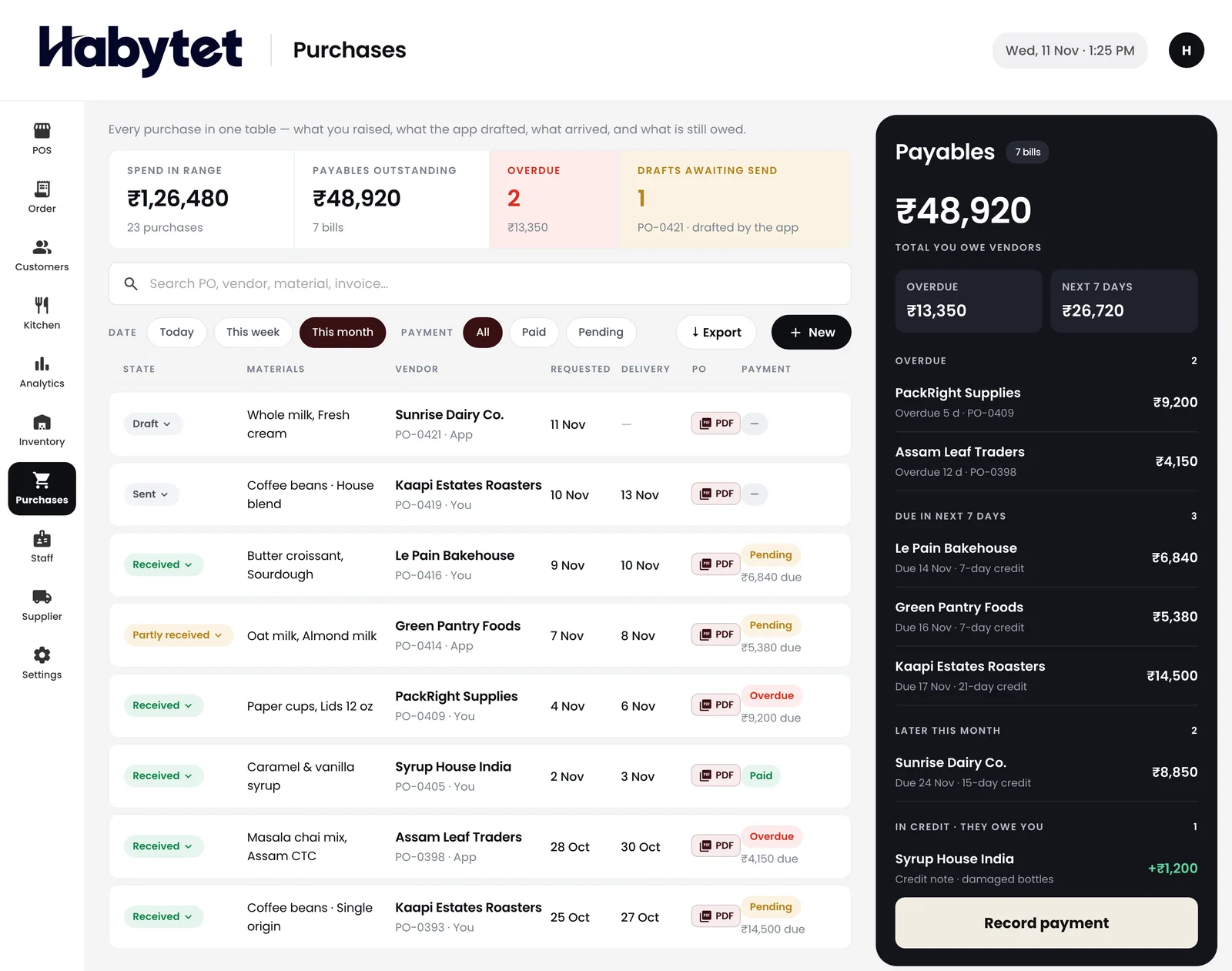
Keep a record of each purchase from a supplier and what you owe, and see what is on hand and what is running low in the same system.
Questions.
What is the GST code for Kerala?
32. A GSTIN registered in Kochi begins with 32. Habytet POS prints your GSTIN on each bill and adds GST once it is entered.
Can regular customers pay later?
Yes. Habytet POS can let customers pay later, and each customer's details stay with their bills.
Does it work for a small tea shop?
Yes. Habytet POS is for restaurants, cafes and food outlets, and bills dine-in and takeaway in a few taps.
How do I book a demo?
Fill in the short form on this page and Habytet calls you back to set one up.
See it running in your own business.
Tell us about your restaurant and we will call you to set up a demo.
Thanks.
We will call you on .