
Class calendar
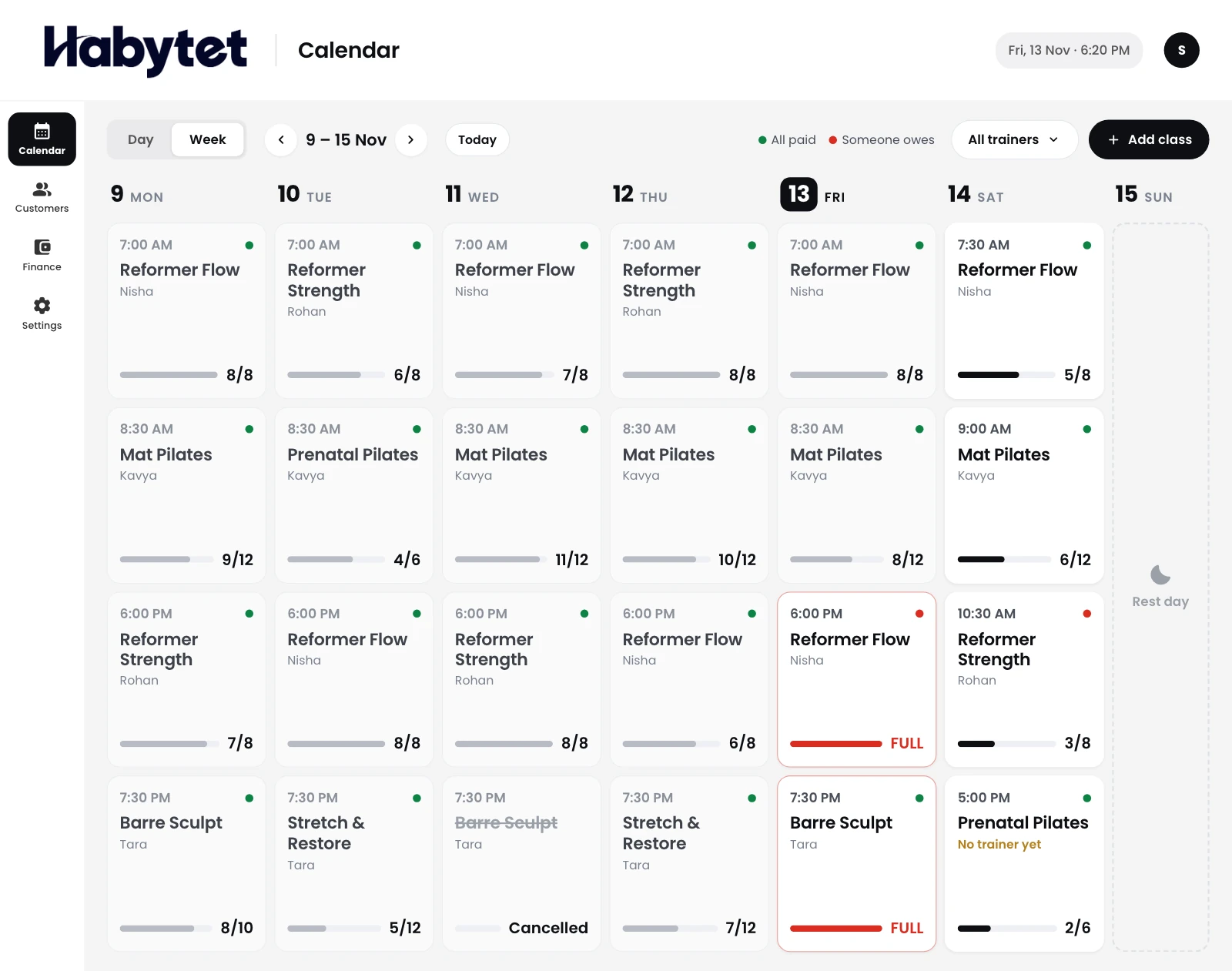
Every class in the week, with its trainer.
Products
Point of SaleBilling, kitchen and stock InventoryStock, purchases and suppliers ConstructionProjects, BOQ and site attendance ERPInventory, finance and dispatch Field SalesBeat routes, orders and attendance BanquetHalls, bookings and payments QueueTokens, waiting list and tables Fitness and StudioClasses, members and bookings
Classes, members, plans and payments for your studio on one system. A tablet at the front desk and an app for your members.
Every class in the week, with its trainer.
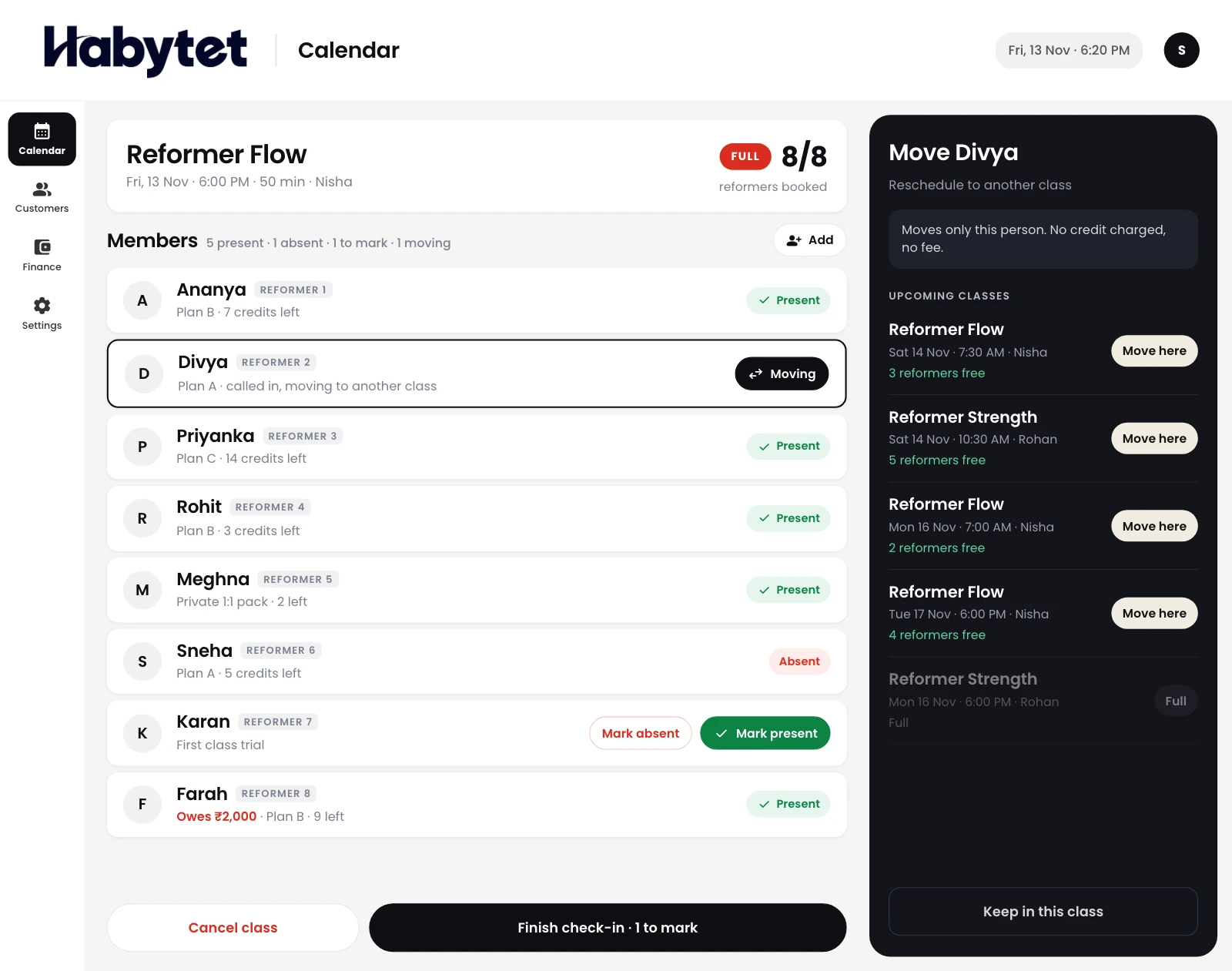
Who booked each class, checked in at the door.
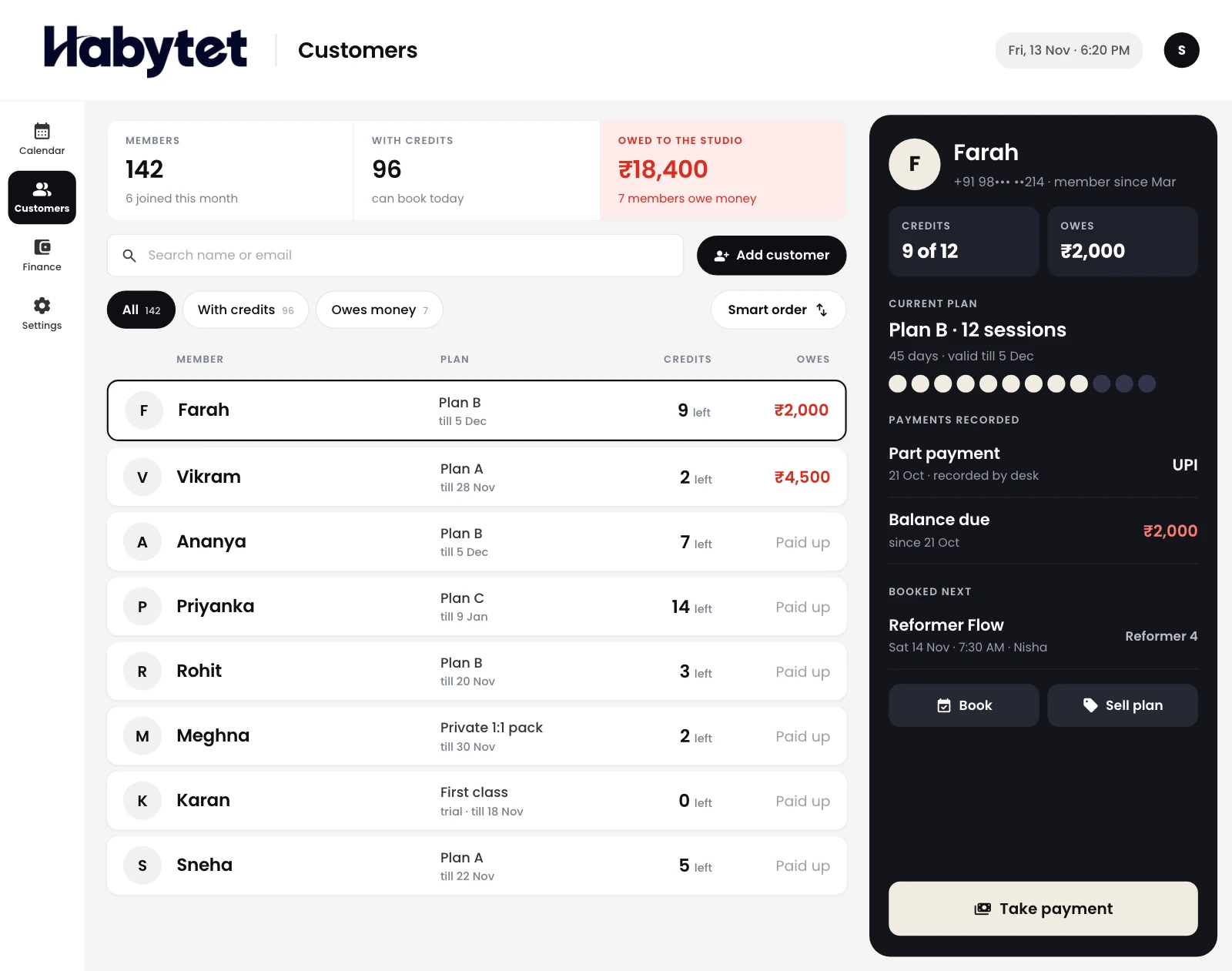
Every member with their plan and the credits they have left.
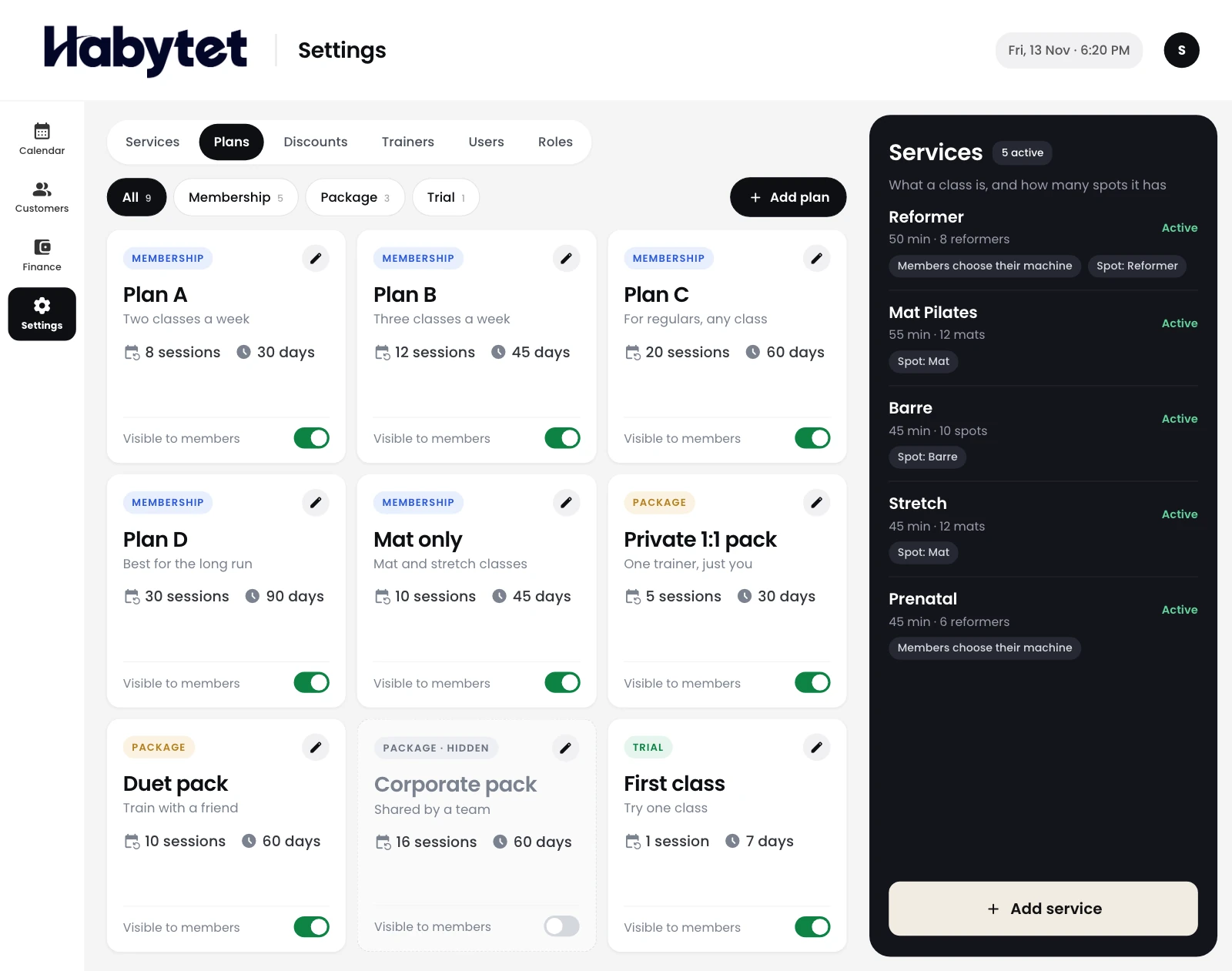
Set up packs and memberships the way you sell them.
Members book their classes from their phone.
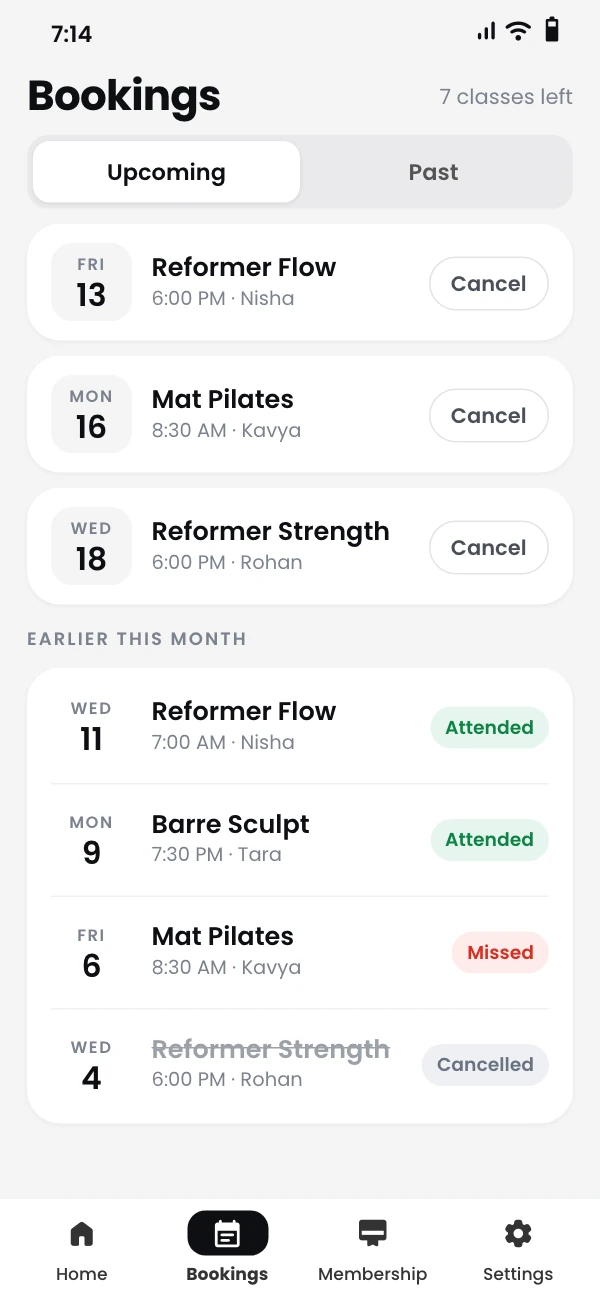



The front desk, the studio and your members' phones see the same classes.
Sign up members, sell plans and record payments.
Check members in from the class roster.
Members see the week's classes and book a spot.
Plan the week's classes and who teaches each one.
Members see their plan and credits, and book classes from the app.
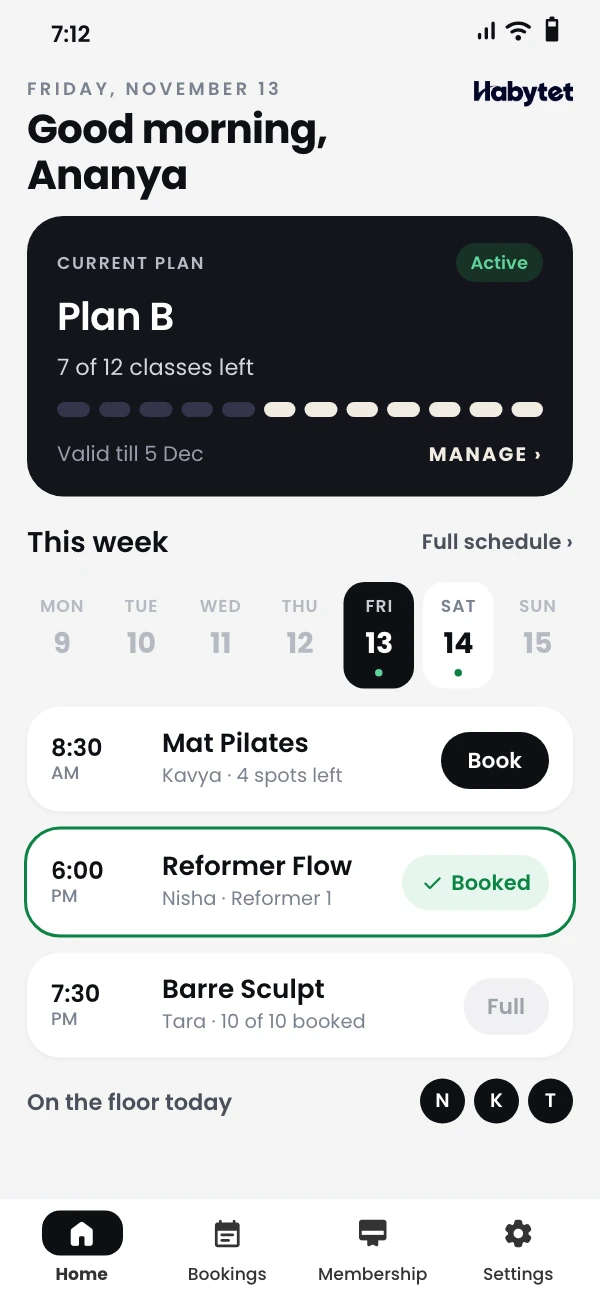
Each member's plan and credits in one place, next to their bookings.
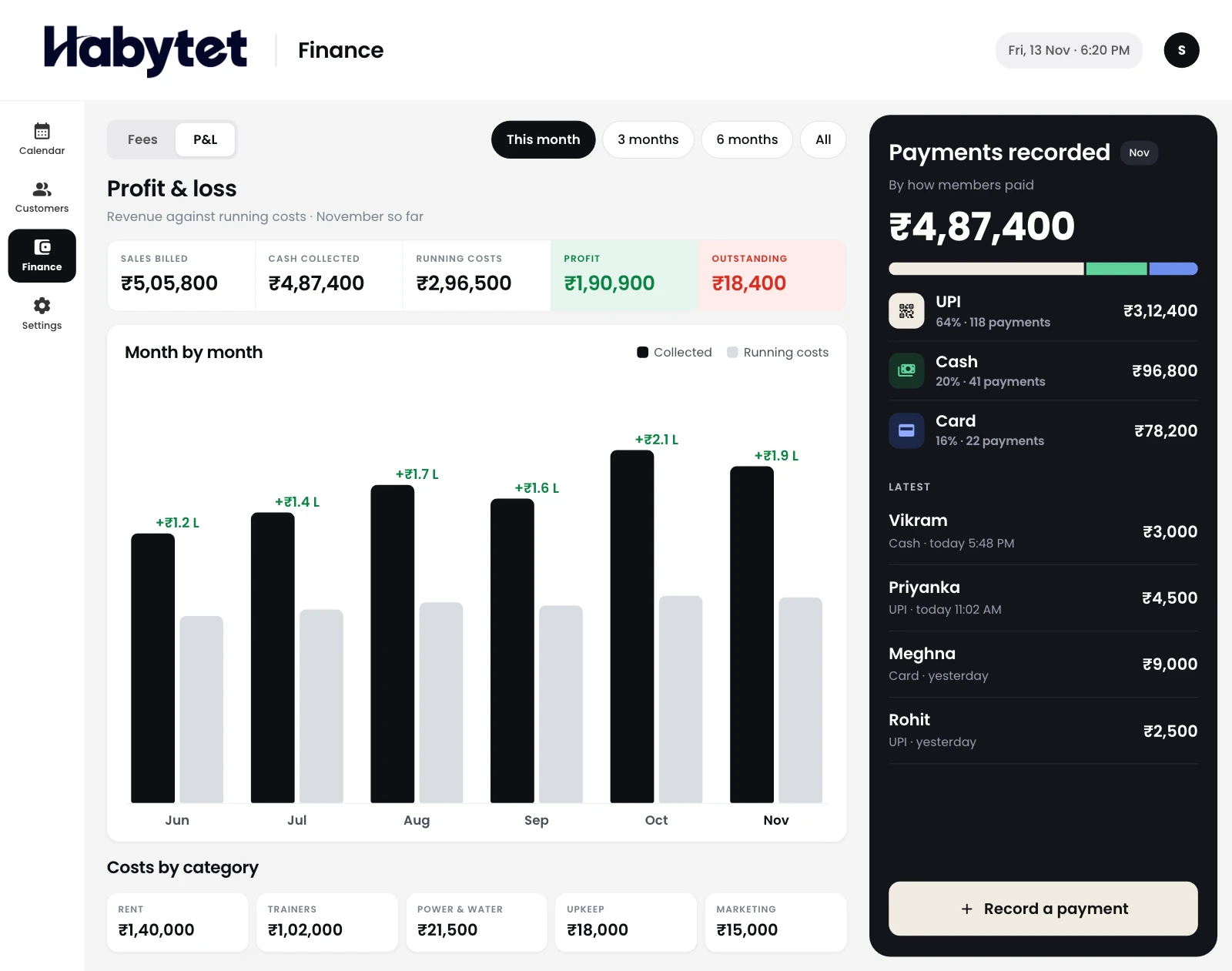
Staff record each payment at the desk, and you see profit and loss for the studio.
Yes. Members see the week's classes, their plan and their credits in the member app, and book a spot from there.
Members can cancel their own booking from the app, and the credit goes back to them. You set how many hours before class a cancellation counts as late, and late cancellations are flagged so a fee can be charged.
Memberships, class packs and trial plans, each with a number of credits and a validity period. You can also sell products at the front desk.
Staff record each payment at the desk with how it was paid: cash, card, bank transfer or another method. You see outstanding dues and profit and loss for the studio.
Yes. Each branch has its own name, address and opening hours, and classes and bookings belong to a branch. A plan's credits can be kept to one branch or used at any branch.
Staff check members in from each class roster. Anyone not marked counts as absent, and each member's attendance is kept up to date.
Reports cover payments, outstanding dues, bookings, attendance, plan purchases, new members, class occupancy and late cancellations. Pick a date range and export any report as CSV or PDF.
Tell us about your studio and we will call you to set up a demo.
We will call you on .