
Projects
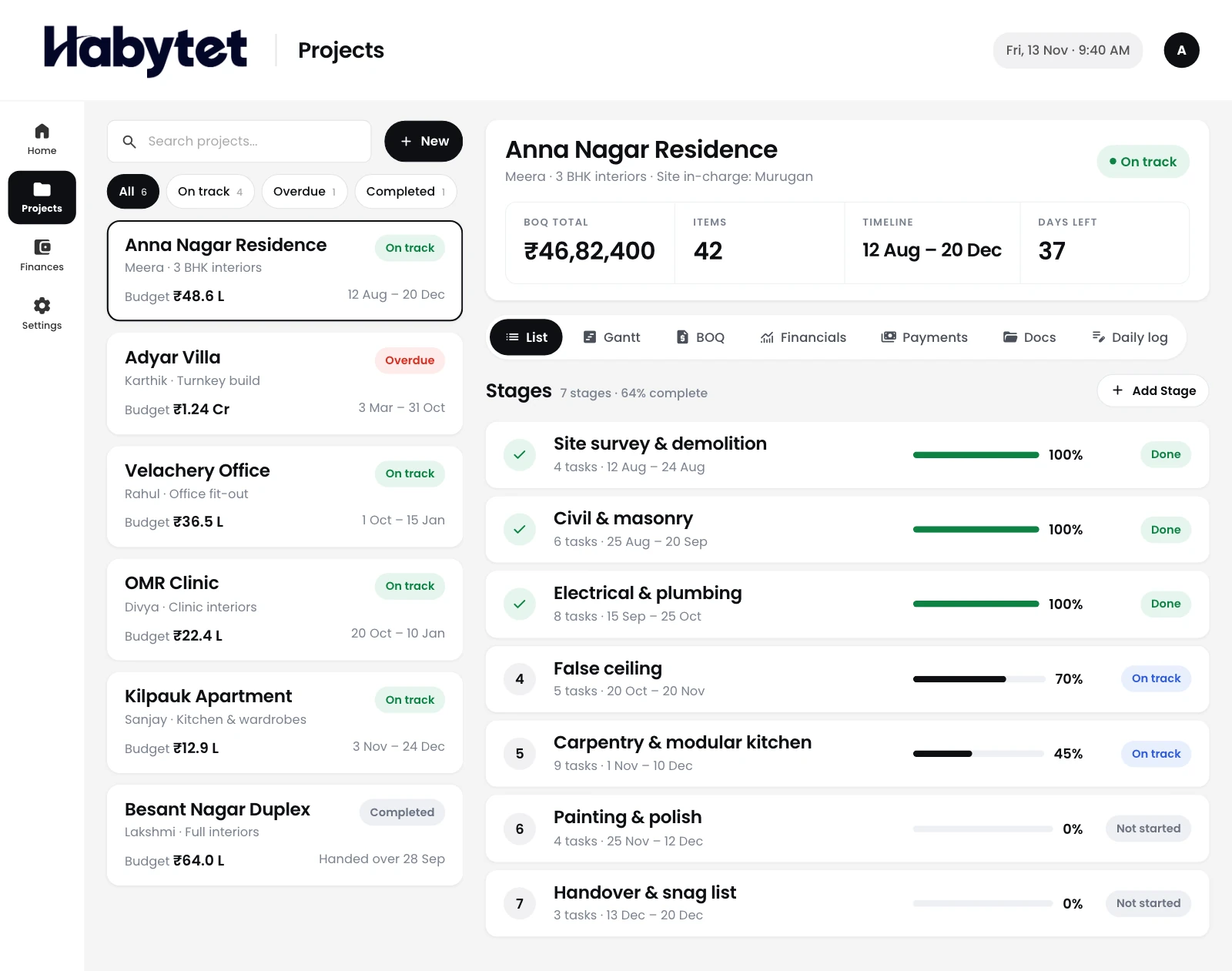
Every project with its stage, budget and timeline in one list.
Products
Point of SaleBilling, kitchen and stock InventoryStock, purchases and suppliers ConstructionProjects, BOQ and site attendance ERPInventory, finance and dispatch Field SalesBeat routes, orders and attendance BanquetHalls, bookings and payments QueueTokens, waiting list and tables Fitness and StudioClasses, members and bookings
Projects, BOQ, timelines and site attendance on one system. On a tablet in the office and on your phone at the site.
Every project with its stage, budget and timeline in one list.
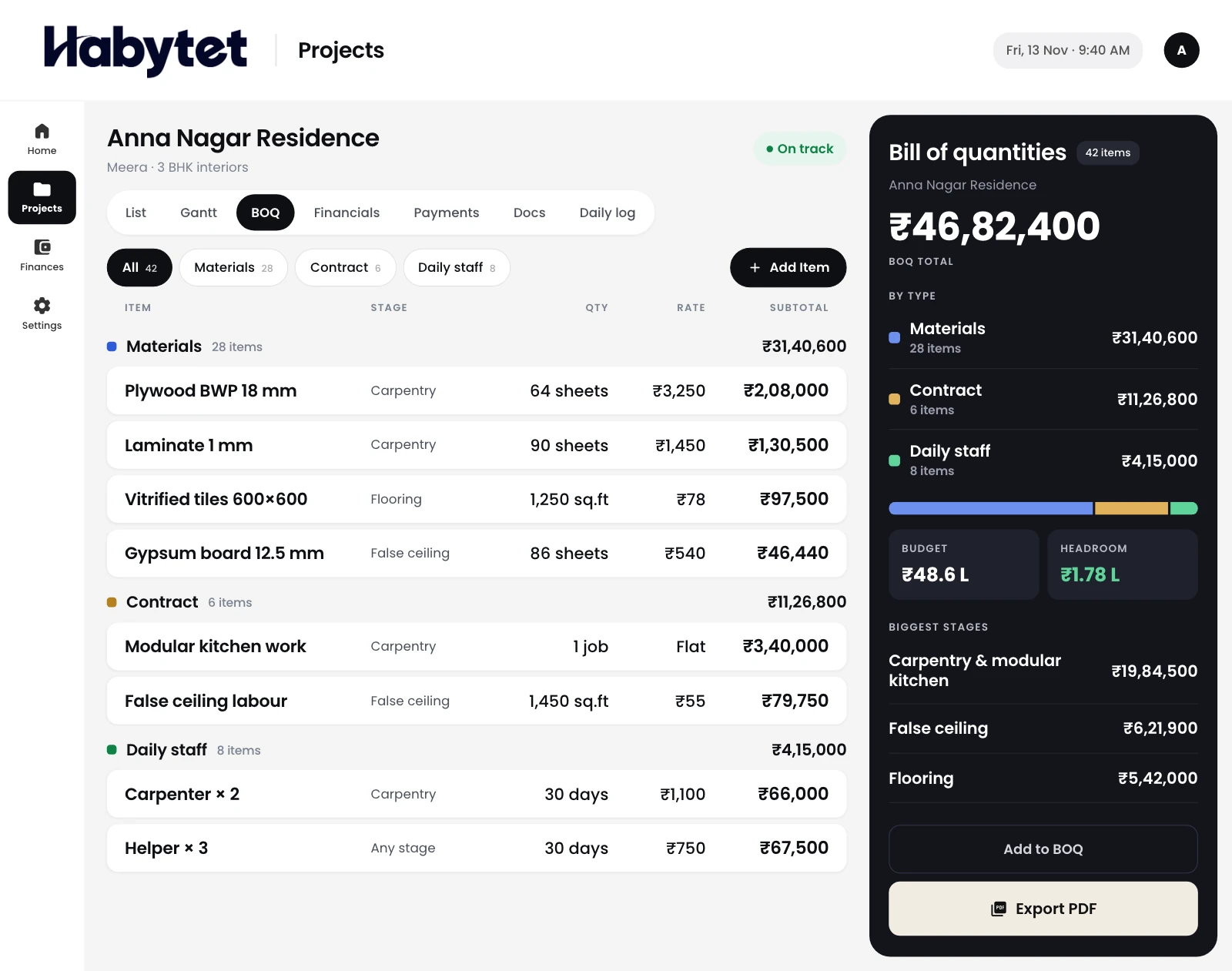
Build the bill of quantities item by item and export it as a PDF.
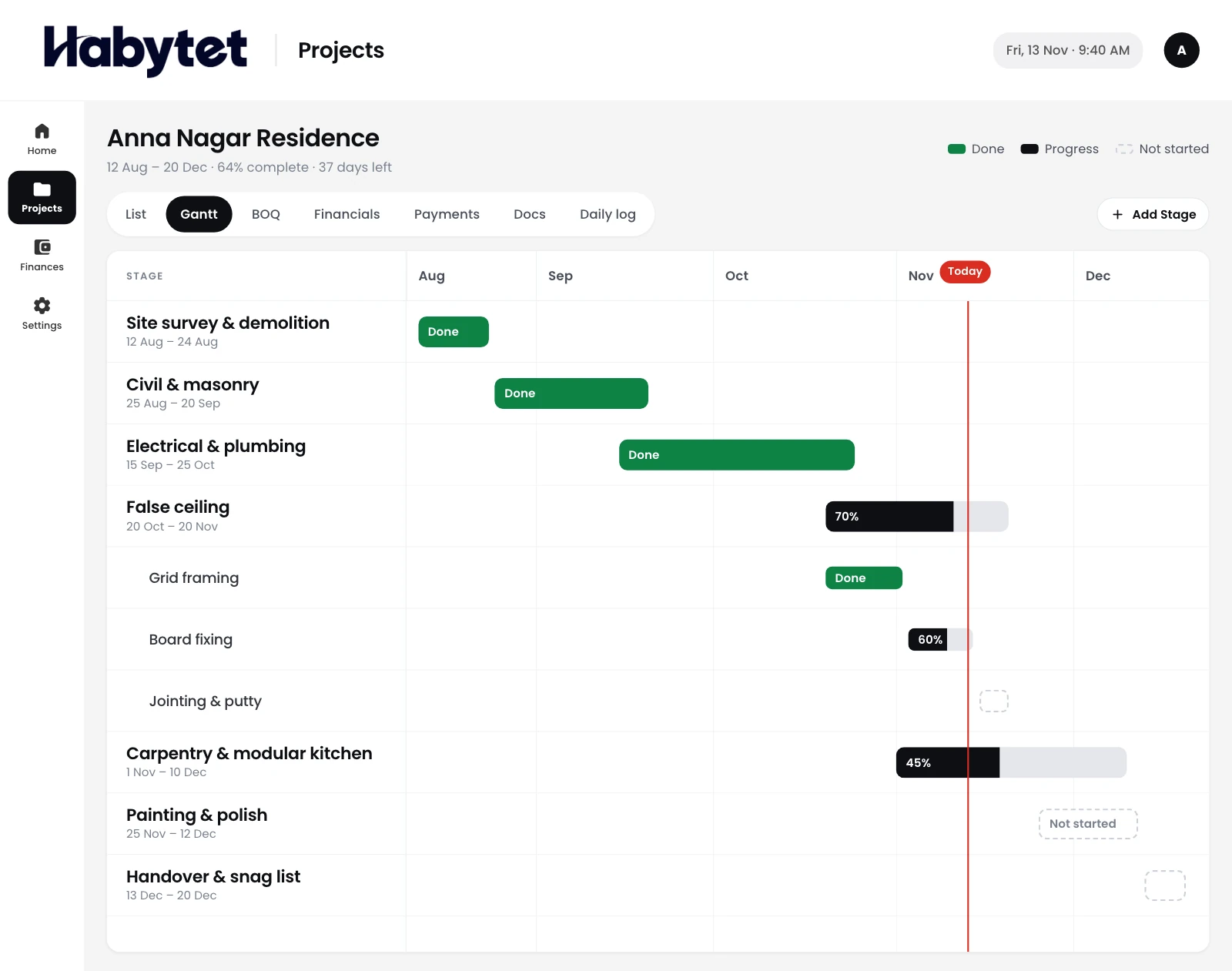
Every stage on a timeline, so you see what comes next.
What each project was meant to cost, next to what it has cost so far.
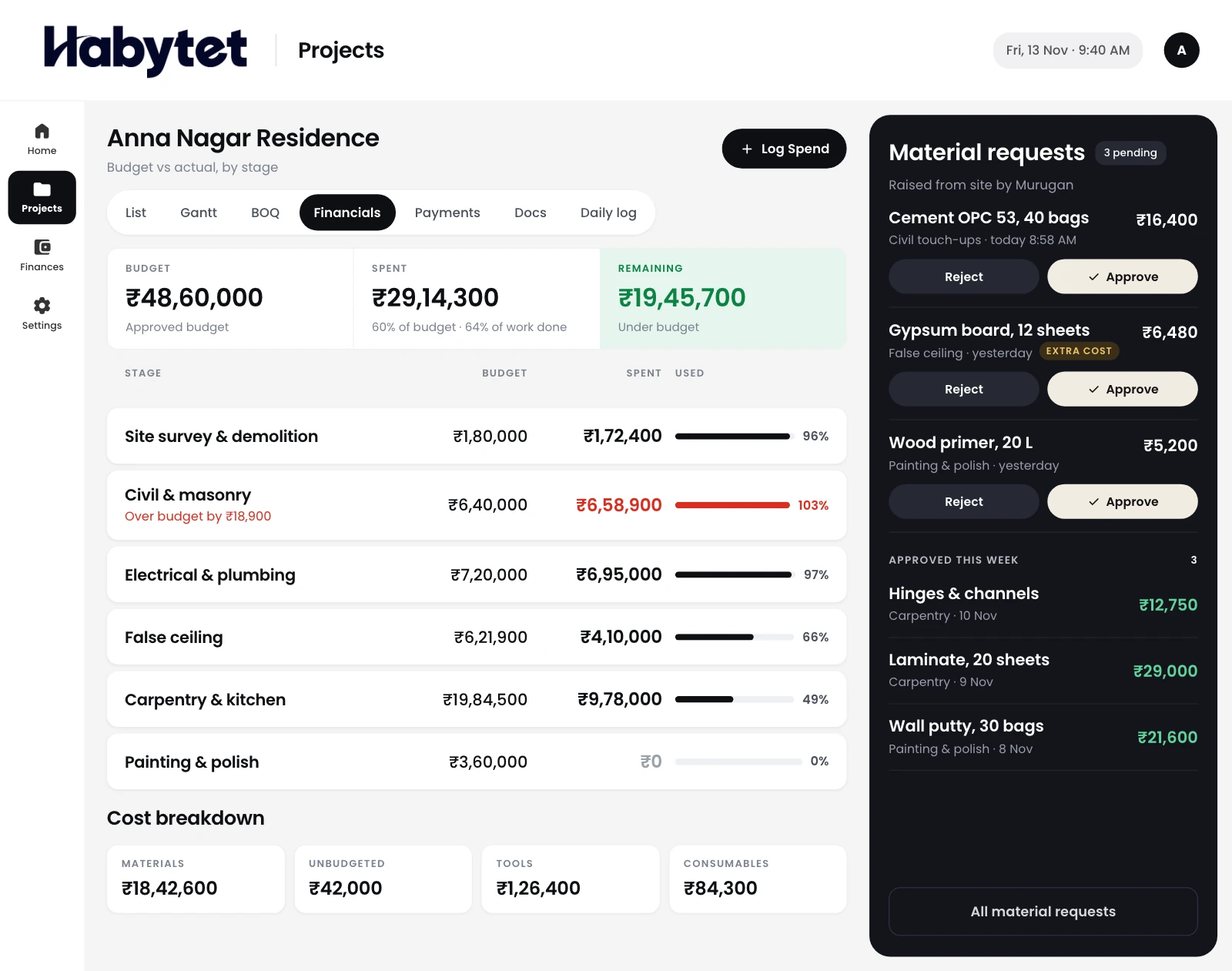
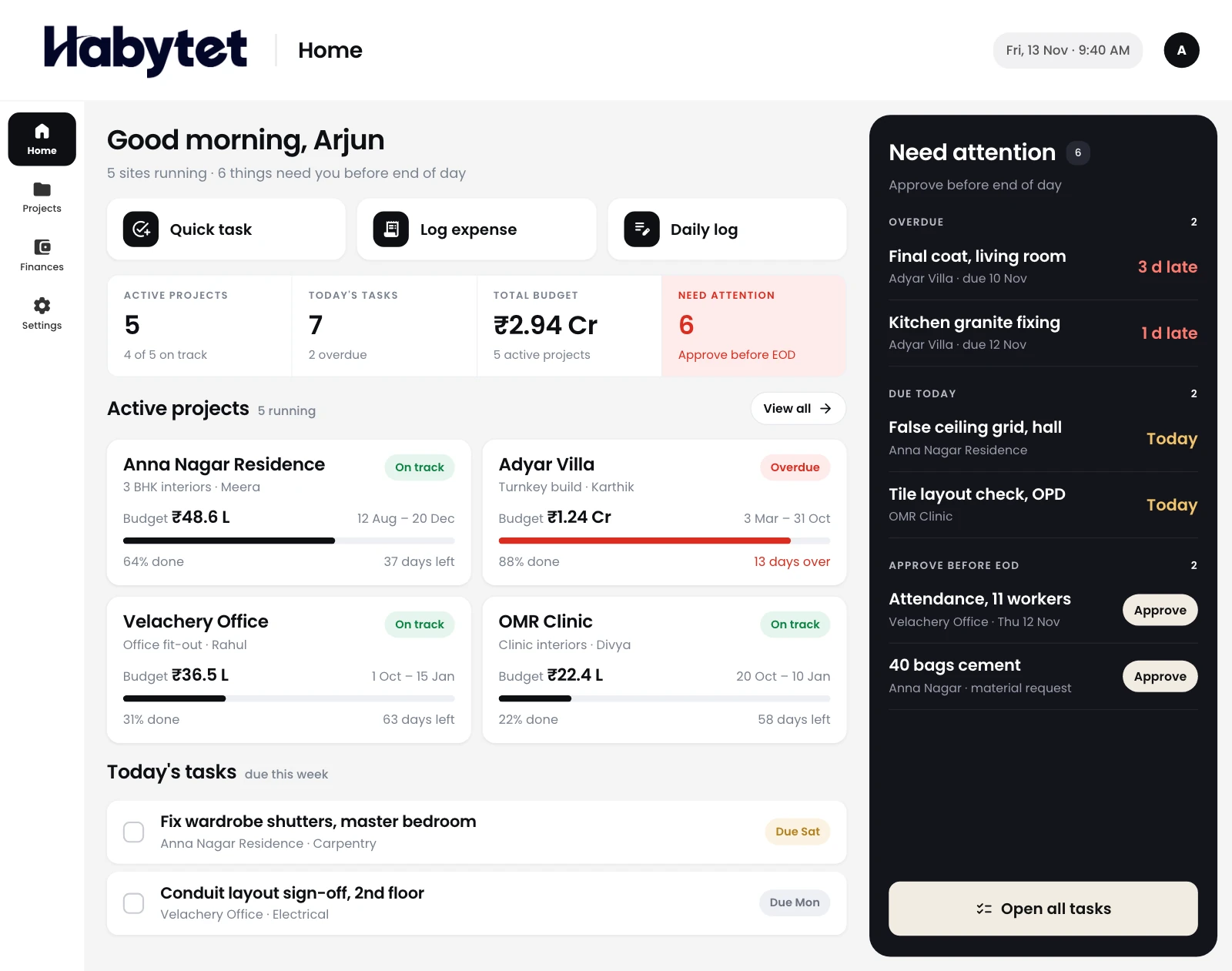
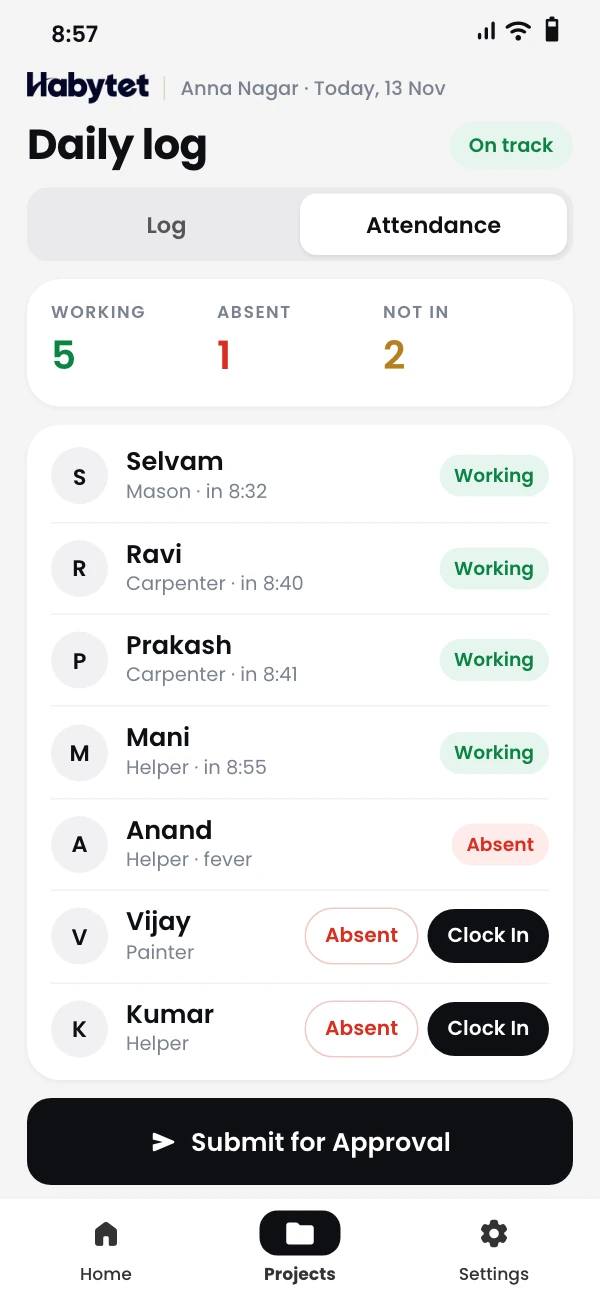
Mark attendance and raise material requests from the site.



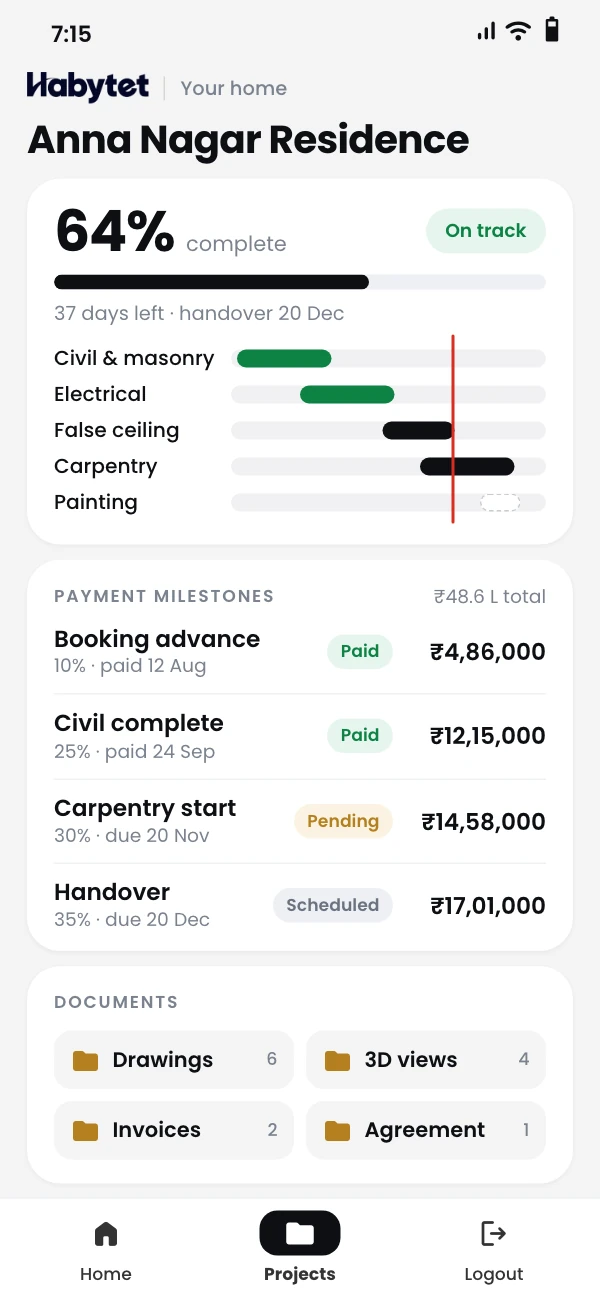
The site, the office and your client all see the same project.
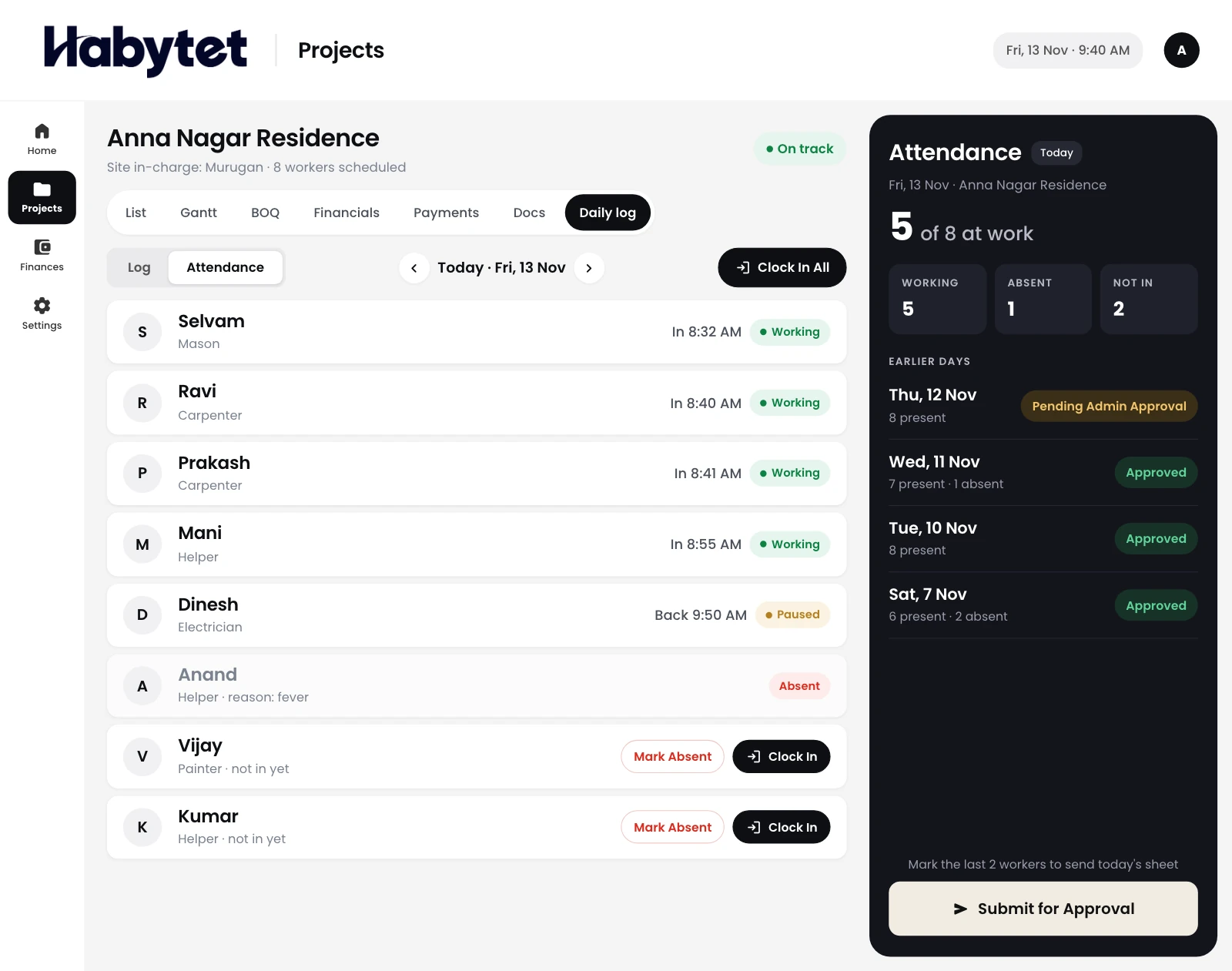
Who came in, what got done and what the site needs, day by day.
Stages, the timeline and the BOQ, kept up to date for every project.
A client view of project progress, so your client sees how the work is going.
Site staff mark attendance and raise material requests from their phone. The office approves them.
Build the BOQ, export it as a PDF, and keep drawings and documents with the project.
Set the payment due at each stage and see what has been paid. Budget against actual, project by project.
A client view of project progress on their phone, without a call to the site.
Habytet Construction runs on Android phones and tablets, and in a web browser. The office plans on a tablet or computer, and site staff use their phone.
Yes. Site staff mark attendance from their phone and submit the day for review. The office then approves or rejects it.
You build the bill of quantities item by item for each project and export it as a PDF. The rates in the BOQ carry through to the material purchases for that project.
Yes. Site staff raise material requests, the office approves them, and purchase orders are raised against what was approved. Goods are marked as received when they arrive on site.
Yes. Each user has a role, such as admin, finance, site in-charge or client, with its own default permissions. An admin can turn single permissions on or off for each person.
Yes. Daily log entries can carry photos taken with the phone camera or picked from the gallery, so the office sees what happened at the site each day.
Yes. Your client gets a view of their own projects' progress on their phone, without a call to the site. Client users can look but cannot change anything.
Tell us about your projects and we will call you to set up a demo.
We will call you on .