
MEP contractor software for electrical, plumbing and HVAC jobs
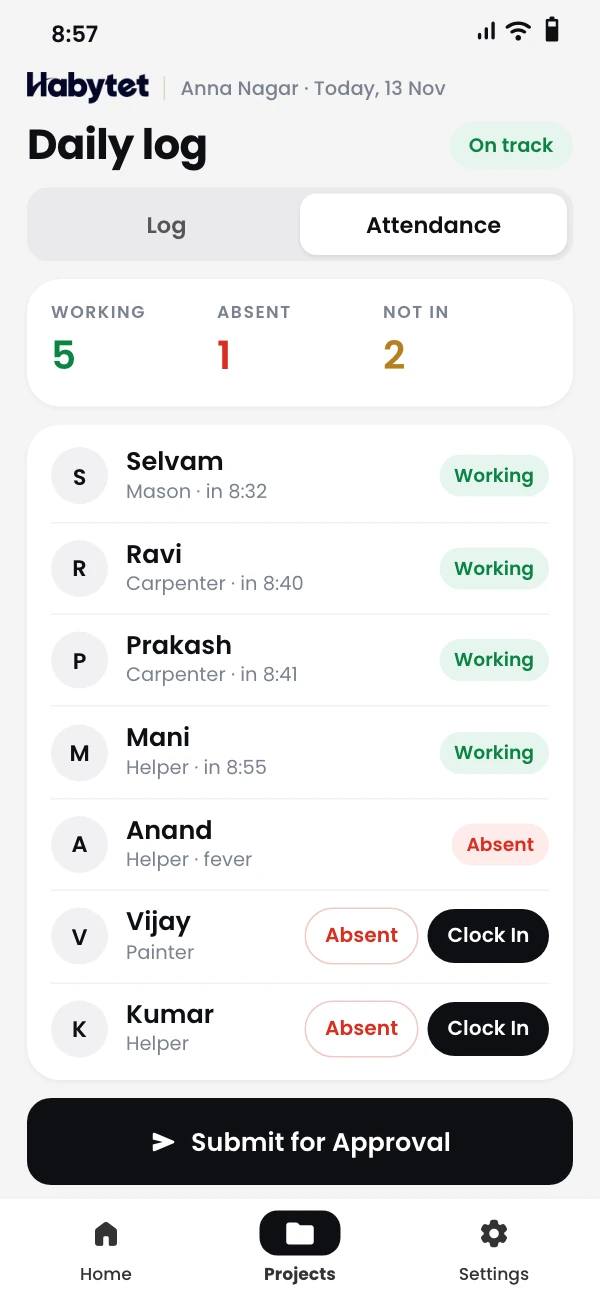
Habytet Construction is project software for MEP contractors, with the office on a tablet or computer and site teams on a phone. It builds the BOQ as a PDF, puts your own stages on a Gantt timeline, handles material requests and tools on site, and records payments to each subcontractor.
How Habytet Construction fits an MEP contractor
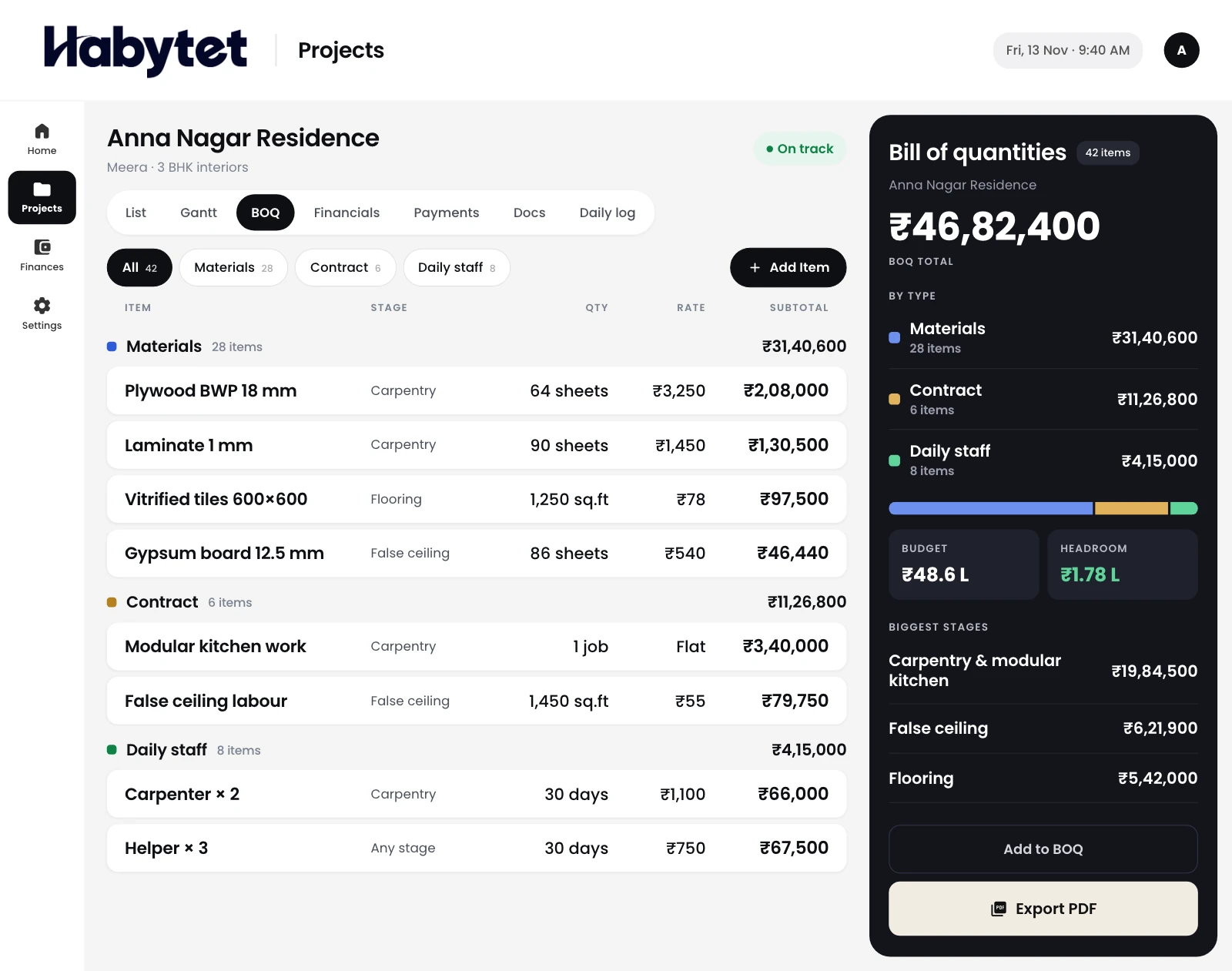
A BOQ by item, with the rates carried through
Build the bill of quantities item by item, for cabling, piping or ducting, and export it as a PDF. The rates carry through to the material purchases for that project.
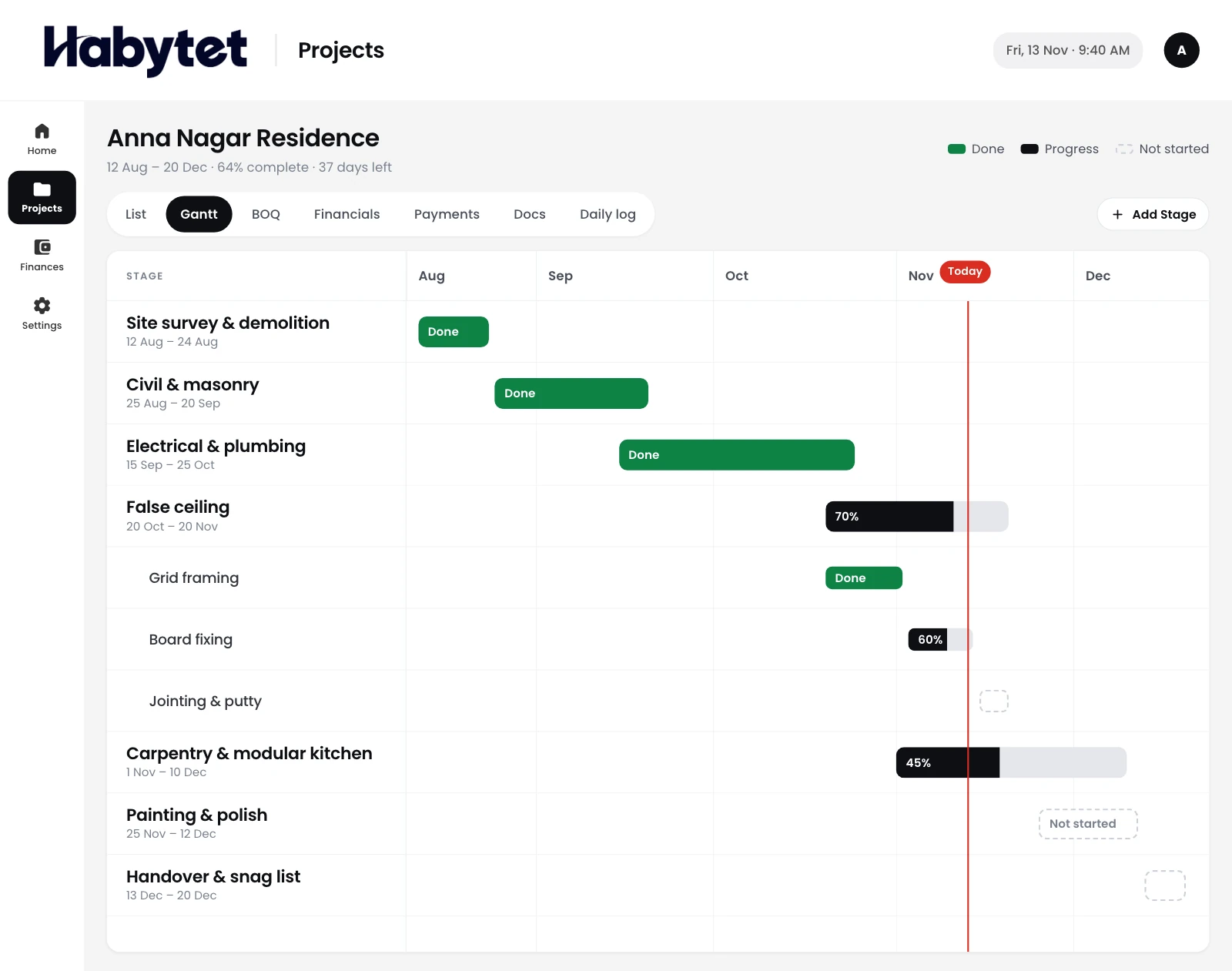
Your stages, in the order the site needs
Name your own stages, such as conduiting, piping, ducting, fixtures and testing, and place them on a Gantt timeline. The office sees what comes next.
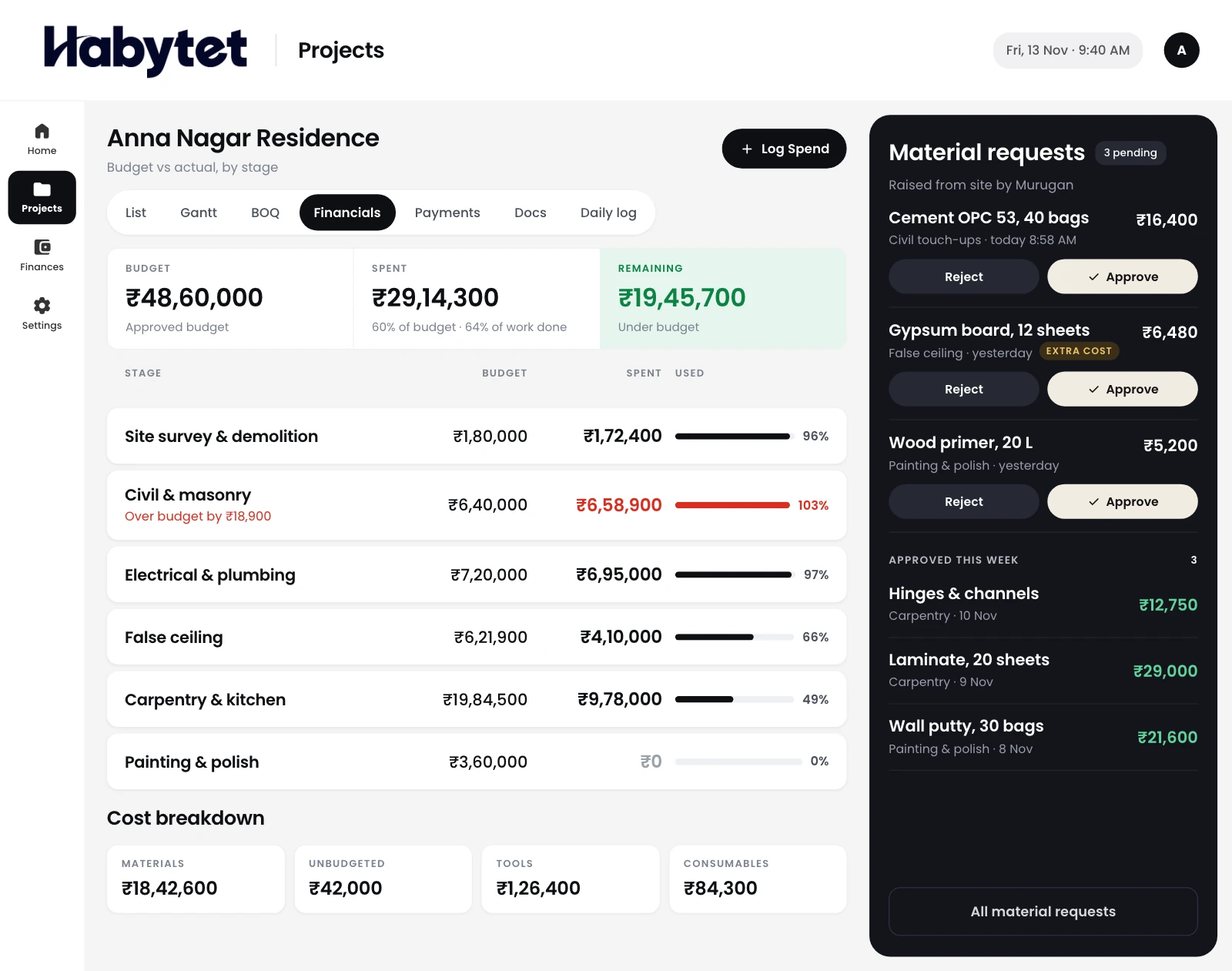
Material requests and what is left on site
Site teams raise material requests for cable, pipe and fittings, and the office approves them. Stock, tools and consumables can be tracked for each project.
Payments to each subcontractor
Payments to each subcontractor are recorded against their contract, with the contract total, what has been paid and the balance. Budget against actual shows what the job has cost.
Drawings kept with the project
Keep drawings and documents with each project as PDF files, so every sheet for the job is in one place, next to its stages and purchases.
Questions.
Can I name my own stages?
Yes. Stages are your own, so you can set them up for electrical, plumbing or HVAC work and place them on the Gantt timeline.
Can I keep drawings for the site team?
Yes, as PDF files. Drawings and documents are kept with the project.
Can I track tools and consumables?
Yes. Stock, tools and consumables can be tracked for each project.
Can I record what I owe a subcontractor?
Yes. Payments are recorded against each subcontractor's contract, showing the contract total, what has been paid and the balance.
Do site teams need a computer?
No. Site staff use their phone. It runs on Android phones and tablets and in a web browser.
See it running in your own business.
Tell us about your company and your MEP jobs, and we will call you to set up a demo.
Thanks.
We will call you on .