
Interior design firm software, from BOQ to handover
Habytet Construction is project management software for interior design firms, on a tablet in the office and a phone at the site. It builds the BOQ and exports it as a PDF, puts every stage on a Gantt timeline, tracks budget against actual and payment milestones, and gives your client a view of progress on their phone.
How Habytet Construction fits an interior design firm
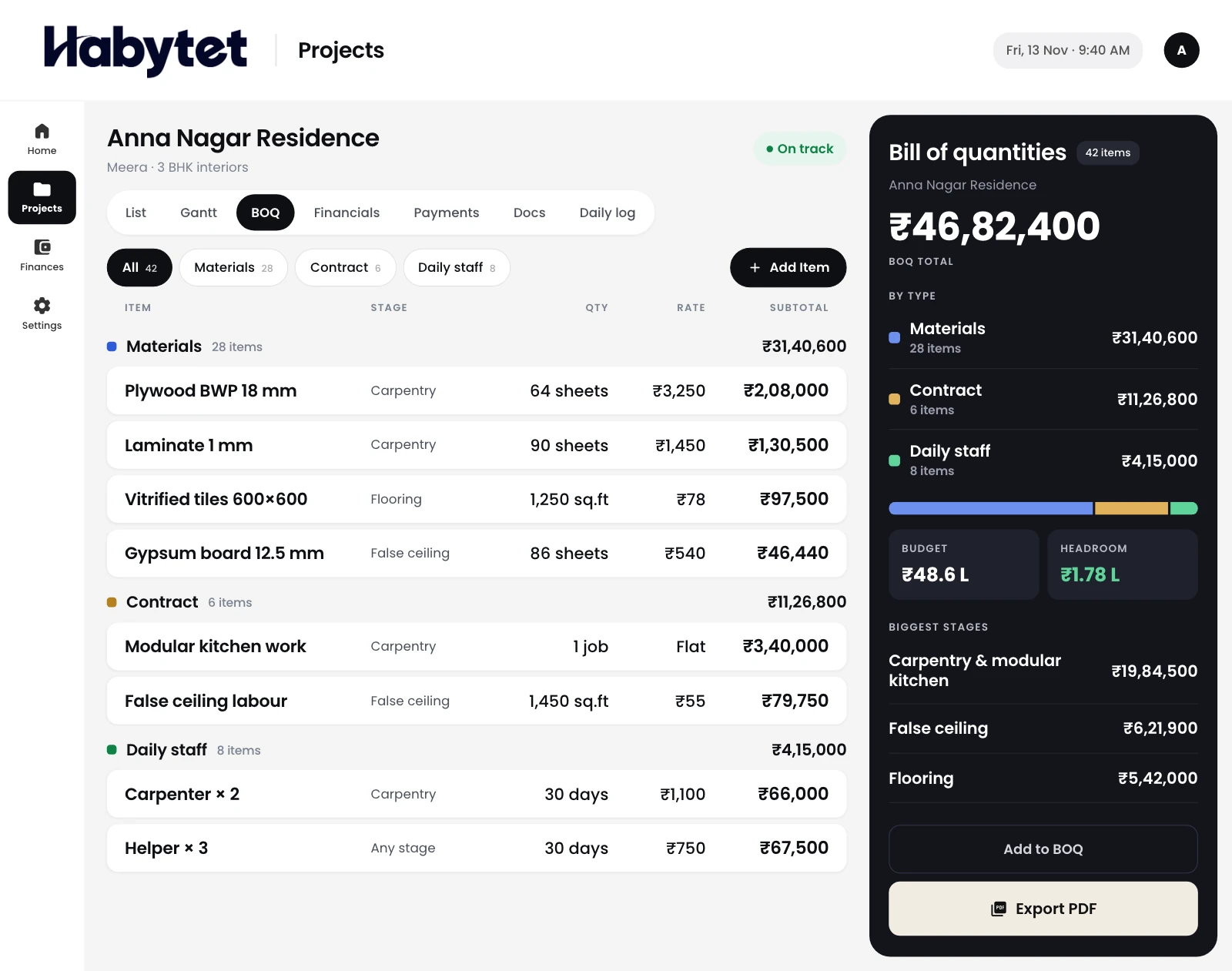
A BOQ your client can read
Build the bill of quantities item by item for each project, from false ceiling to loose furniture, and export it as a PDF to share. The rates in the BOQ carry through to the material purchases for that project.
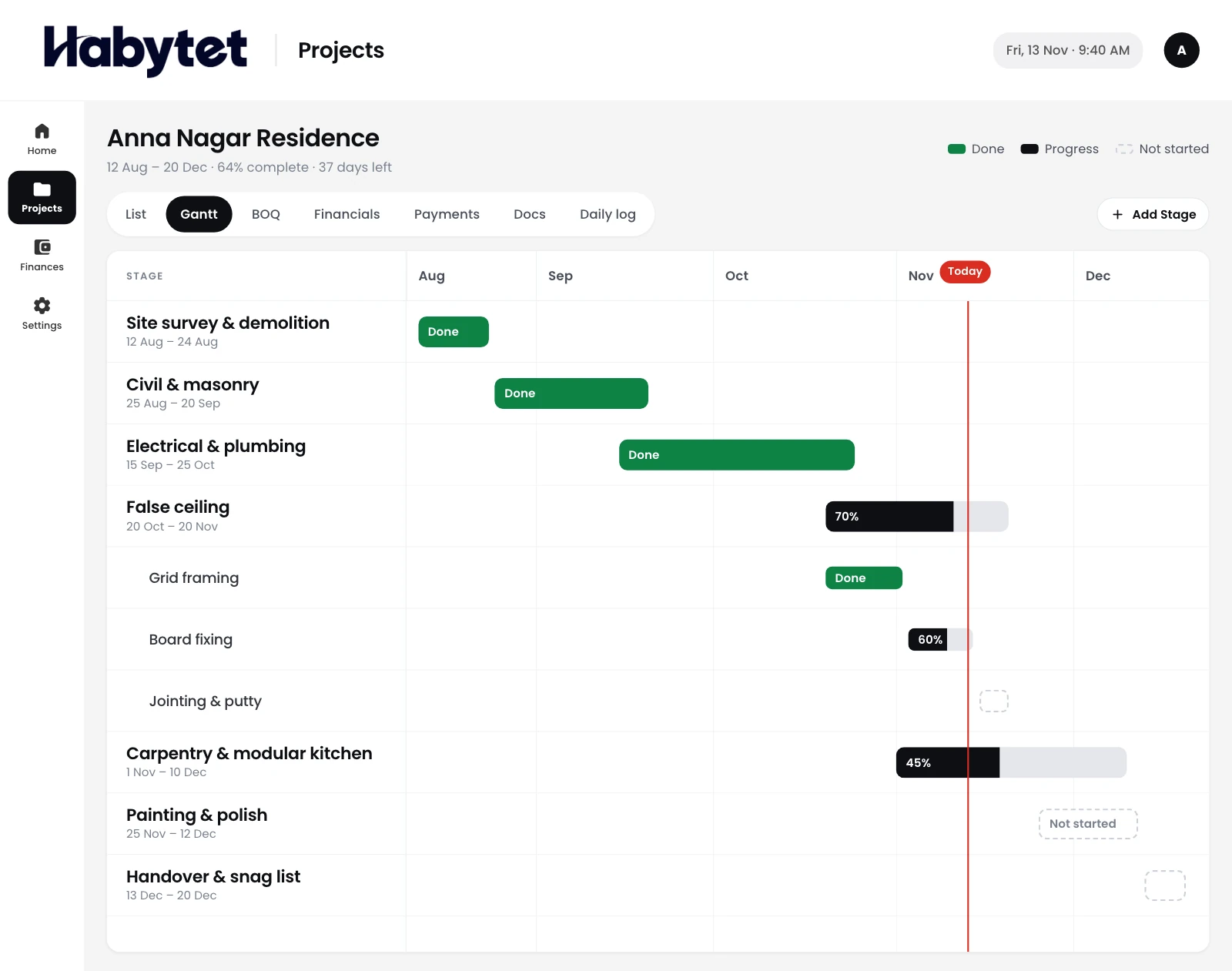
Every stage on one timeline
Put each stage of a project, such as design, civil work, carpentry, painting and handover, on a Gantt timeline. The office sees what comes next, and every project sits in one list with its stage and budget.
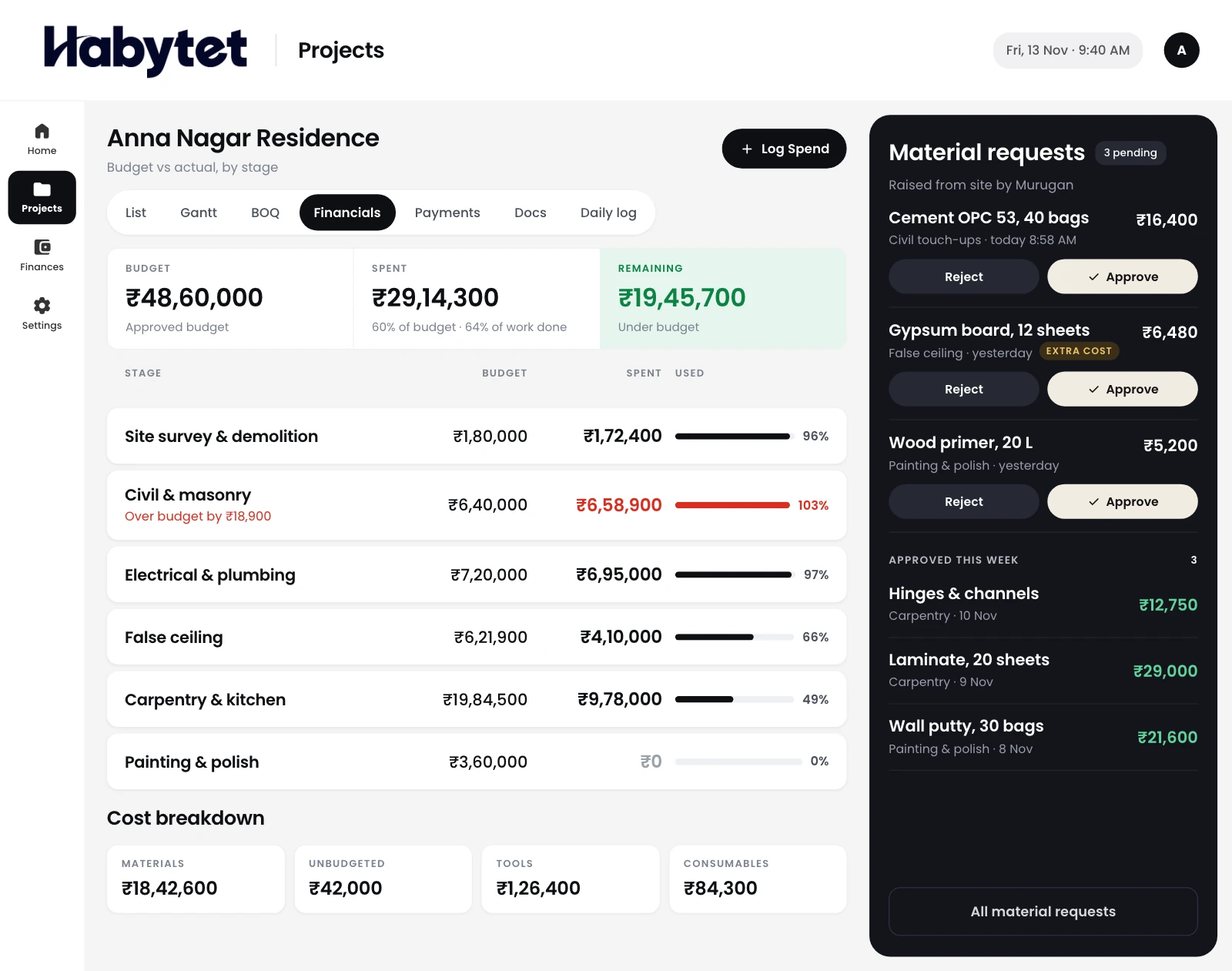
Material requests from site, approved in the office
Site supervisors raise material requests from their phone, the office approves them, and purchase orders go to vendors against what was approved. Goods are marked as received when they reach the site.
Budget against actual, project by project
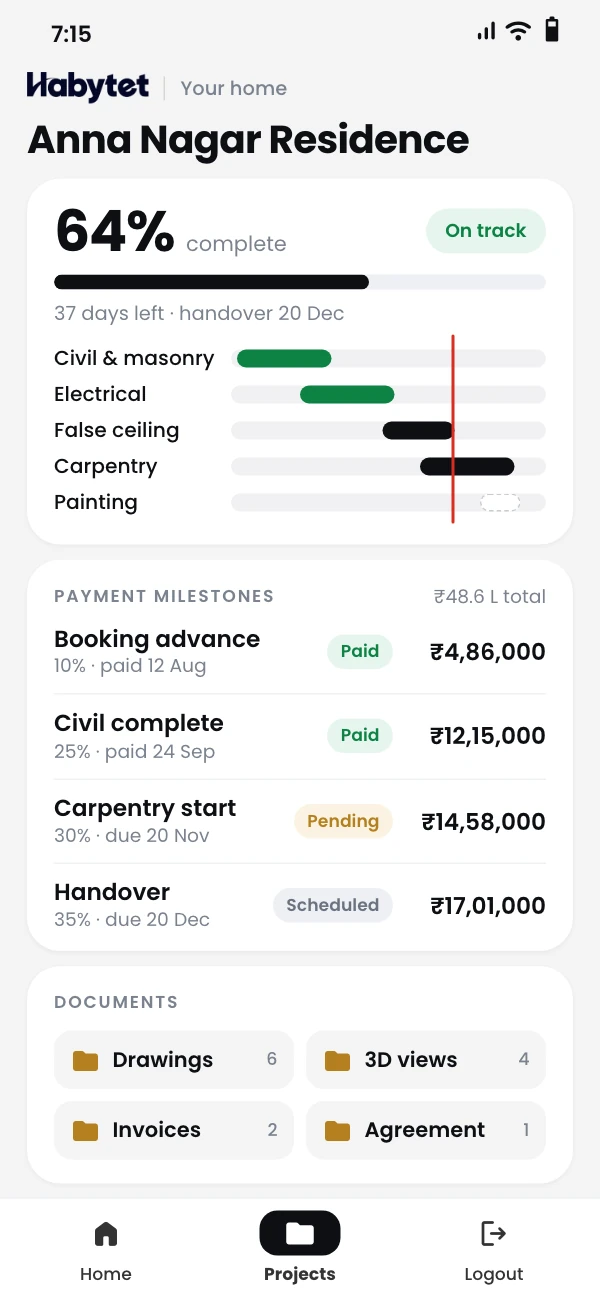
See what each project was meant to cost next to what it has cost so far. Set the payment due at each stage, see what the client has paid, and make a client invoice as a PDF from a milestone.
Your client sees progress without calling
Clients get a view of their own projects' progress on their phone. They can look but not change anything, so they do not need to call the site to ask how the work is going.
Questions.
Can I share the BOQ with my client?
Yes. You build the BOQ item by item for each project and export it as a PDF, which you can share with your client.
Can site staff mark attendance from their phone?
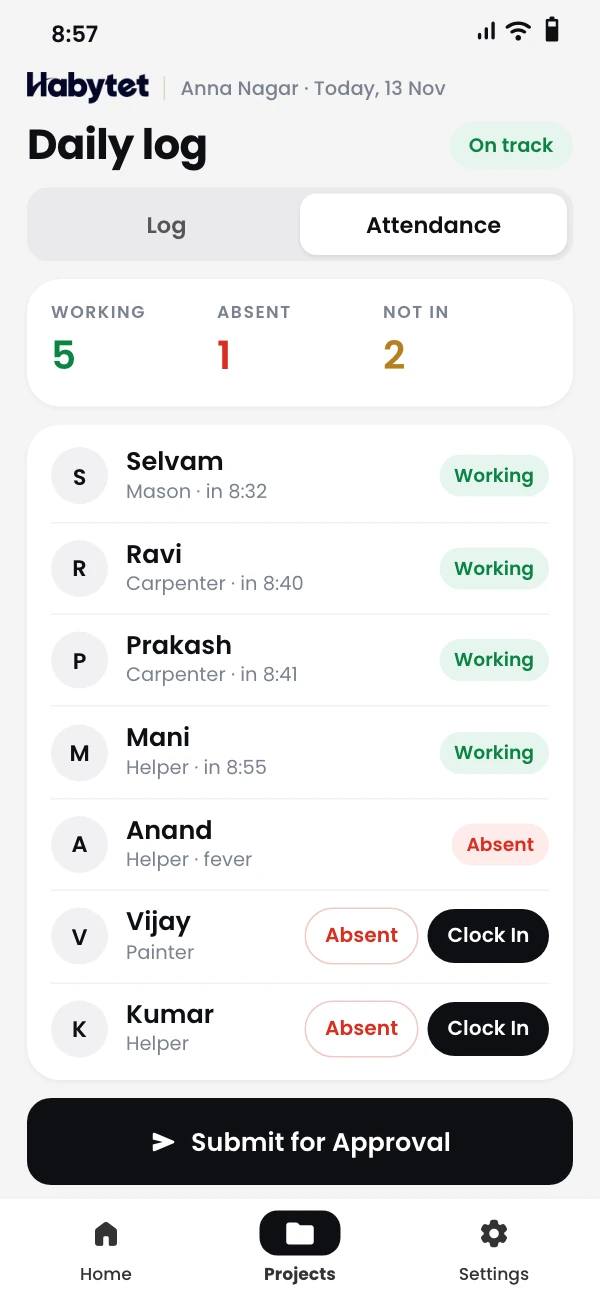
Yes. Site staff mark attendance from their phone and submit the day for review, and the office then approves or rejects it.
Can I keep drawings with the project?
Yes. Drawings and documents are kept with the project as PDF files, alongside its BOQ, timeline and daily log.
Can I track what I owe each subcontractor?
Yes. Payments to each subcontractor are recorded against their contract, showing the contract total, what has been paid and the balance.
Does it run on a phone and a computer?
Yes. It runs on Android phones and tablets and in a web browser. The office plans on a tablet or computer, and site staff use their phone.
See it running in your own business.
Tell us about your firm and your projects, and we will call you to set up a demo.
Thanks.
We will call you on .