
Architect project management software for studios
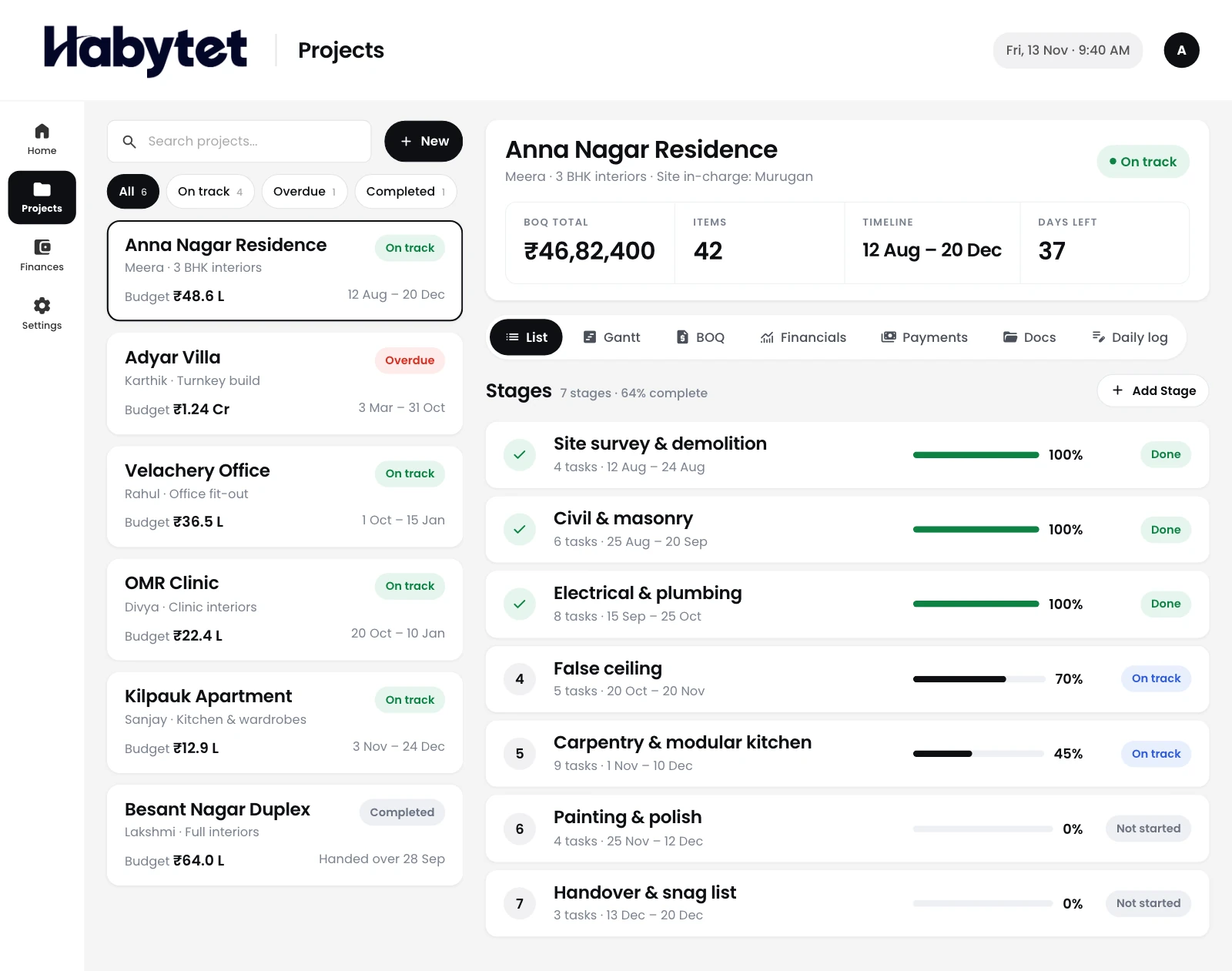
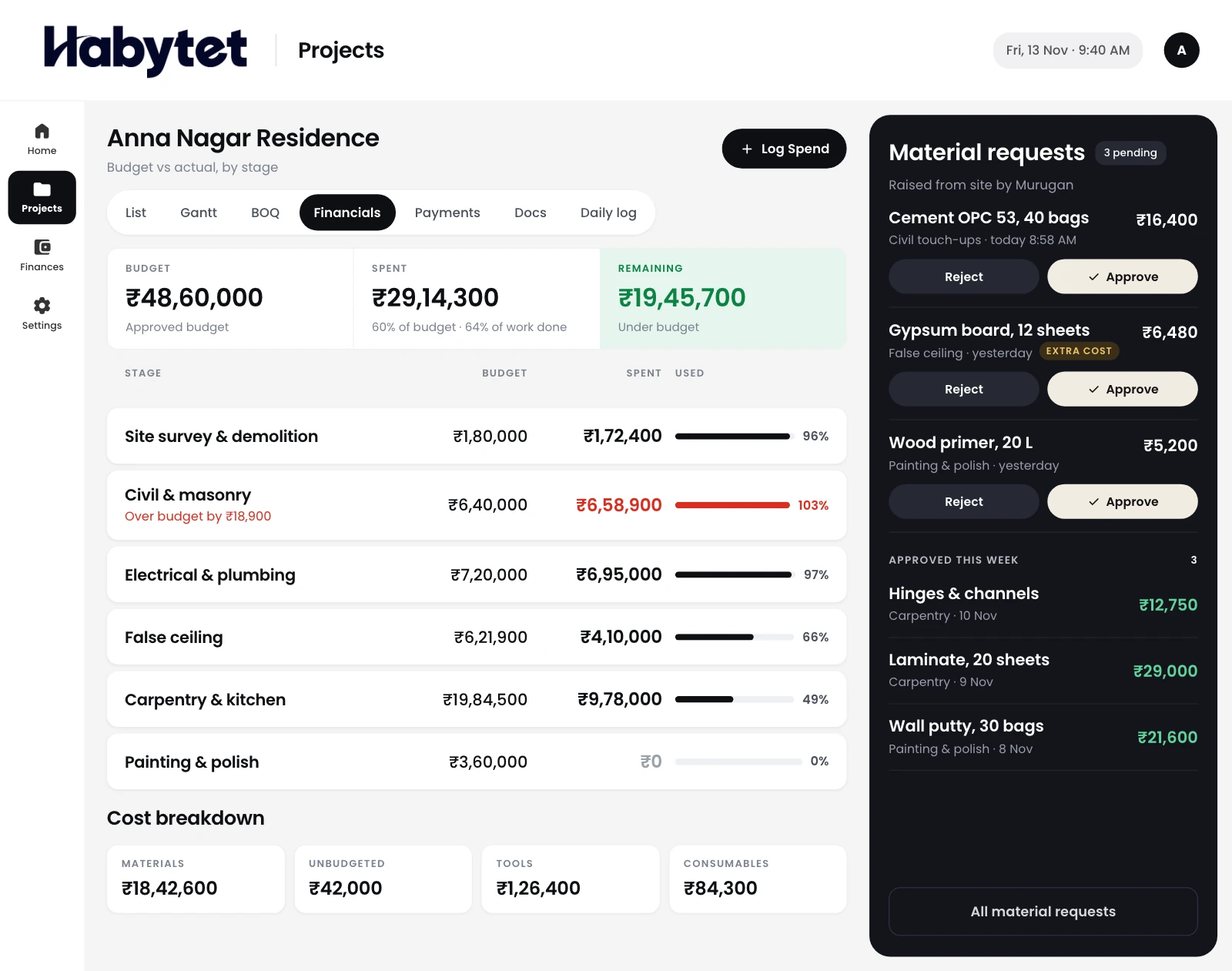
Habytet Construction is project management software for architects, on a tablet or computer in the studio and a phone at the site. It keeps every project, its PDF drawings and its stages on a Gantt timeline in one place, records the daily log from site, and gives your client a view of progress on their phone.
How Habytet Construction fits an architecture studio
Every project and its drawings in one place
Each project sits in one list with its stage, budget and timeline. Drawings and documents are kept with the project as PDF files, next to its stages and payments.
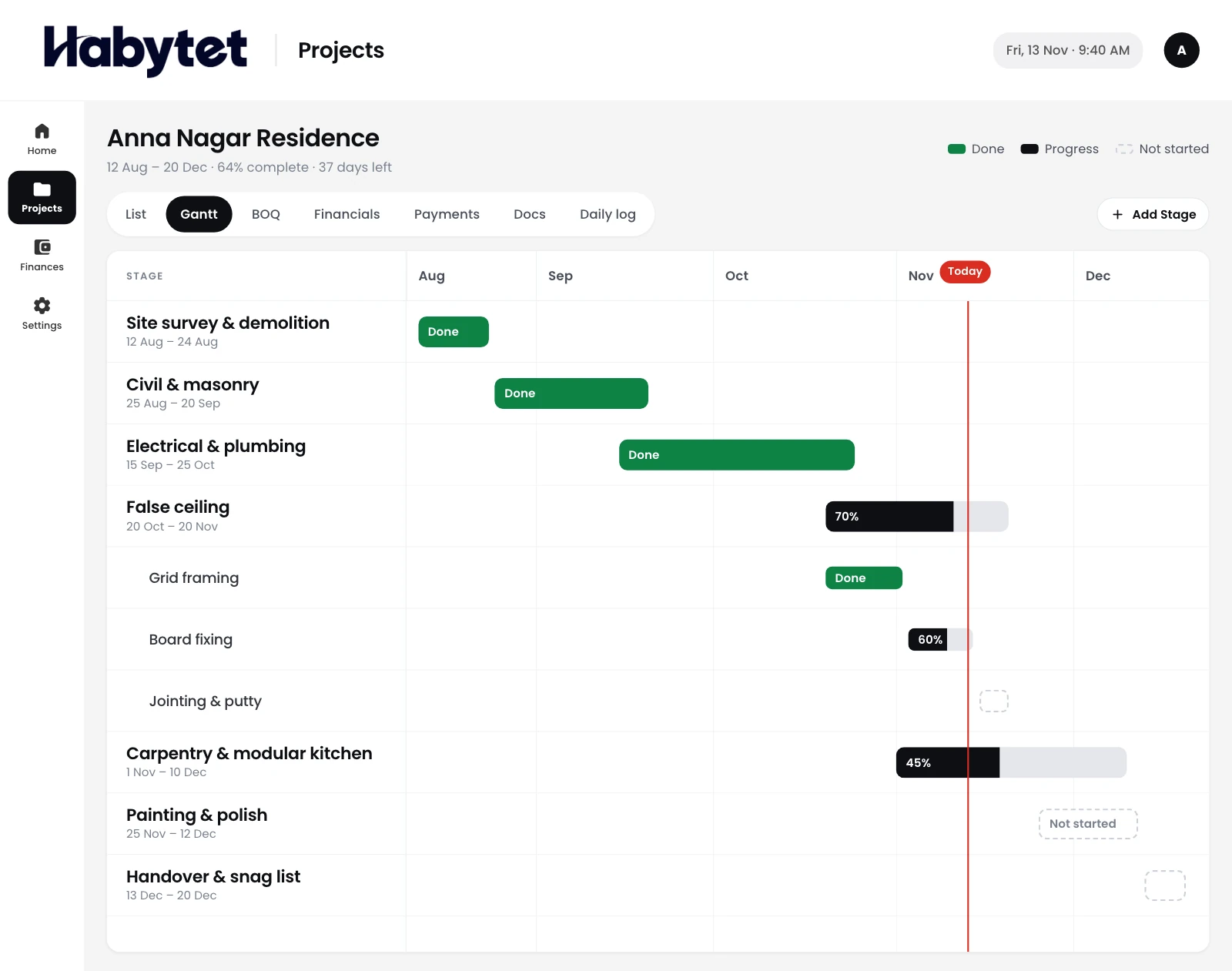
Design, approvals and site stages on a timeline
Lay out each stage of a project on a Gantt timeline, from design development to the work at site. The studio sees what comes next.
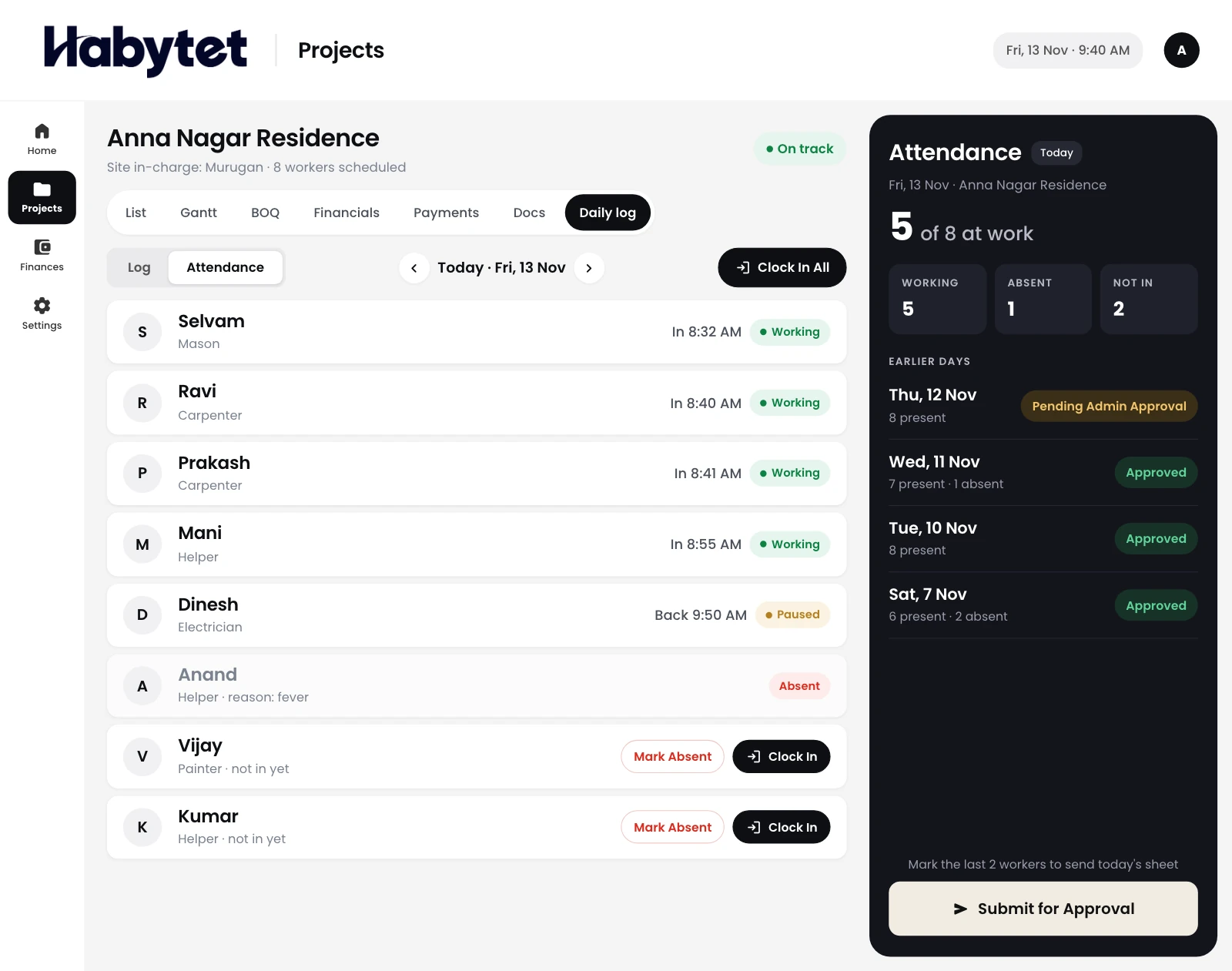
What happened at site, day by day
The daily log records who came in, what got done and what the site needs, day by day. Entries can carry photos taken with the phone camera or picked from the gallery.
Clients follow progress on their phone
Your client gets a view of their own project on their phone. They can look but not change anything, so a site update does not have to wait for a call.
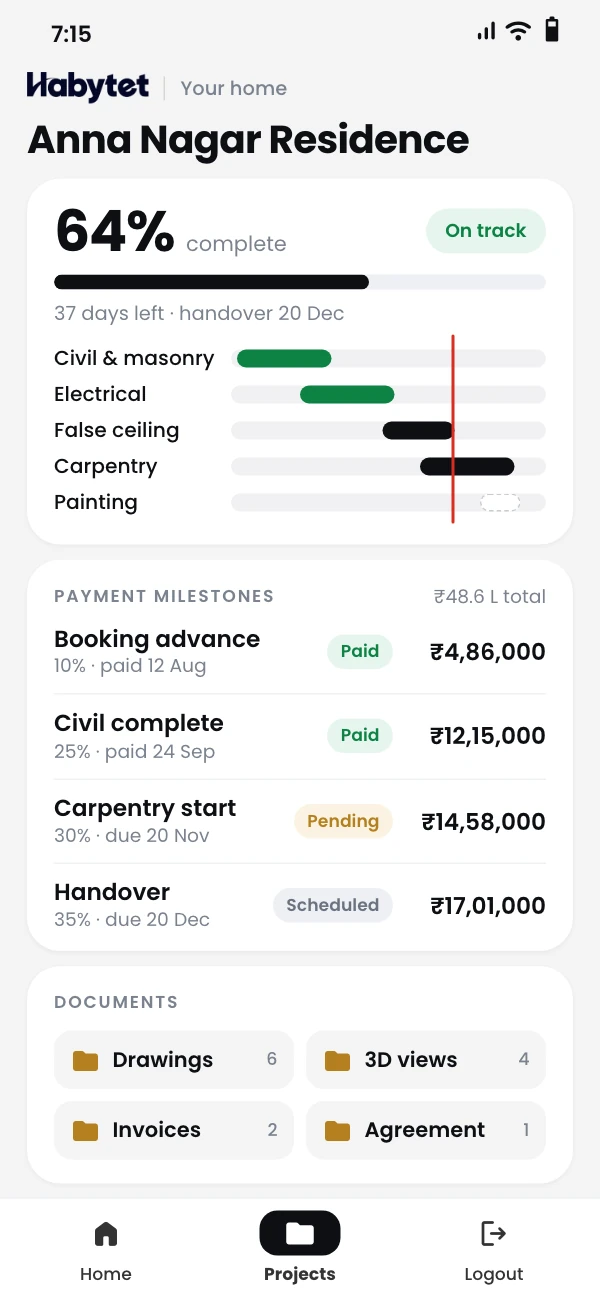
Stage payments and invoices
Set the payment due at each stage as a milestone and see what has been paid. A client invoice can be made as a PDF from a milestone.
Questions.
Can I keep drawings with the project?
Yes. Drawings and documents are kept with the project, as PDF files. Other file formats are not supported.
Is this a drawing or design tool?
No. Habytet Construction manages the project around the drawings: stages, the site log, budget, payments and what your client sees. It does not draw.
Can my client see how the project is going?
Yes. Clients get a view of their own projects on their phone. They can look but cannot change anything.
Can I control who sees what in the studio?
Yes. Each user has a role, such as admin, finance, site in-charge or client, and an admin can turn single permissions on or off for each person.
Can I see who changed what?
Yes. Changes are kept in an activity log, so the office can see who did what.
See it running in your own business.
Tell us about your studio and your projects, and we will call you to set up a demo.
Thanks.
We will call you on .