
Construction software for real estate developers
Habytet Construction runs site execution for real estate developers, on a tablet or computer in the head office and a phone at each site. It lists every project with its stage, budget and timeline, puts stages on a Gantt timeline, tracks budget against actual, and handles material requests and subcontractor payments.
How Habytet Construction fits a developer's site team
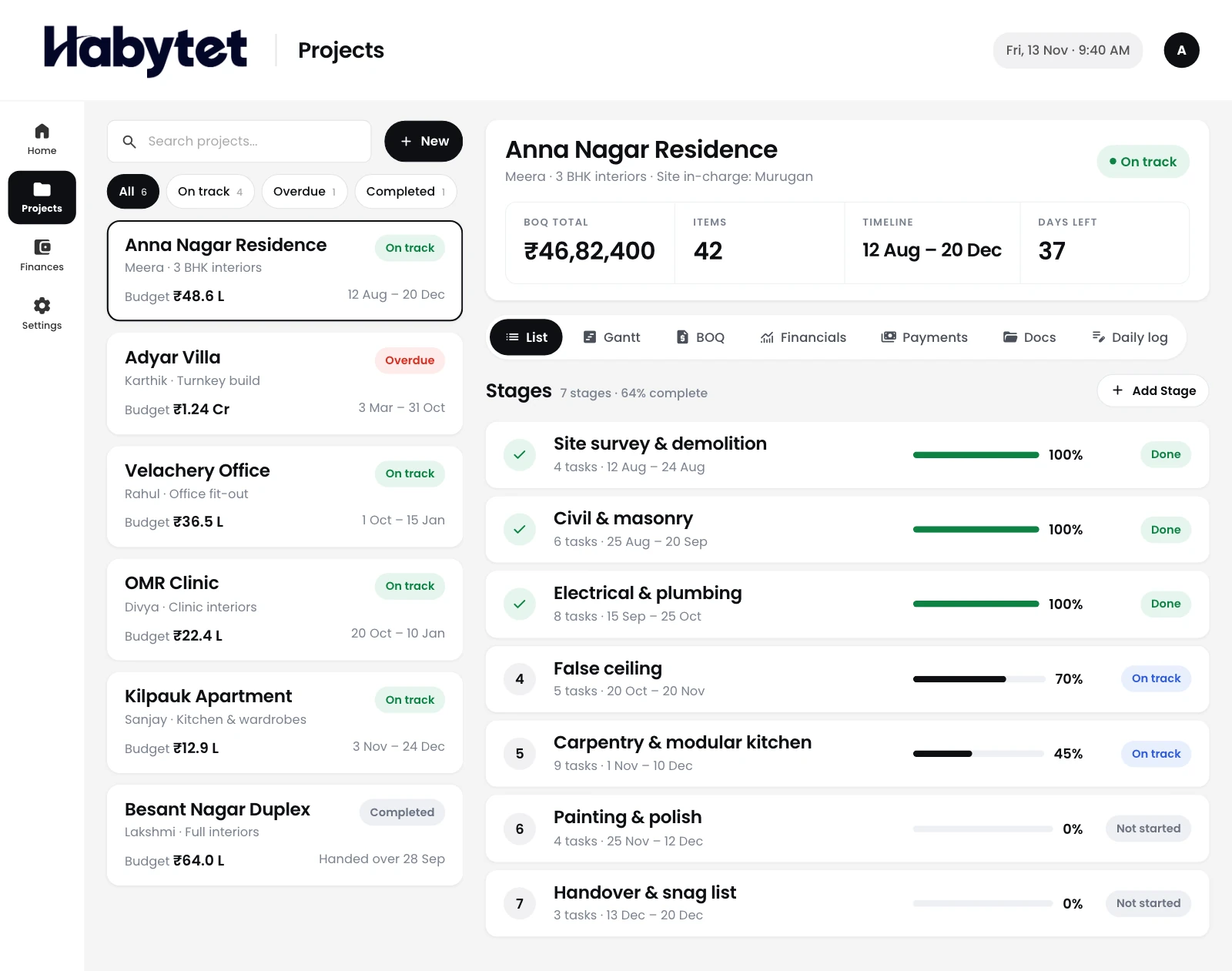
All your projects in one list
Every project is in one list with its stage, budget and timeline. The head office sees where each building stands without calling each site.
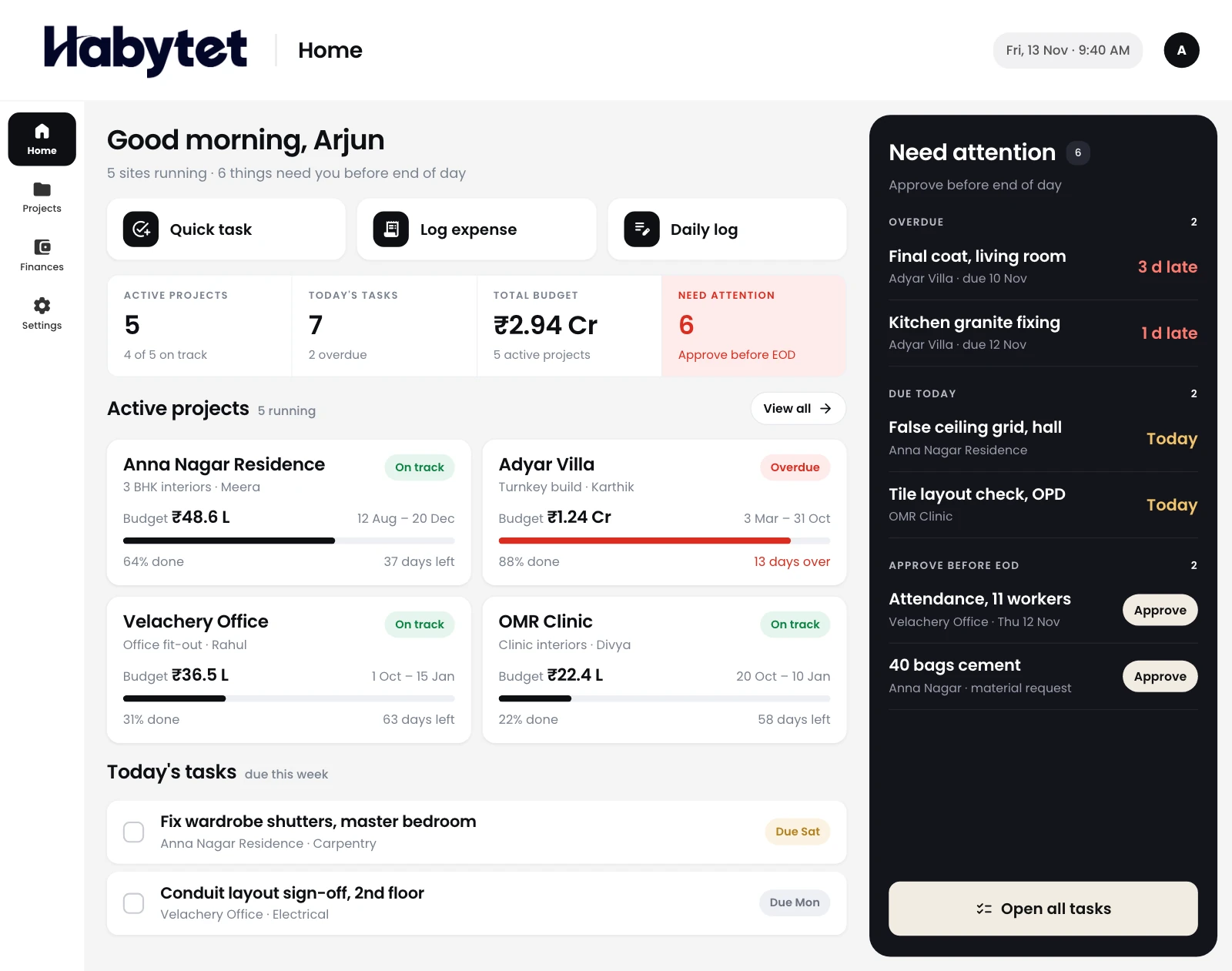
Today's tasks across projects
The home screen lists the tasks for today across projects, so the project head starts the day with what needs doing.
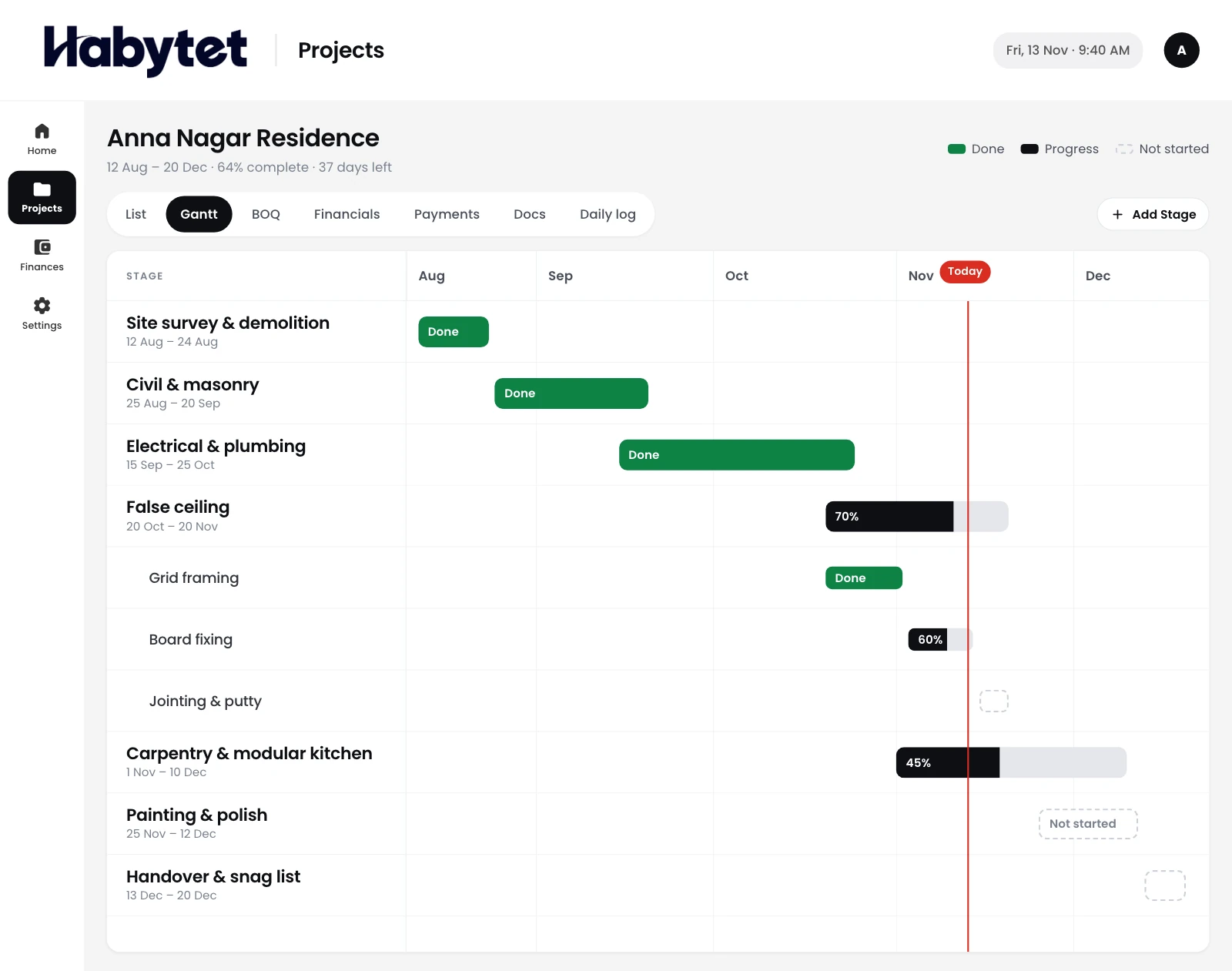
Stages and budget against actual
Put every stage on a Gantt timeline, and see what each project was meant to cost next to what it has cost so far.
Material requests, vendors and contractors
Site raises material requests, the office approves them, and purchase orders go to vendors. Payments to each subcontractor are recorded against their contract, with the balance.
Roles for each person, and a record of changes
Give each user a role, such as admin, finance or site in-charge, and switch single permissions on or off. An activity log shows who did what.
Questions.
Does it cover sales and bookings?
No. Habytet Construction is for site execution: projects, stages, budget, attendance, materials and payments to contractors.
Can the head office see every project?
Yes. Every project is in one list with its stage, budget and timeline.
Can I control what finance and site staff see?
Yes. Each user has a role, such as admin, finance or site in-charge, and an admin can turn single permissions on or off for each person.
Can I see who made a change?
Yes. Changes are kept in an activity log, so the office can see who did what.
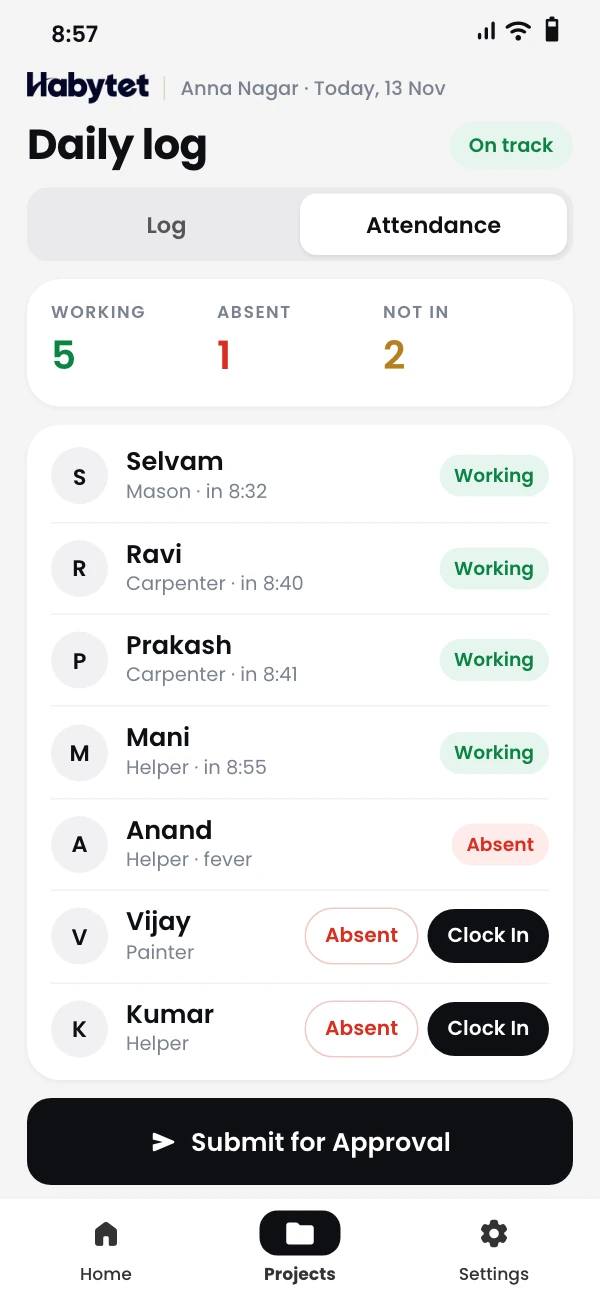
Do site staff mark attendance on their phone?
Yes. They mark it from their phone and submit the day, and the office approves or rejects it.
See it running in your own business.
Tell us about your company and your projects, and we will call you to set up a demo.
Thanks.
We will call you on .