
Restaurant POS in Ahmedabad for thali houses and farsan shops
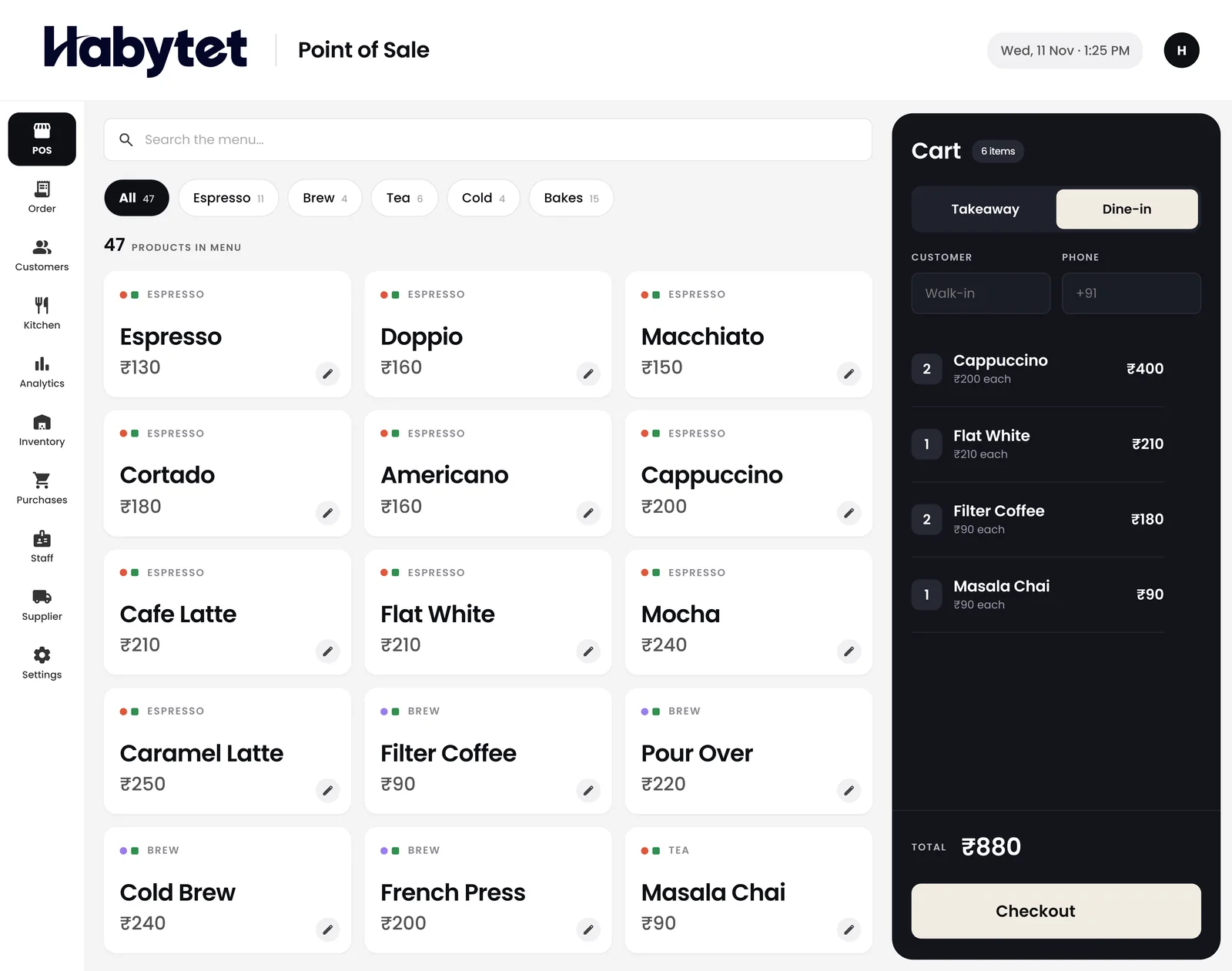
Habytet POS is restaurant billing software for Ahmedabad, from Habytet. It runs on an Android tablet, adds GST and your GSTIN to each bill, takes UPI, cash and card, and shows the kitchen and stock on one system.
What a Ahmedabad business needs from its POS
GST bills for a Gujarat restaurant
Gujarat is code 24 in the GST system, so a GSTIN registered in Ahmedabad begins with 24. A thali or a plate of farsan sold inside Gujarat is taxed as CGST plus SGST. Type your GSTIN into Habytet POS once and it adds GST to each bill and prints the number; menu prices can include GST or have it added on top.
Thali houses, farsan and chai
Ahmedabad eats out at Gujarati thali restaurants, farsan and sweet shops, pure vegetarian kitchens and chai stalls in the old-city lanes around Manek Chowk and across the newer parts of the city. Habytet POS bills dine-in and takeaway from the same counter, so a seated thali and a parcel of snacks are billed the same way.
Getting started with a demo
There is a short form on this page: put in your restaurant's name and a phone number, and Habytet calls back to arrange a demo. The team that sets Habytet POS up around the way your counter runs is the same one you turn to afterwards.
Good to know in Ahmedabad
- Every GSTIN registered in Gujarat begins with 24, the state's code in the GST system.
- Gujarati food leans vegetarian, and the thali, served as a set meal with several small dishes, is a regular choice for lunch and dinner.
- Farsan, the savoury snacks such as khaman and fafda, is sold from dedicated shops, and fafda with jalebi is a familiar Sunday morning breakfast.
- Manek Chowk in the old city turns into a night food market after the jewellery shops close.
Using Habytet POS in an Ahmedabad restaurant
One thali, the extras and the parcel
Menu items can have sizes and add-ons, picked as the item goes into the order. An owner could, for example, set up buttermilk, an extra sweet or an added roti as add-ons to the thali, and the same counter bills takeaway.
Snack counter and tea counter, apart
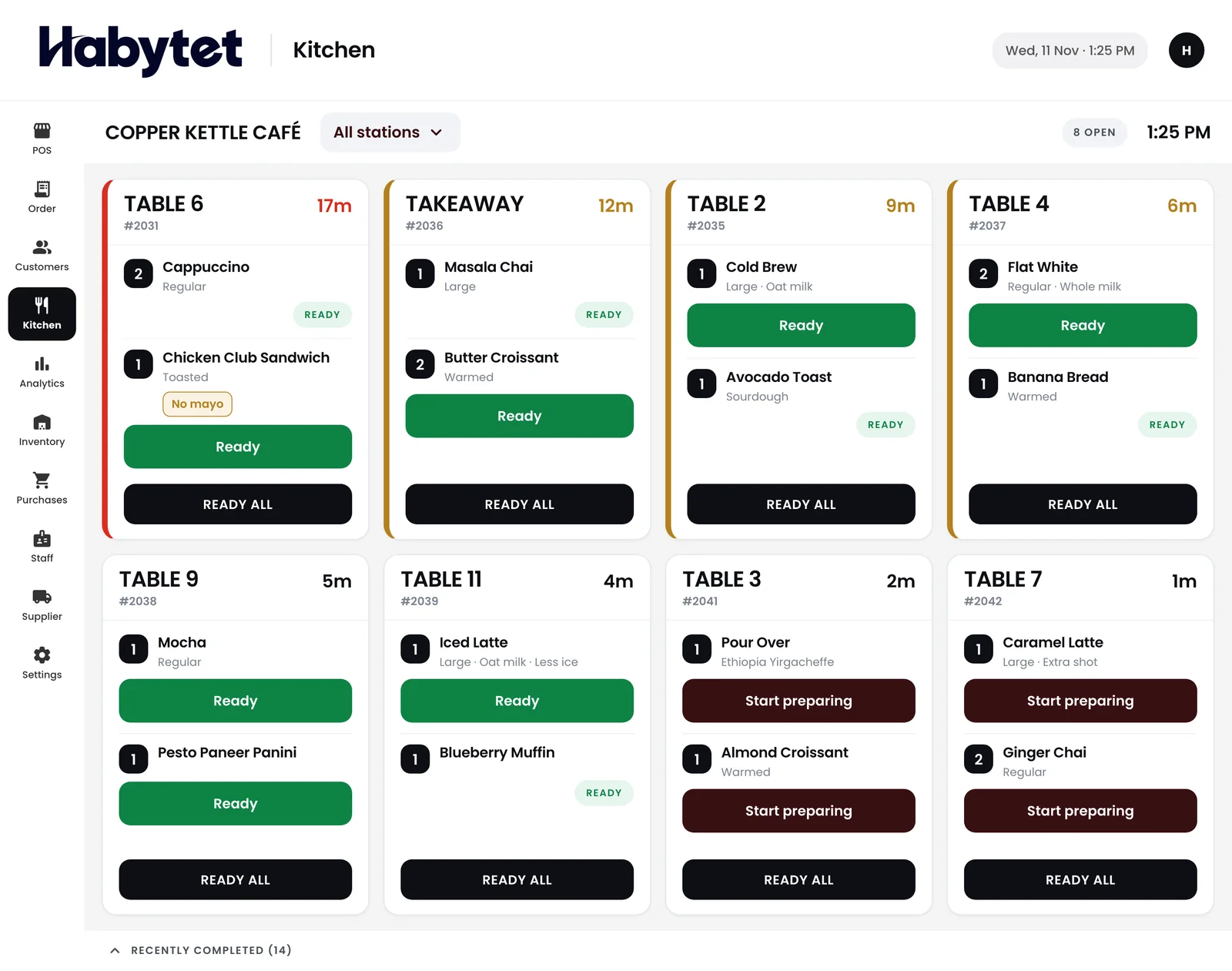
Split the kitchen into stations by menu category, so the farsan counter and the chai counter each get a ticket for just their own items, and the kitchen screen shows what is ready.
Sunday rush, one running bill per table
A tables view keeps the running bill of every occupied table, and later rounds are added to it. At the end the bill can be split across UPI, cash and card.
Questions.
What is the GST code for Gujarat?
24. A GSTIN registered in Ahmedabad begins with 24. Habytet POS adds GST to each bill and prints your GSTIN once you enter it.
Can I sell a thali with extras?
Yes. Menu items can have sizes and add-ons, picked as the item goes into the order, so you can set up the extras you sell and they go on the same bill.
Is it for a small snack shop?
Yes. Habytet POS is for restaurants, cafes and food outlets, and bills dine-in and takeaway in a few taps.
How do I ask for a demo?
Fill in the short form on this page and Habytet calls you back to arrange one.
See it running in your own business.
Tell us about your restaurant and we will call you to arrange a demo.
Thanks.
We will call you on .