
A restaurant POS for the lunch and dinner rush
Habytet POS is a restaurant POS that runs on an Android tablet at your counter. It keeps a running bill on every table, sends orders to the kitchen, adds GST, takes UPI, cash and card, and tracks stock and supplier purchases.
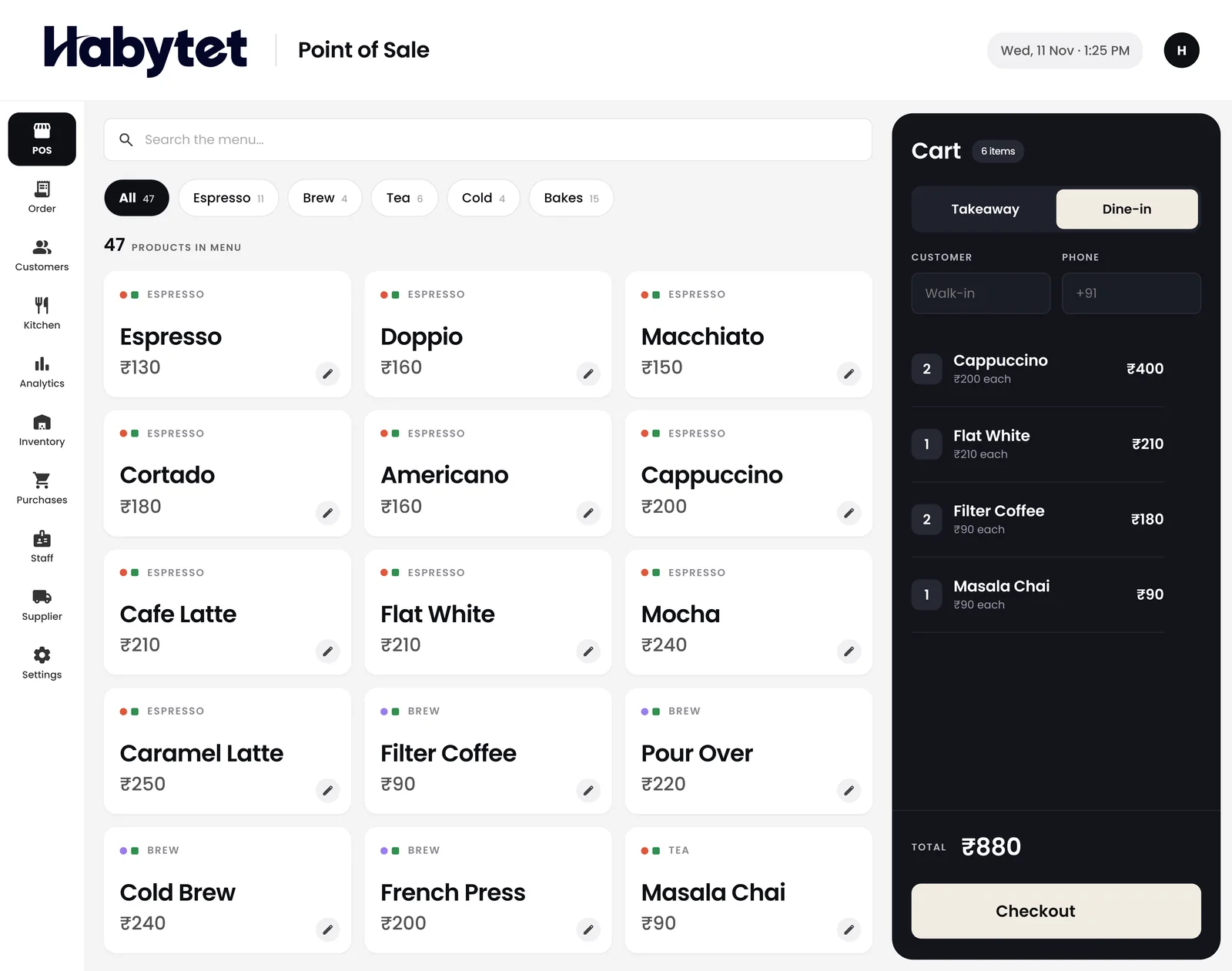
How Habytet POS fits a restaurant
Tables that keep their bill
An occupied table keeps its running bill and each new round is added to it, so a long family dinner ends in one bill.
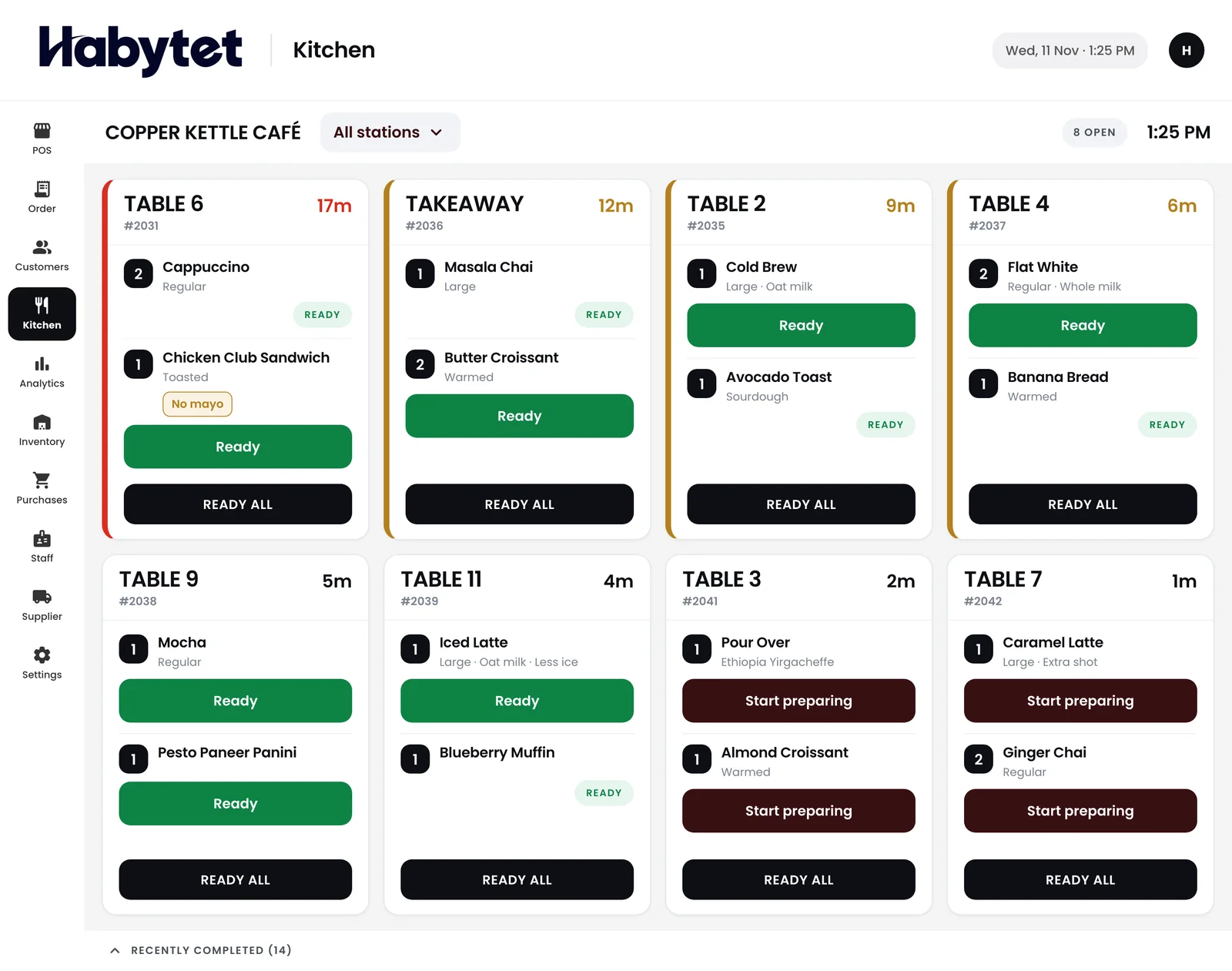
Every order reaches the kitchen
The kitchen screen shows orders table by table, with each dish marked started and ready. Stations are set by menu category, for example starters and mains, and each one can get its own printed ticket.
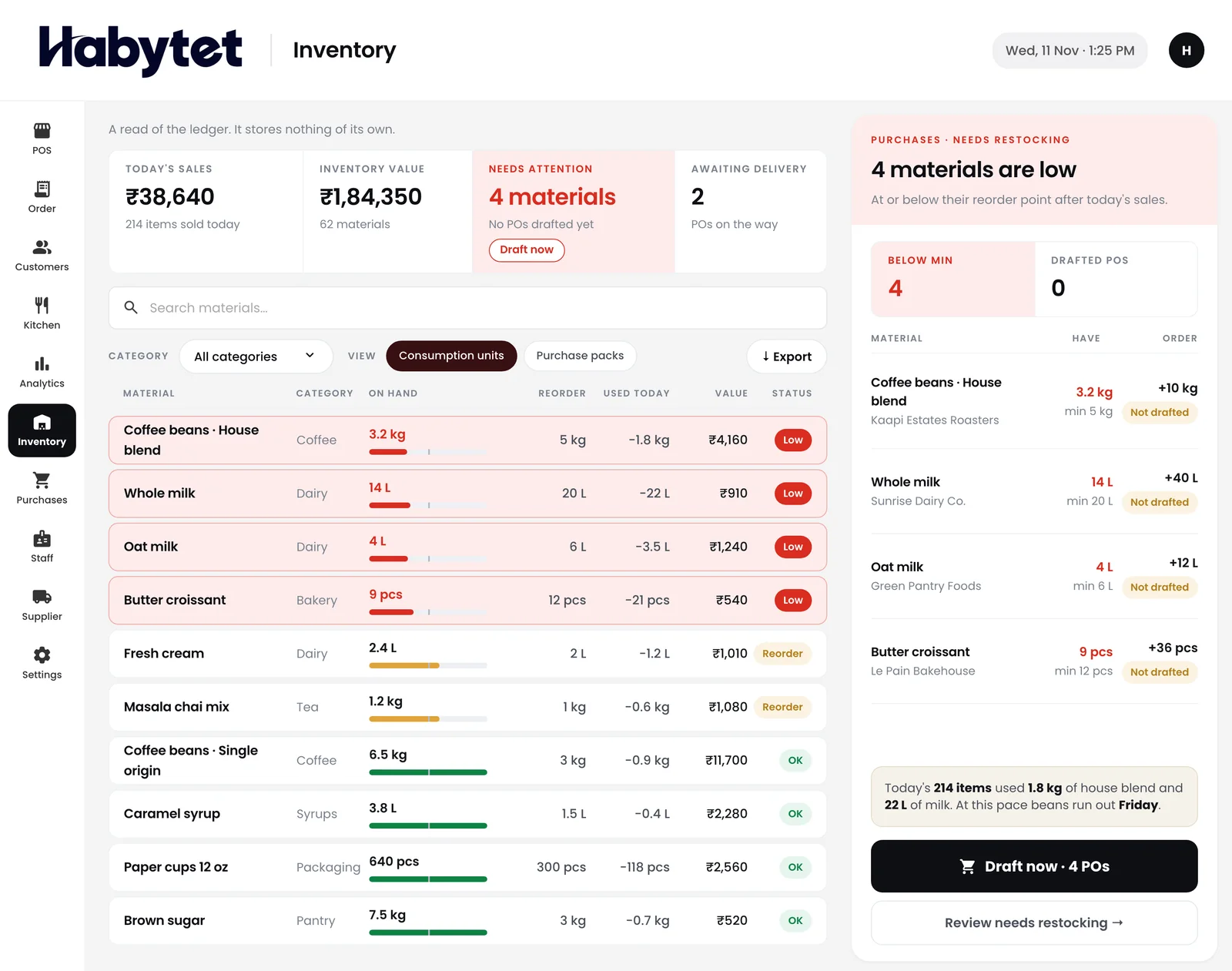
Ingredients and suppliers
The inventory screen shows how much of each ingredient is left and marks what is running low. Purchases from your vegetable, meat and grocery suppliers sit in one place with what you owe each.
GST and split payments
GST goes on each bill once your GSTIN is entered. When a group pays separately, the table's bill can be split across UPI, cash, card and online payments.
Waiters, cashiers and the owner
Roles decide who can bill, who sees money and who changes settings, and every person has their own login. The owner checks the day's sales and top sellers on a phone.
Questions.
Can I use it for dine-in and takeaway?
Yes. Dine-in and takeaway are both billed in a few taps, from the same billing screen.
Does each table keep a running bill?
Yes. The tables view shows every table, and new rounds are added to an occupied table's running bill.
Is there a kitchen screen?
Yes. Orders show table by table, with each dish marked started and ready, and the kitchen can be split into stations by menu category.
Can I give a discount?
Yes. The cashier can put a discount on a bill at the counter.
What do I need at the counter?
An Android tablet. Sales and reports can also be checked in a web browser on your phone.
Can it take Swiggy and Zomato orders?
Yes, through UrbanPiper, a service that connects restaurants to delivery apps, once it is set up for your restaurant. You need your own UrbanPiper account, and onboarding and menu mapping are done with UrbanPiper first. Orders then arrive with no re-typing, and staff accept each one and set its preparation time.
See it running in your own business.
Tell us about your restaurant and we will call you to set up a demo.
Thanks.
We will call you on .