
A mess and tiffin POS for regulars who pay later
Habytet POS is a mess and tiffin POS that keeps each customer's details with their bills and lets regulars pay later. It bills meals and parcels in a few taps on an Android tablet, and tracks the stock you cook with every day.
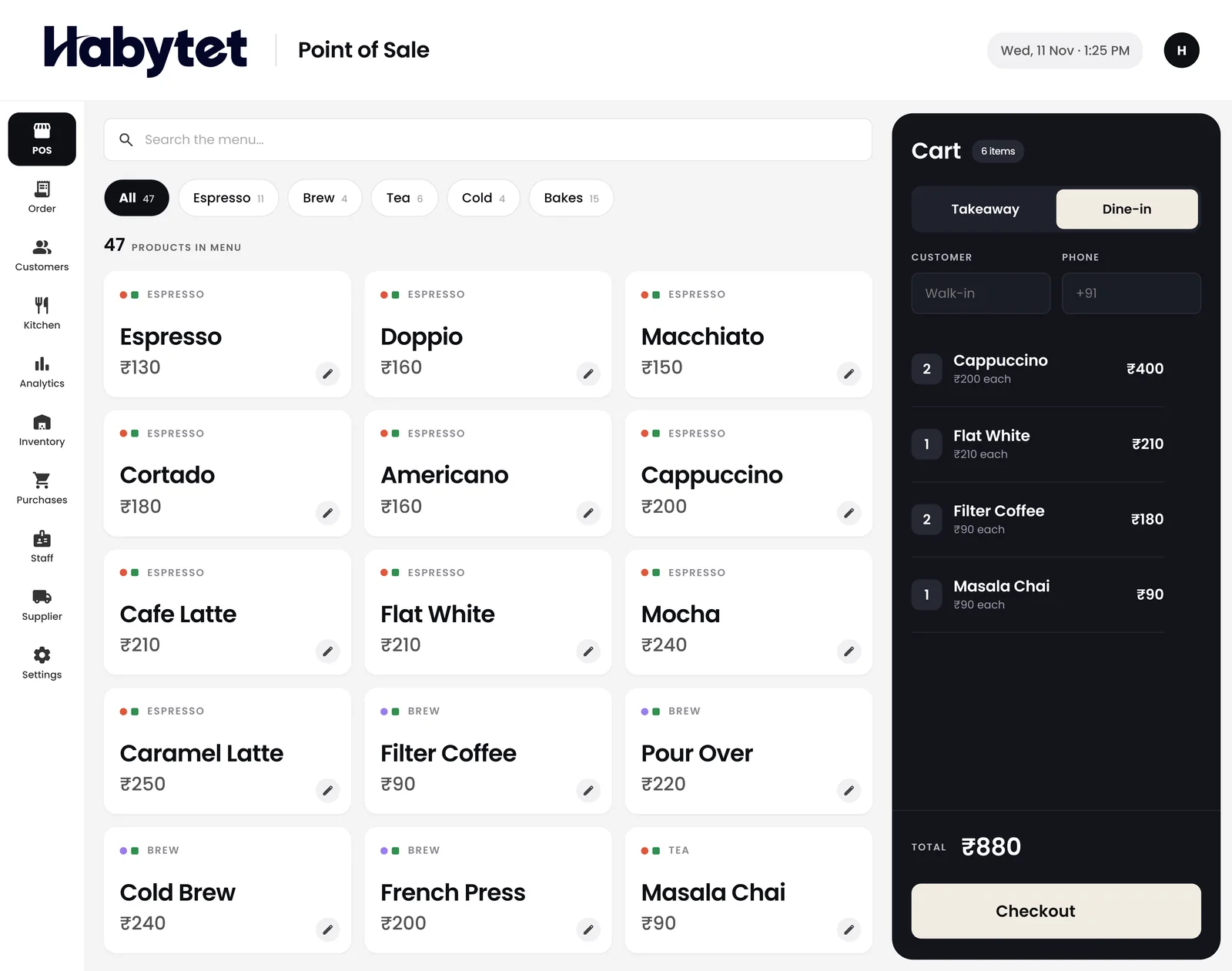
How Habytet POS fits a mess or tiffin centre
A regular's bills stay together
Students, office staff and bachelors eat at a mess day after day. Each customer's details stay with their bills, so you can look up what a regular had and when.
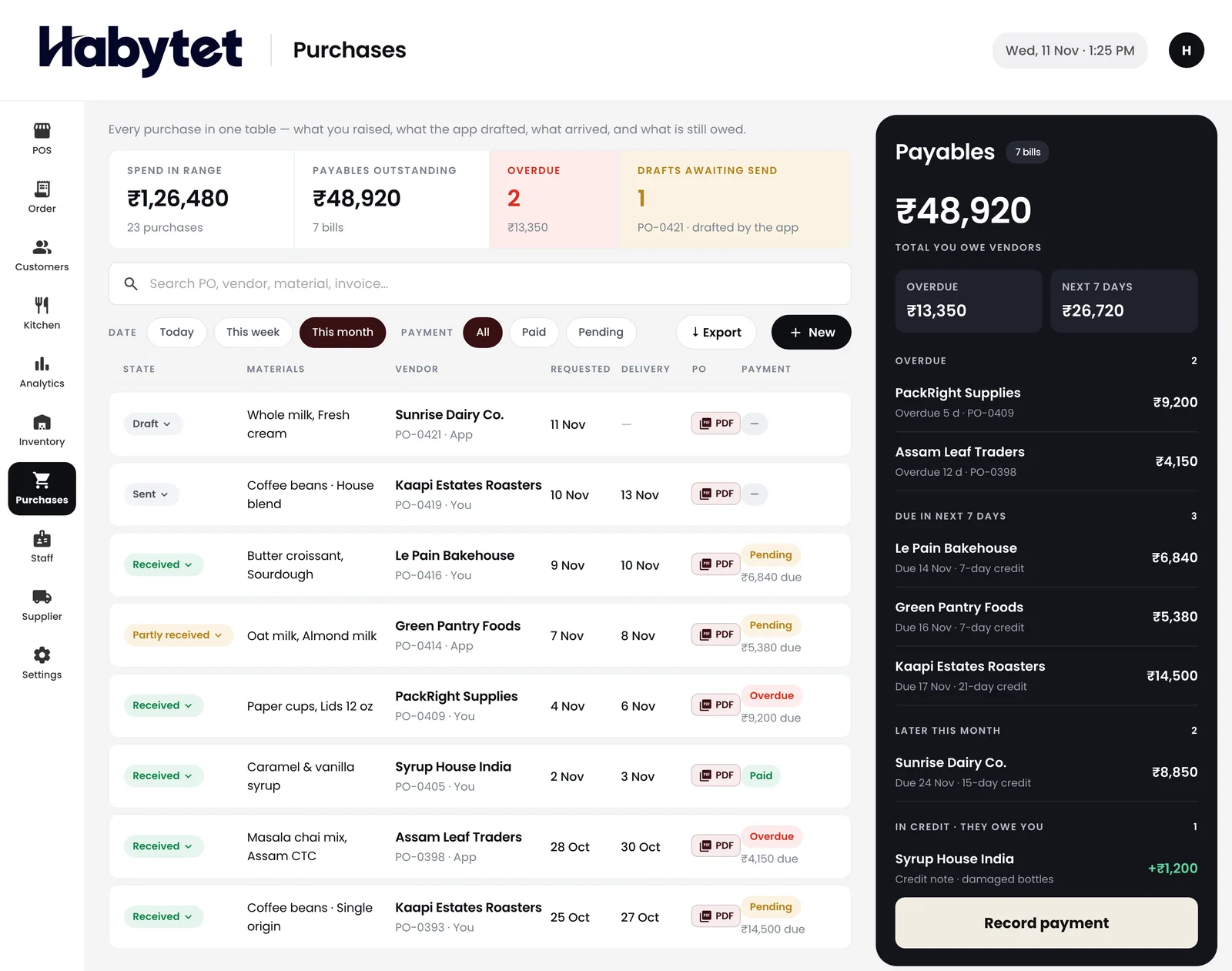
Buying for tomorrow's cooking
Before the evening shopping list, check how much rice, dal and oil is left and what is running low. Each purchase from the grocer and the vegetable vendor is kept with what you still owe them.
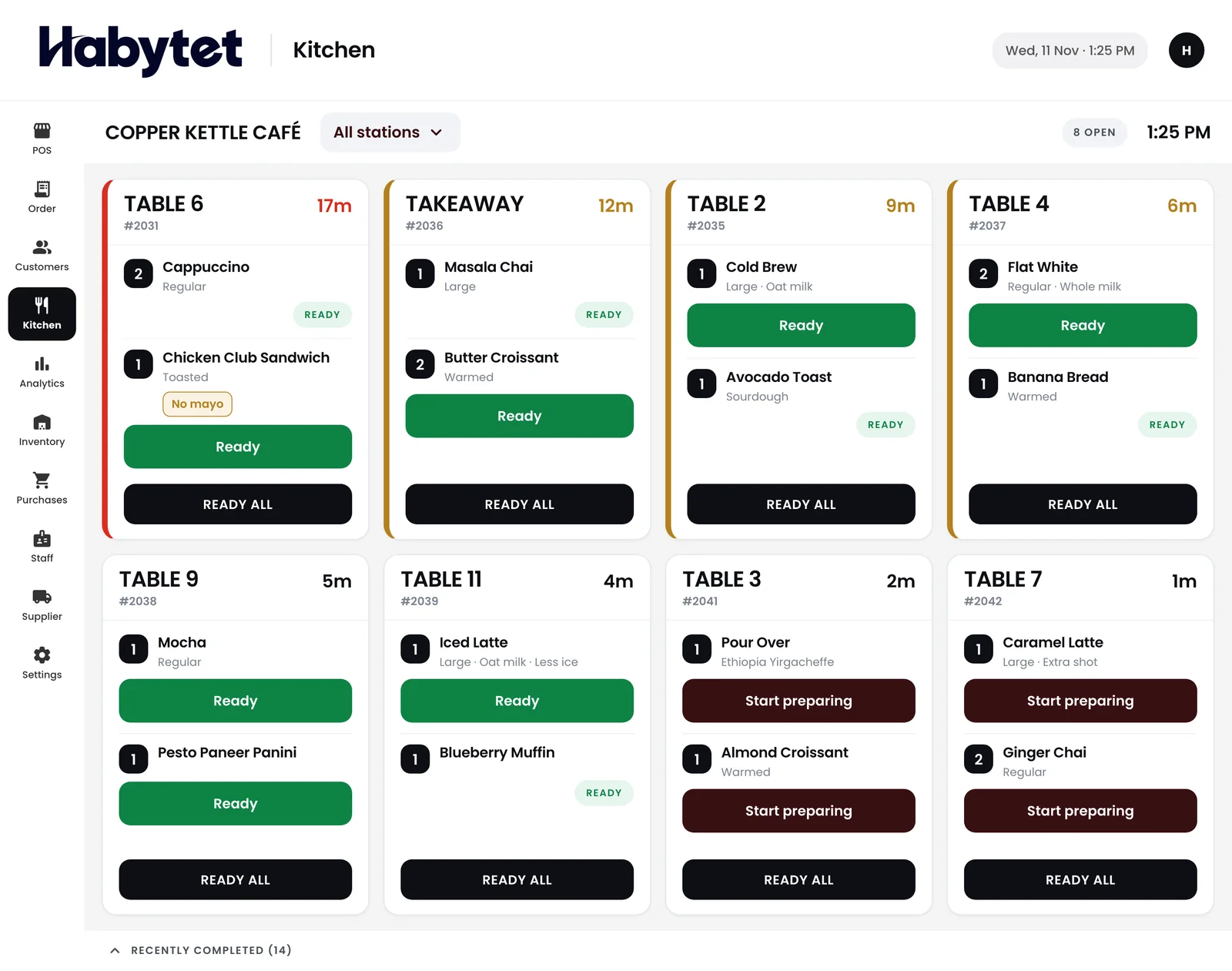
The packing counter sees what is ready
Orders show on the kitchen screen with each dish marked started and ready, so whoever packs the tiffins can see which orders are done.
Settle at the end of the week or month
Regulars can be allowed to pay later instead of paying for each meal. When they settle at the end of the week or month, they pay by UPI, cash, card or online.
Meals and parcels, one screen
A plate of meals eaten at the table and a tiffin carrier packed for the office are both billed in a few taps, from the same screen.
Questions.
Can a regular run an account and pay later?
Yes. Customers can be allowed to pay later, and their details stay with their bills.
Can I bill tiffin parcels and meals at the table?
Yes. Habytet POS bills takeaway and dine-in orders, and the bill is ready in a few taps.
Can I see what I owe the grocer?
Yes. Every purchase from suppliers sits in one place, with what is owed to each.
Can the cook use it without seeing the money?
Yes. You create roles and choose what each can do, such as the kitchen screen but not seeing money, and each person has their own login.
See it running in your own business.
Tell us about your centre and we will call you to set up a demo.
Thanks.
We will call you on .