
A fast food POS for orders that cannot wait
Habytet POS is a fast food POS on an Android tablet where the bill for rolls, fried snacks or a quick meal is ready in a few taps. It sends orders to kitchen stations by menu category, takes UPI, cash and card, and shows your top sellers on your phone.
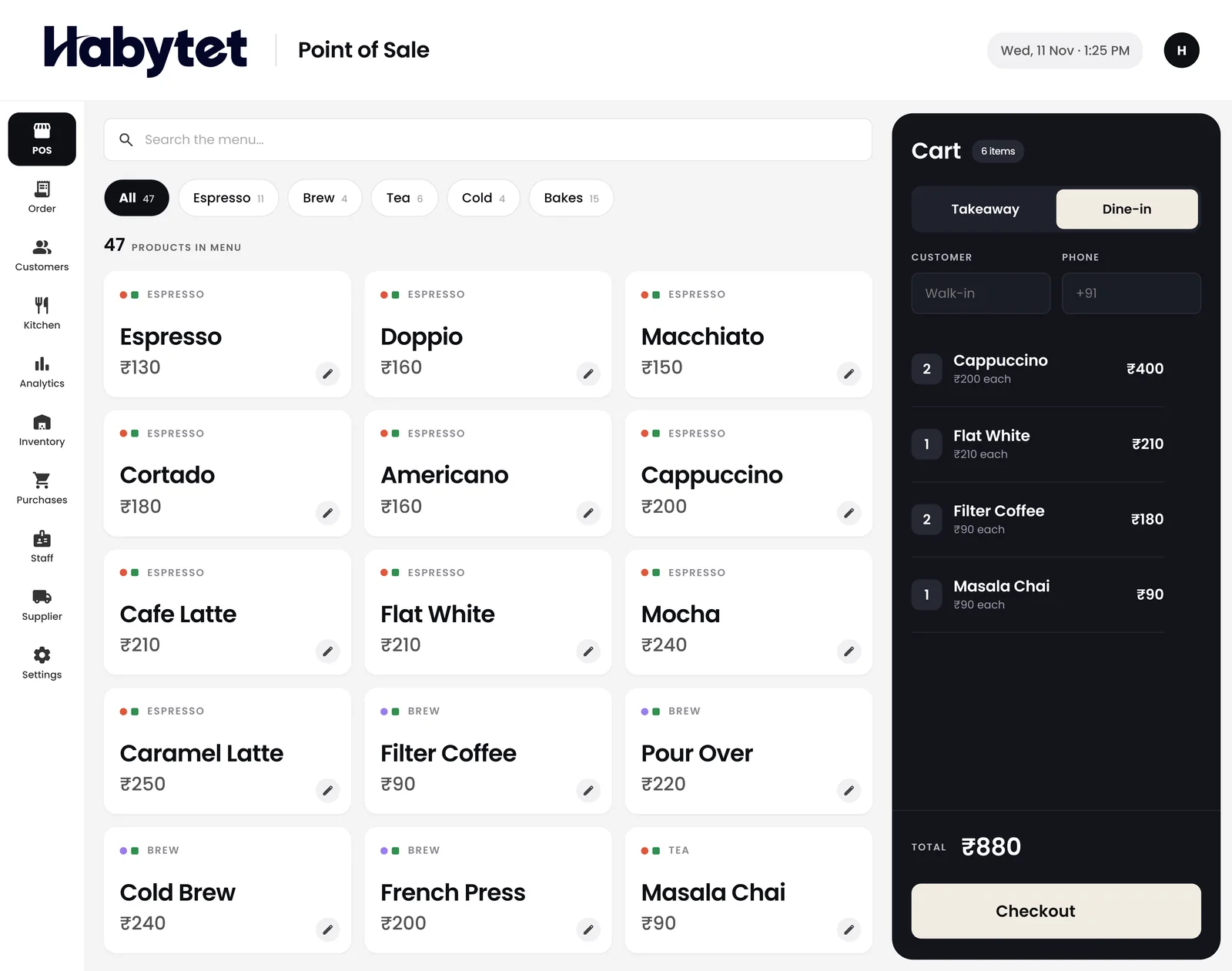
How Habytet POS fits a fast food outlet
Bills at counter speed
Customers at a fast food counter want to order, pay and step aside. The bill is ready in a few taps, with any sizes and add-ons you set up, such as a large cola, picked as the item goes in.
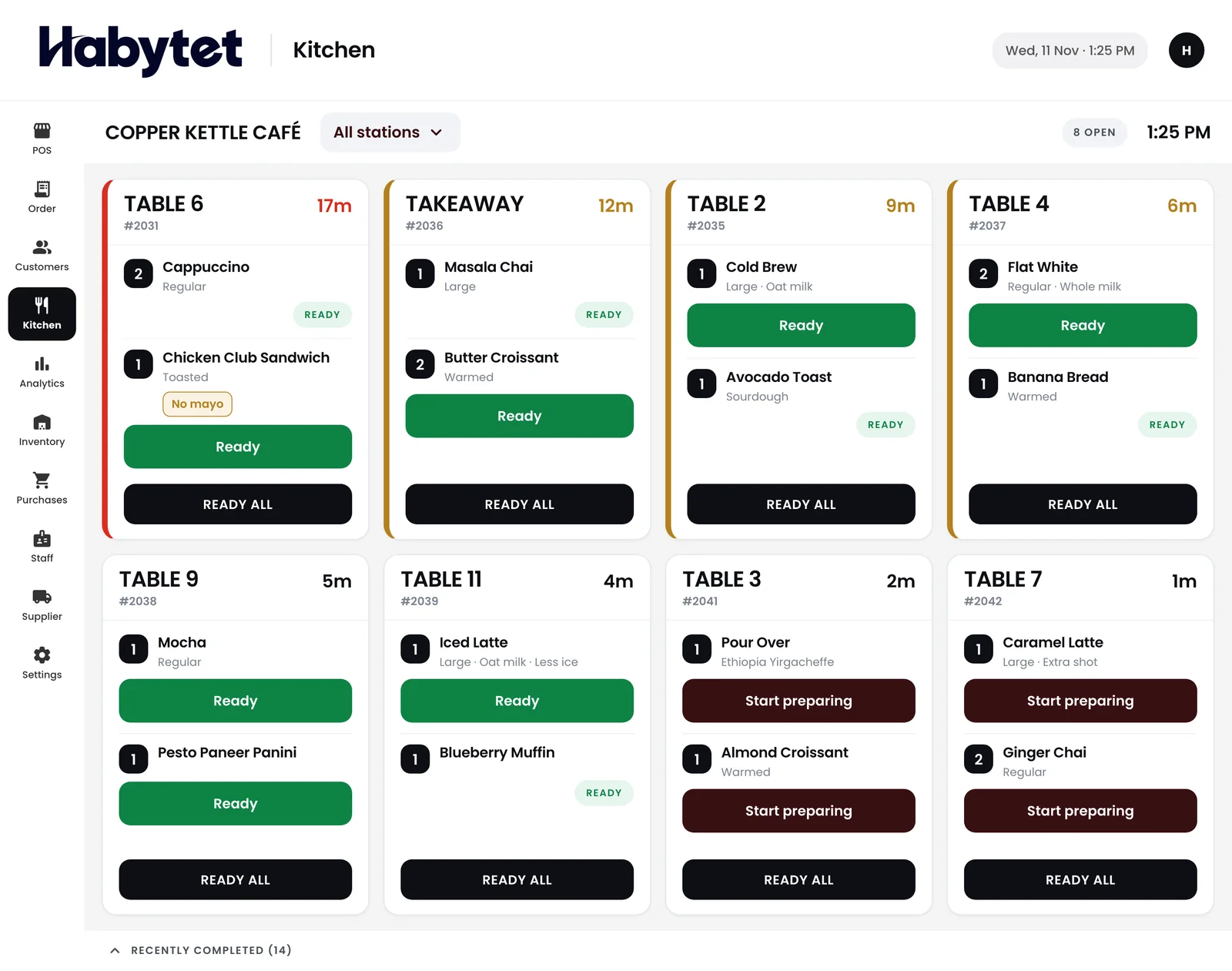
Fryer, roll counter and drinks
Split the kitchen into stations by menu category, for example fried items, rolls and wraps, and drinks. Each station gets a ticket for just its own part of the order.
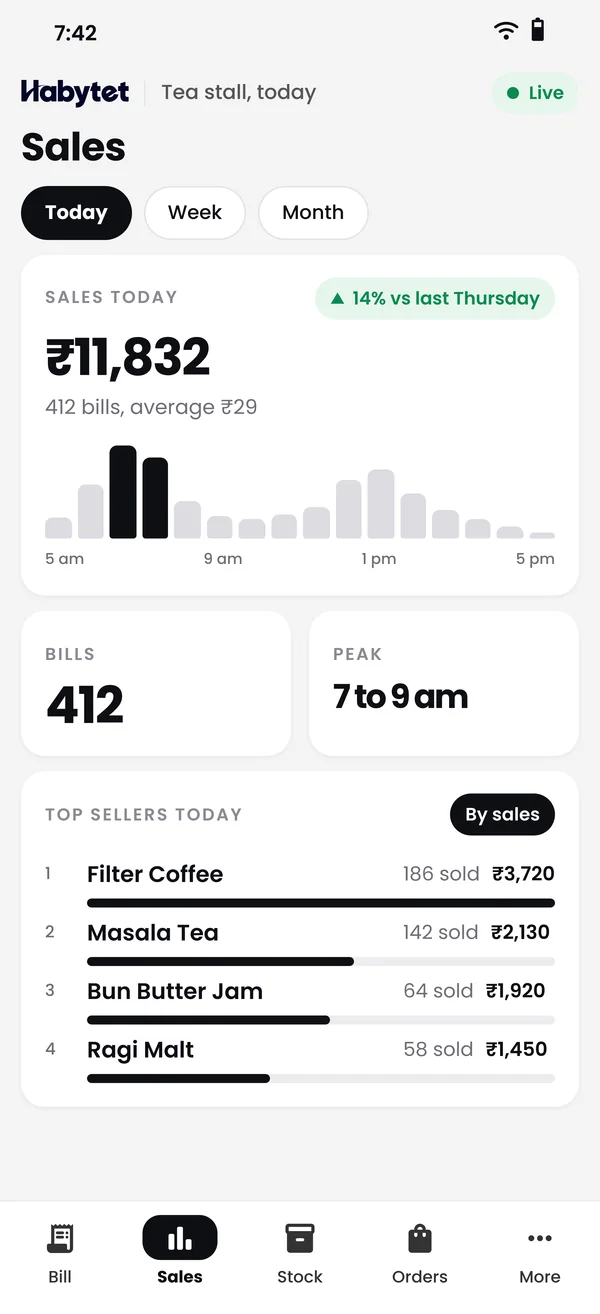
Top sellers, to stock the right things
Sales and top sellers show with charts on your phone for today or any date range, so you know which snacks to prep more of before the evening rush.
Ready means ready
The kitchen screen marks each dish started and ready, so the pickup counter can see when every item in an order is done before handing it over.
Staff with their own logins
When someone new joins the counter, give them a role with billing or the kitchen screen only, and their own login, so they see just what that job needs.
Questions.
Can I try it with my own menu first?
Yes. Fill in the short form on this page and Habytet calls back to set up a demo. Tell them about your menu when they call.
Can I use a kitchen screen instead of printing?
Yes. Orders show on the kitchen screen with each dish marked started and ready, and the Android app can also print tickets if you want paper.
Can one bill be paid half by UPI and half in cash?
Yes. Habytet POS takes UPI, cash, card and online payments, and one bill can be split across more than one mode.
What does it run on?
An Android tablet at the counter, and a web browser on your phone for sales and reports.
See it running in your own business.
Tell us about your outlet and we will call you to set up a demo.
Thanks.
We will call you on .