
A cloud kitchen POS built around the kitchen
Habytet POS is cloud kitchen software that runs on an Android tablet in your kitchen. It bills takeaway orders, shows every order on a kitchen screen with each dish started and ready, tracks stock and supplier purchases, and shows your sales on your phone.
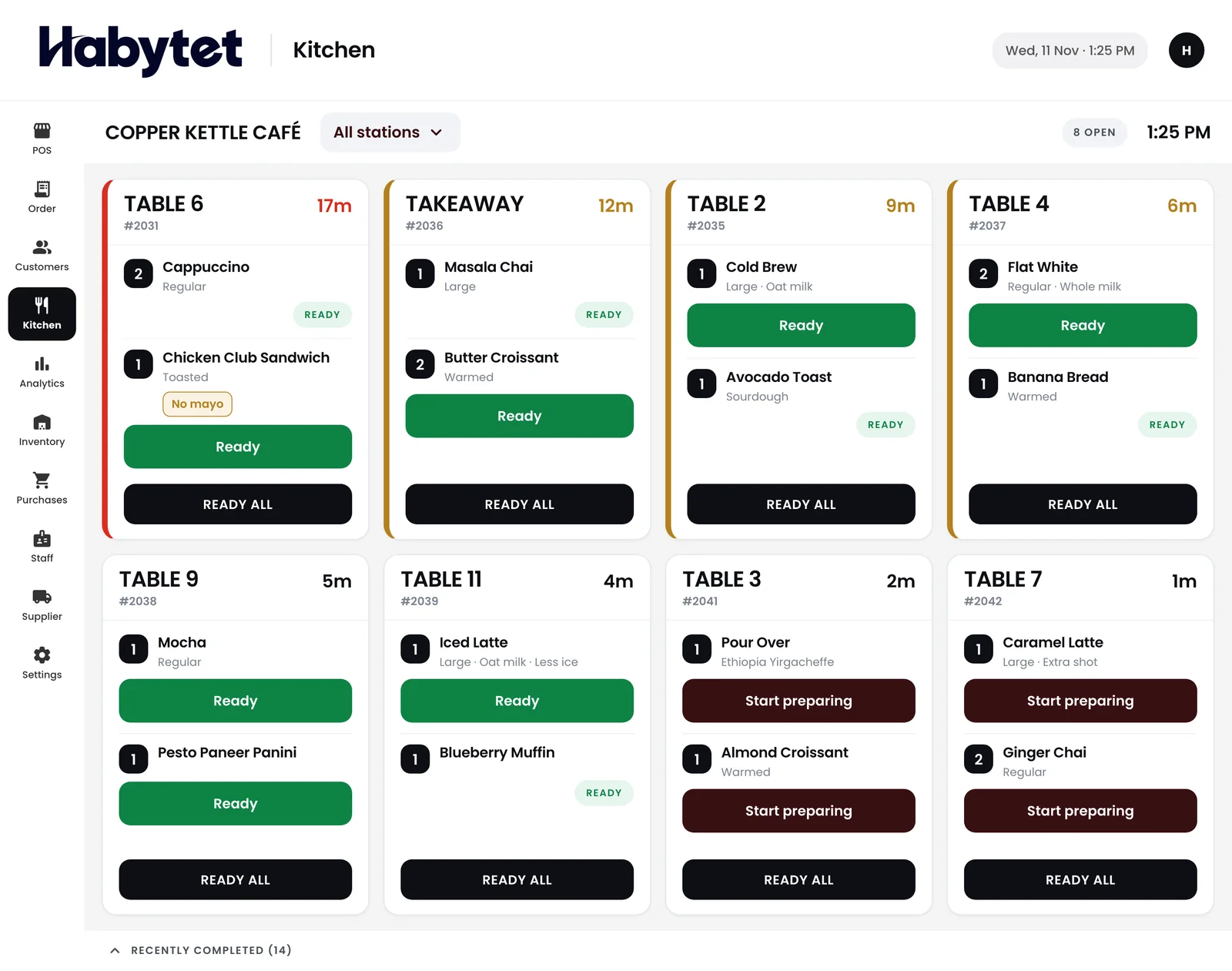
How Habytet POS fits a cloud kitchen
No dining room, just the pass
With no tables to serve, the kitchen screen is the centre of the day. Every order shows with each dish marked started and ready, so the person packing knows what is done.
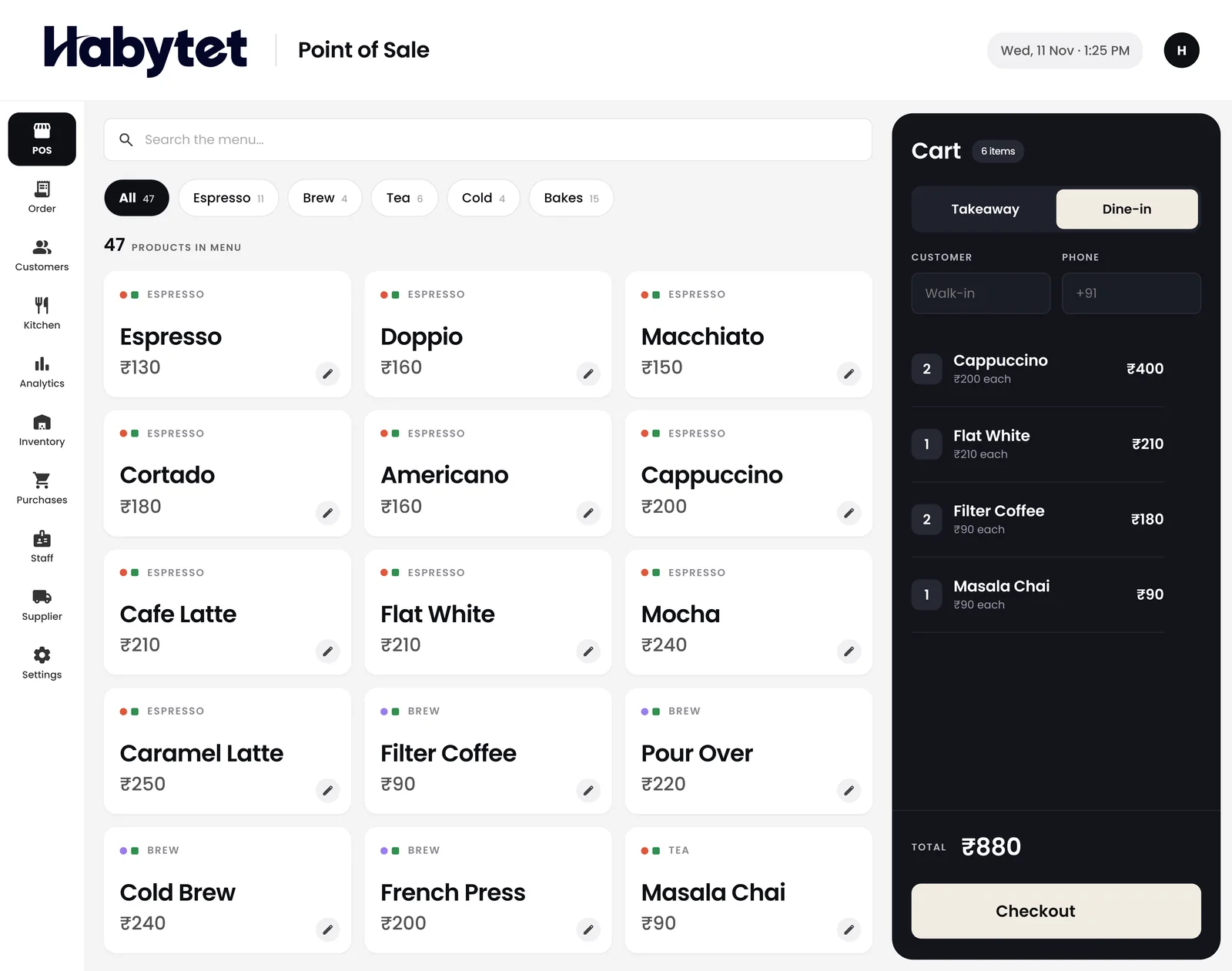
Takeaway bills in a few taps
Habytet POS bills takeaway orders in a few taps, adds GST once your GSTIN is entered, and takes UPI, cash, card and online payments.
Ingredients that match the menu
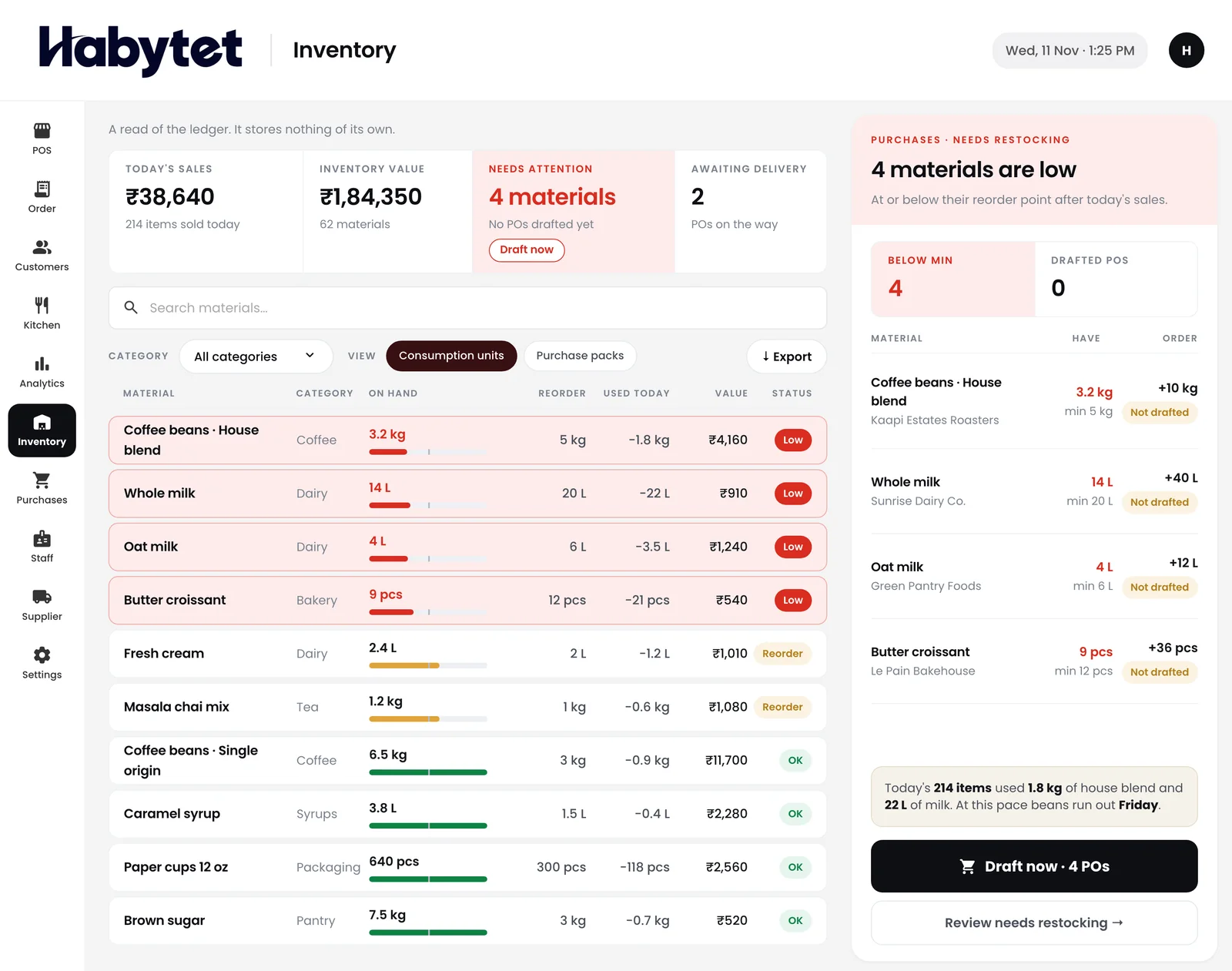
See stock on hand and what is running low. With Habytet Inventory, a dish with a recipe takes its ingredients off stock when the kitchen starts it, and they go back if the bill is cancelled.
Suppliers and sales without a shop to visit
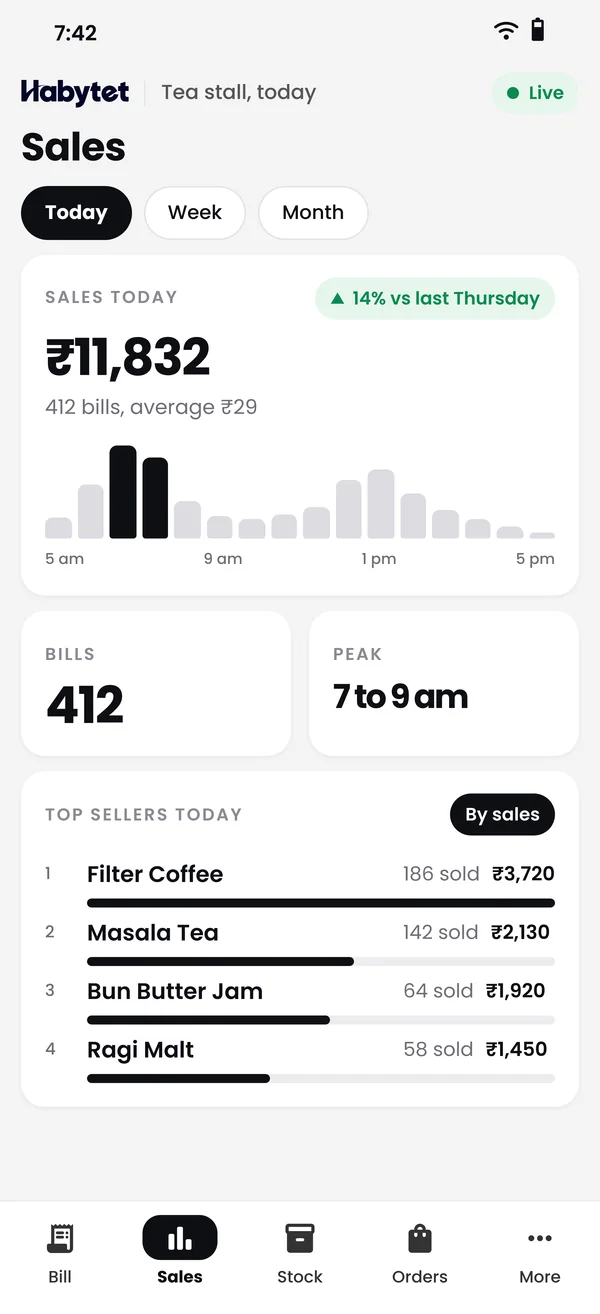
Keep supplier purchases and what you owe in one place, and check sales and top sellers on your phone from wherever you are.
Delivery app orders, without re-typing
Swiggy and Zomato orders can come into Habytet POS through UrbanPiper, once it is set up for your kitchen with its own UrbanPiper account and its menu mapped with UrbanPiper. Staff accept or reject each order and set its preparation time, and each order shows where it came from.
Questions.
Can a cloud kitchen bill takeaway orders only?
Yes. Habytet POS bills takeaway orders in a few taps, and the kitchen screen shows each one like any other order, with every dish started and ready.
Can I mark a dish out of stock on Swiggy and Zomato?
Yes, once orders come through UrbanPiper, set up for your kitchen. Mark an item out of stock and the change is sent to the Swiggy and Zomato menus, or close the kitchen on the delivery apps for a set time and it reopens on its own. Other menu changes are published from UrbanPiper's own portal.
Do I need tables set up?
No. Tables are there for dine-in, and a cloud kitchen can bill takeaway orders only. The kitchen screen works for either.
Can the kitchen work from a screen instead of paper?
Yes. Orders show on a kitchen screen on a tablet. If you prefer paper, the Android app can also print kitchen tickets, one for each station the order needs.
Can I track ingredients against recipes?
Yes, with Habytet Inventory. Items with a recipe come off stock when the kitchen starts the dish, and a minimum per item lists what is running low.
Can my team see only what they need?
Yes. You create roles, such as billing or the kitchen screen only, and every staff member has their own login.
See it running in your own business.
Tell us about your kitchen and we will call you to set up a demo.
Thanks.
We will call you on .