
A kitchen display system your cooks can read at a glance
Habytet POS includes a kitchen display system, or KDS, on a tablet. Orders show up table by table, the kitchen marks each dish started and ready, and the kitchen can be split into stations by menu category.
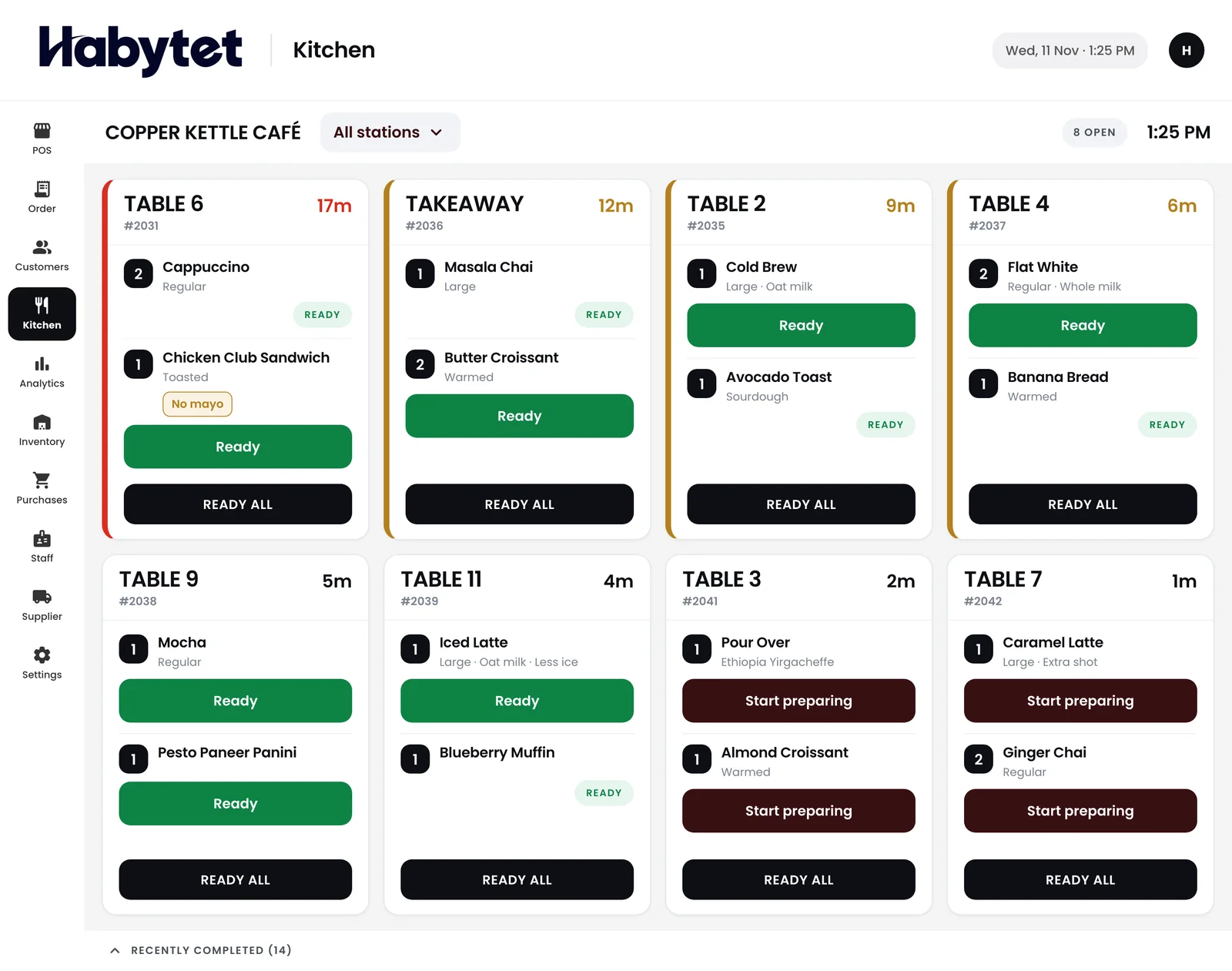
How the kitchen display works
Orders table by table
Each order appears on the screen under its table, so the cook sees what belongs together and what the counter is waiting on.
Started and ready, dish by dish
The kitchen marks each dish started and ready. A quick dish does not wait for a slow one to be marked.
Stations by menu category
The kitchen can be split into stations by menu category, for example a grill and a dessert counter. Each station also gets a printed ticket with only its own dishes, if you use a printer.
Paper as well, when you want it
If your cooks still like a slip in hand, the Android app prints kitchen tickets on a thermal receipt printer on the shop's network, alongside the screen.
Only the kitchen role sees it
Create a role that can use the kitchen screen but not billing or money. Each cook signs in with their own login and sees only what that role allows.
Questions.
What is a kitchen display system?
A KDS is a screen in the kitchen that shows the orders to cook, in place of paper tickets.
Does Habytet POS have a kitchen display?
Yes. Orders show table by table, and the kitchen marks each dish started and ready.
Can the kitchen be split into stations?
Yes. The kitchen can be split into stations by menu category, such as a grill and a dessert counter.
Can I still print tickets?
Yes. The Android app can print kitchen tickets on a thermal receipt printer on the shop's network, one for each station the order needs.
What device is the screen?
An Android tablet. Habytet POS runs on Android tablets, and the counter and the kitchen work on the same system.
See it running in your own business.
Tell us about your kitchen and we will call you to set up a demo.
Thanks.
We will call you on .