
A quick service restaurant POS for the lunch rush
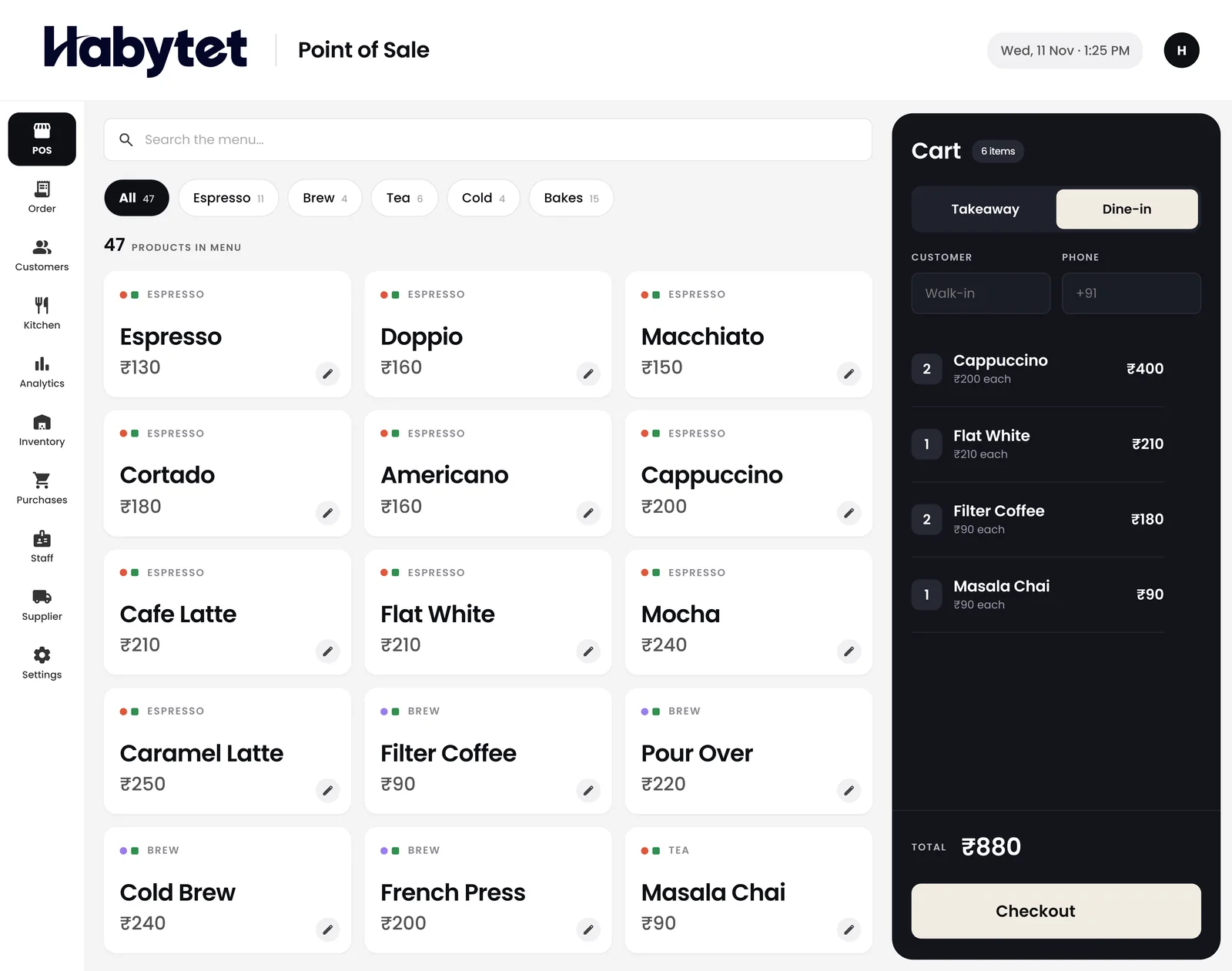
Habytet POS is quick service restaurant software that runs on an Android tablet at your counter. It bills orders in a few taps, sends tickets to the right kitchen station, adds GST, takes UPI, cash and card, and shows your sales on your phone.
How Habytet POS fits a quick service restaurant
Order, pay, next customer
Dine-in or takeaway, the bill is ready in a few taps. Sizes and add-ons, such as a larger meal or an extra topping, are picked as the item goes into the order.
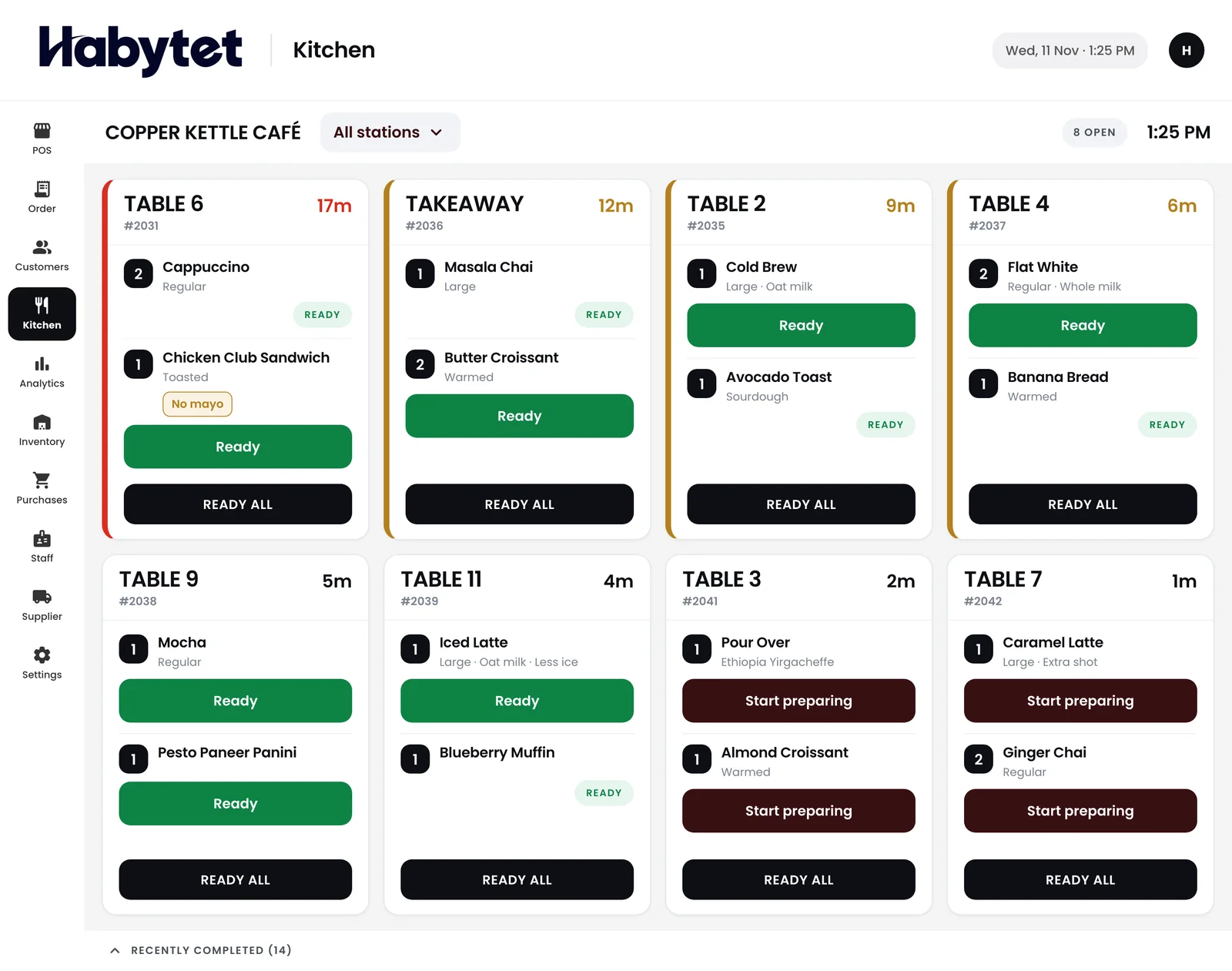
Each station cooks only its part
Split the kitchen by menu category, such as the fryer, the grill and the drinks counter. Each station gets a ticket for its own items, and the screen shows every dish started and ready.
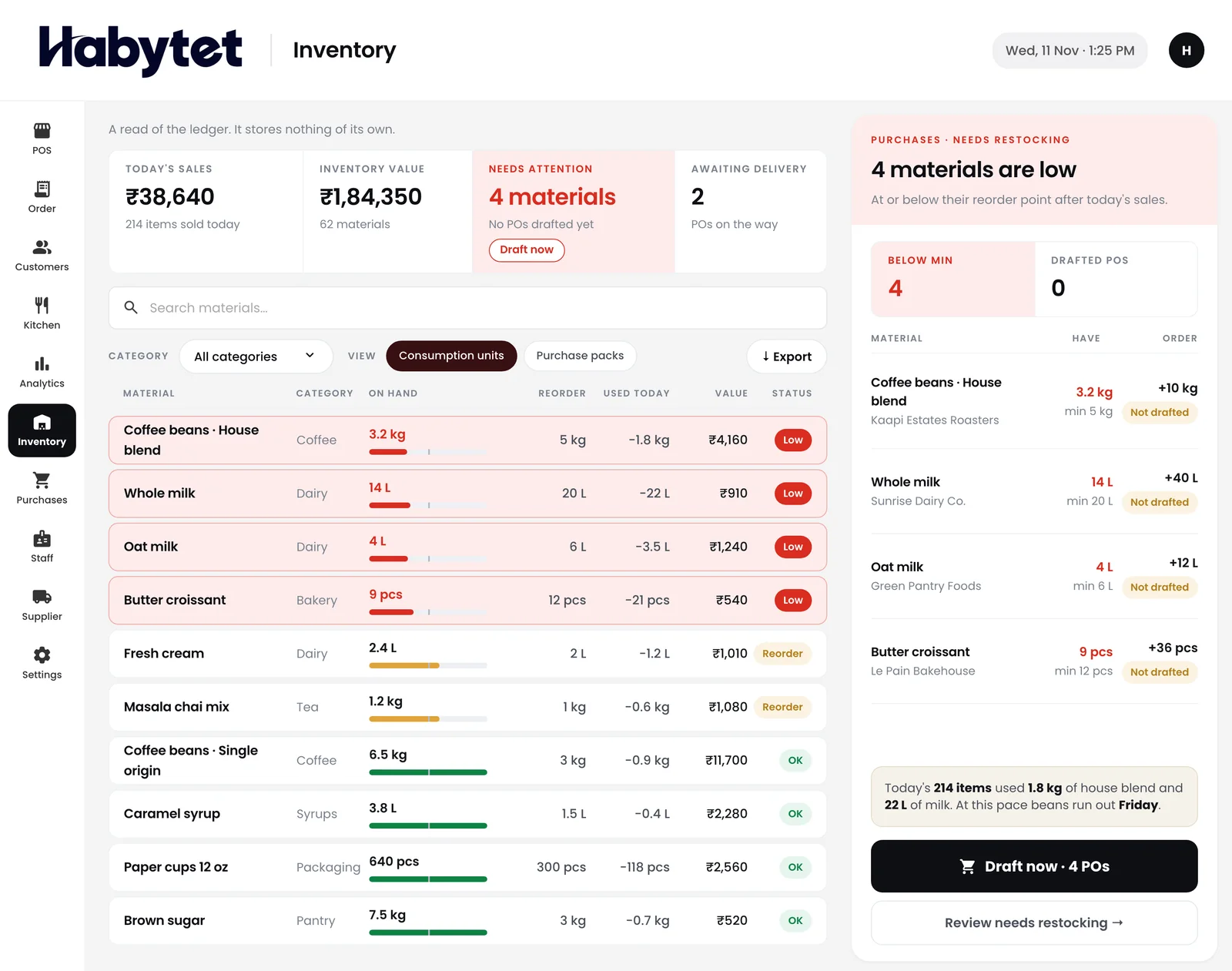
Know what to restock before the rush
See stock on hand for every item and what is running low, so a missing item does not stop the line.
Payment without a pause
Take UPI, cash, card or online, and split one bill across modes when a group pays together. Put a discount on a bill at the counter when needed.
Cashiers see the till, not the books
Roles decide who can bill, who sees money and who changes settings, and every cashier has their own login.
Questions.
Can it keep up with a lunch queue?
Yes. The bill is ready in a few taps. Menu items can carry sizes and add-ons, so the cashier picks them as the item goes into the order.
Do I need a separate kitchen display?
No. The kitchen screen is part of Habytet POS and runs on a tablet. Paper is optional, and the Android app can print a ticket for each station on a thermal receipt printer.
How are bills printed?
The Android app prints bills on a thermal receipt printer on your shop's network, and it can print the bill by itself when a sale closes.
Does it add GST to bills?
Yes. Once you enter your GSTIN, GST is added to each bill and printed with your GSTIN. Menu prices can include GST or have it added on top.
Can I check sales between rushes?
Yes. Sales, bills and top sellers with charts for today or any date range are available on your phone.
Can Swiggy and Zomato orders come in without re-typing?
Yes, through UrbanPiper, a service that connects restaurants to delivery apps. It is set up for each restaurant: your own UrbanPiper account, then onboarding and menu mapping with UrbanPiper. After that, staff accept or reject each order from the Orders screen and set its preparation time, and the status goes back to the delivery app.
See it running in your own business.
Tell us about your restaurant and we will call you to set up a demo.
Thanks.
We will call you on .