
Restaurant management software for the whole floor
Habytet POS is restaurant management software that puts billing, tables, the kitchen, stock and supplier purchases on one system. It runs on an Android tablet, and you check sales from your phone.
What Habytet POS manages in a restaurant
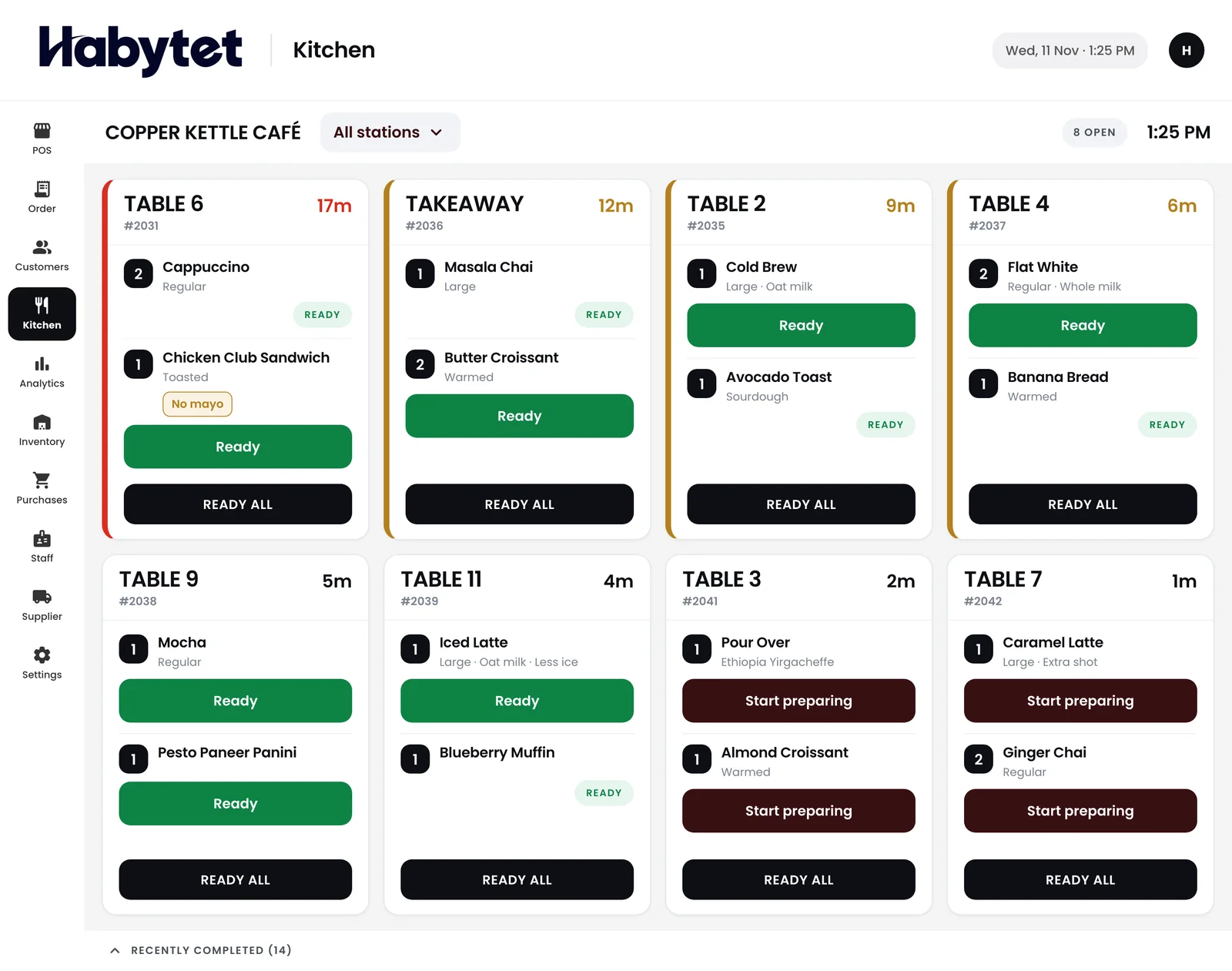
The counter, the kitchen and the store room agree
The counter, the kitchen and the store room work on the same system, so an order taken at the counter is the order the kitchen sees. Add Habytet Inventory and dishes with a recipe come off stock when the kitchen starts them.
Stock and what you owe suppliers
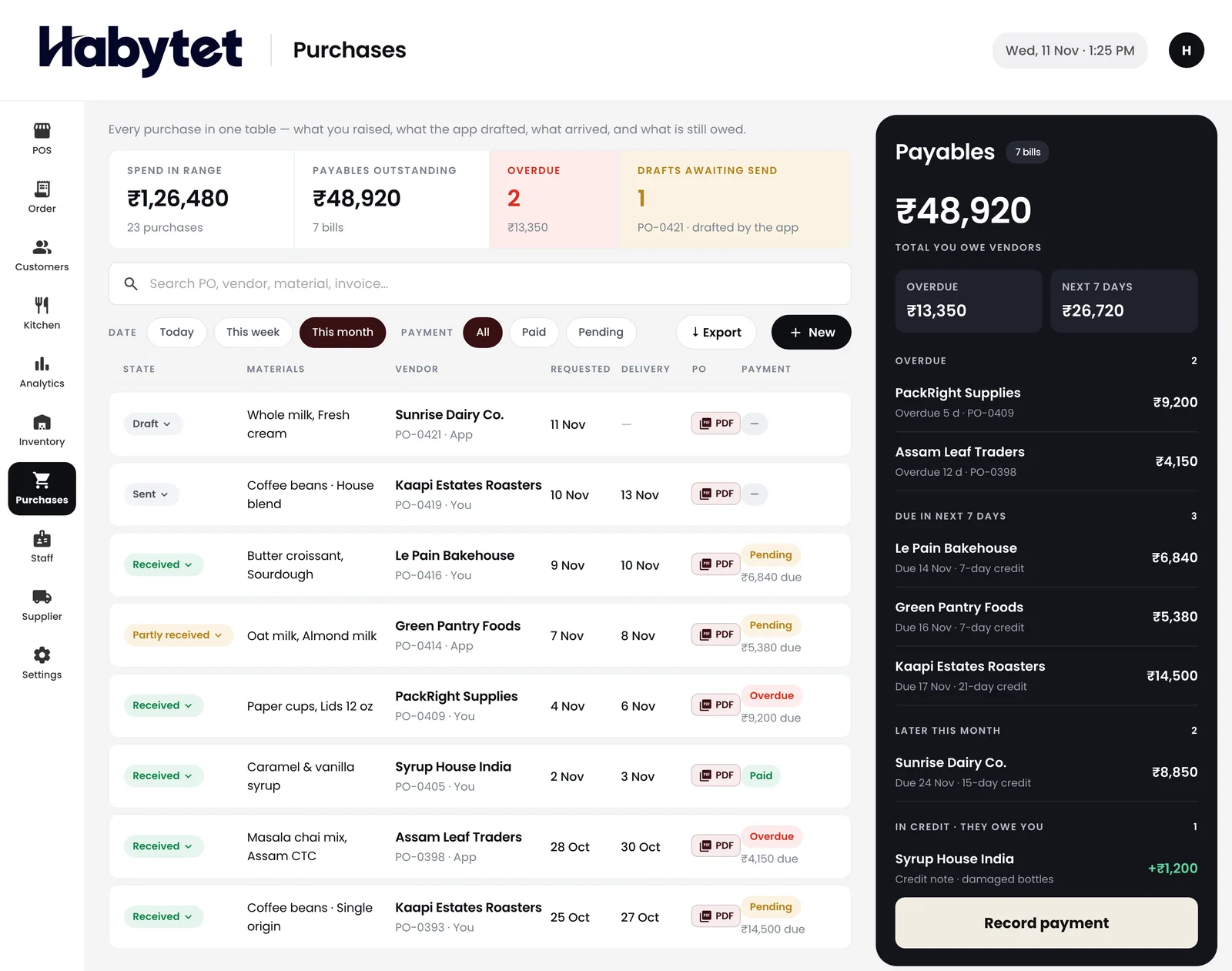
See stock on hand for every item and what is running low. Every purchase from suppliers sits in one place with the amount owed to each.
The numbers, wherever you are
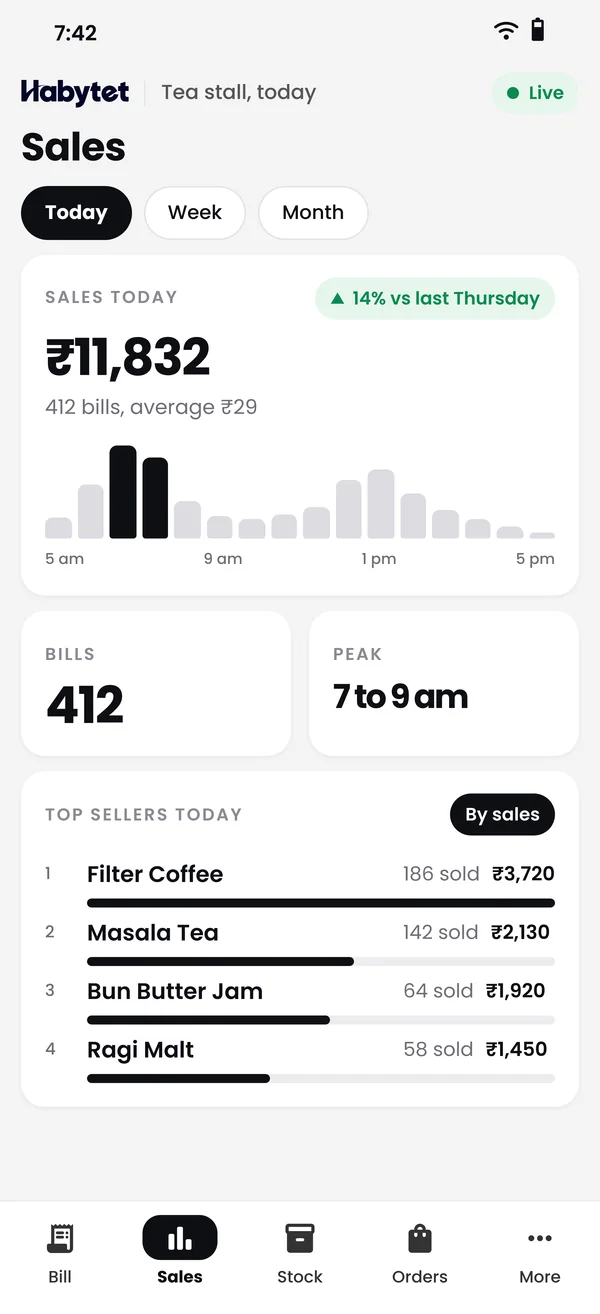
Sales, bills and top sellers with charts for today or any date range, on your phone. You can see how lunch went without calling the counter.
Tables and running bills
A tables view shows every table. An occupied table keeps its running bill, and each new round is added to it instead of starting a new bill.
Staff see only their part
Create roles for billing, the kitchen screen, seeing money, purchases, inventory, reports and settings. Every person signs in with their own login.
Questions.
What does restaurant management software cover here?
Habytet POS covers billing, orders, the kitchen and stock on one system, with supplier purchases and staff roles.
Can I manage stock and purchases in it?
Yes. Habytet POS shows stock on hand and what is running low, and keeps supplier purchases with what is owed.
Can I limit what each staff member sees?
Yes. You create roles and choose what each can do, such as billing, seeing money or changing settings, and every staff member has their own login.
Can I check the restaurant from home?
Yes. Sales, bills and top sellers are on your phone for today or any date range.
What does it run on?
An Android tablet at the counter, plus a web browser on your phone for sales and reports.
Can I see Swiggy and Zomato orders next to counter sales?
Yes, once it is set up for your restaurant through UrbanPiper, a service that connects restaurants to delivery apps. You need your own UrbanPiper account, and onboarding and menu mapping are done with UrbanPiper first. Delivery orders then show where they came from, and revenue can be seen split by POS, Swiggy, Zomato and website.
See it running in your own business.
Tell us about your restaurant and we will call you to set up a demo.
Thanks.
We will call you on .