
Restaurant billing software that closes a bill in a few taps
Habytet POS is restaurant billing software that runs on an Android tablet at your counter. It bills dine-in and takeaway orders, adds GST once your GSTIN is entered, takes UPI, cash, card and online payments, and keeps every bill with the customer.
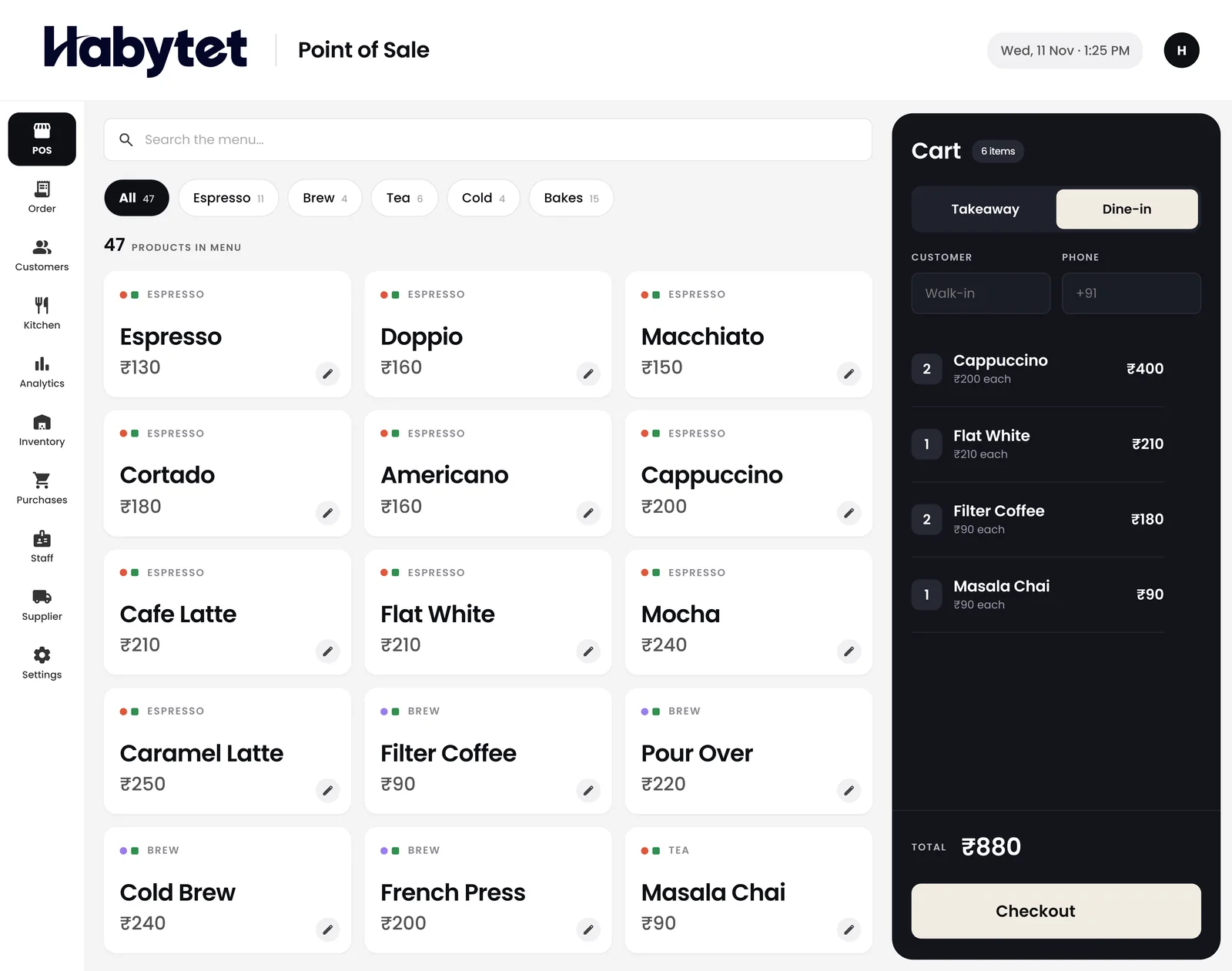
How Habytet POS handles restaurant billing
One bill, whichever way the guest pays
Dine-in or takeaway, the bill is ready in a few taps. One bill can be split across UPI, cash and card, and a regular customer can be allowed to pay later.
GST printed on every bill
Enter your GSTIN once and each bill carries GST and your GSTIN. Menu prices can include GST or have it added on top, whichever way your menu is written.
The bill on paper or as a PDF
The Android app prints the bill on a thermal receipt printer on the shop's network, and can print it by itself when the sale closes. Any order also opens as a PDF invoice to print or share.
Discounts and customer details
Put a discount on a bill at the counter when you need to. Each customer's details stay with their bills, so a returning guest's past bills sit with their name.
Who billed what, kept separate
Every cashier signs in with their own login, and you choose which roles can bill, see money or change settings.
Questions.
Does it work for dine-in and takeaway bills?
Yes. Habytet POS bills dine-in and takeaway orders, and the bill is ready in a few taps.
Can I print the bill?
Yes. The Android app prints bills on a thermal receipt printer on the shop's network and can print by itself when a sale closes. Ask in the demo whether the printer you plan to buy will work.
Does it add GST?
Yes. Once your GSTIN is entered, Habytet POS adds GST to each bill and prints the GSTIN. Prices can include GST or have it added on top.
Can a guest pay part in cash and part by UPI?
Yes. One bill can be split across UPI, cash, card and online payments, so part cash and part UPI is one bill.
What do I need to run it?
An Android tablet at the counter. Sales and reports can also be checked in a web browser on your phone.
Do Swiggy and Zomato orders need re-typing at the counter?
No, once it is set up. The orders come into Habytet POS through UrbanPiper, a service that connects restaurants to delivery apps. Your restaurant needs its own UrbanPiper account, and onboarding and menu mapping are done with UrbanPiper first. Revenue can then be seen split by POS, Swiggy, Zomato and website.
See it running in your own business.
Tell us about your restaurant and we will call you to set up a demo.
Thanks.
We will call you on .