
How to reduce the billing queue in a cafe
To cut the wait at a cafe counter, make each bill faster, let more than one person take orders, and move the payment and the wait away from a single counter. Start by watching where time goes, because the delay is usually in a few repeated steps.
Watch where the time goes
Stand at the counter for an hour at your busiest time and note what makes a customer wait. Is it finding the item, asking questions, entering an order, taking payment or waiting for change? Each of these has a different fix.
Do not time the quiet hours. Queues form in the peak, so that is where the answer is.
Make each bill quicker
A bill should take a few taps. Keep the menu sorted by category so the cashier does not scroll, set up the items that need sizes or add-ons once, and let the cashier close dine-in and takeaway the same way.
Train every cashier on the same few shortcuts. A new cashier on a quiet day learns them without a queue watching.
Speed up payment
Payment is often the longest step. Show a UPI QR code where the customer can see it, so they can have the app ready, and offer card and cash too. Where a group splits one bill, enter the split once instead of making several separate bills.
Keep a float of small notes and coins at the counter so change does not stop the line.
Take orders in more than one place
If the queue is long because one person does everything, add a second point. A second person can take orders while the first collects payment, or a team member can hand menus down the queue so customers reach the counter already decided.
At table service, orders can be added to a table's running bill, so the counter only has to settle at the end.
Keep the kitchen moving
A queue at the billing counter sometimes comes from a queue behind it. If orders reach the kitchen late, customers wait at the counter for their food and block the next person. Send each order to the kitchen the moment it is billed, and let the kitchen mark dishes ready so the counter knows when to call the customer.
Where Habytet POS fits
Habytet POS bills dine-in and takeaway, with the bill ready in a few taps. It takes UPI, cash, card and online payments, and one bill can be split across modes. Menu items can have sizes and add-ons, picked as the item goes in, and a discount can be put on a bill at the counter.
Orders go to a kitchen display or a printed kitchen ticket, and an occupied table keeps its running bill so new rounds are added to it.
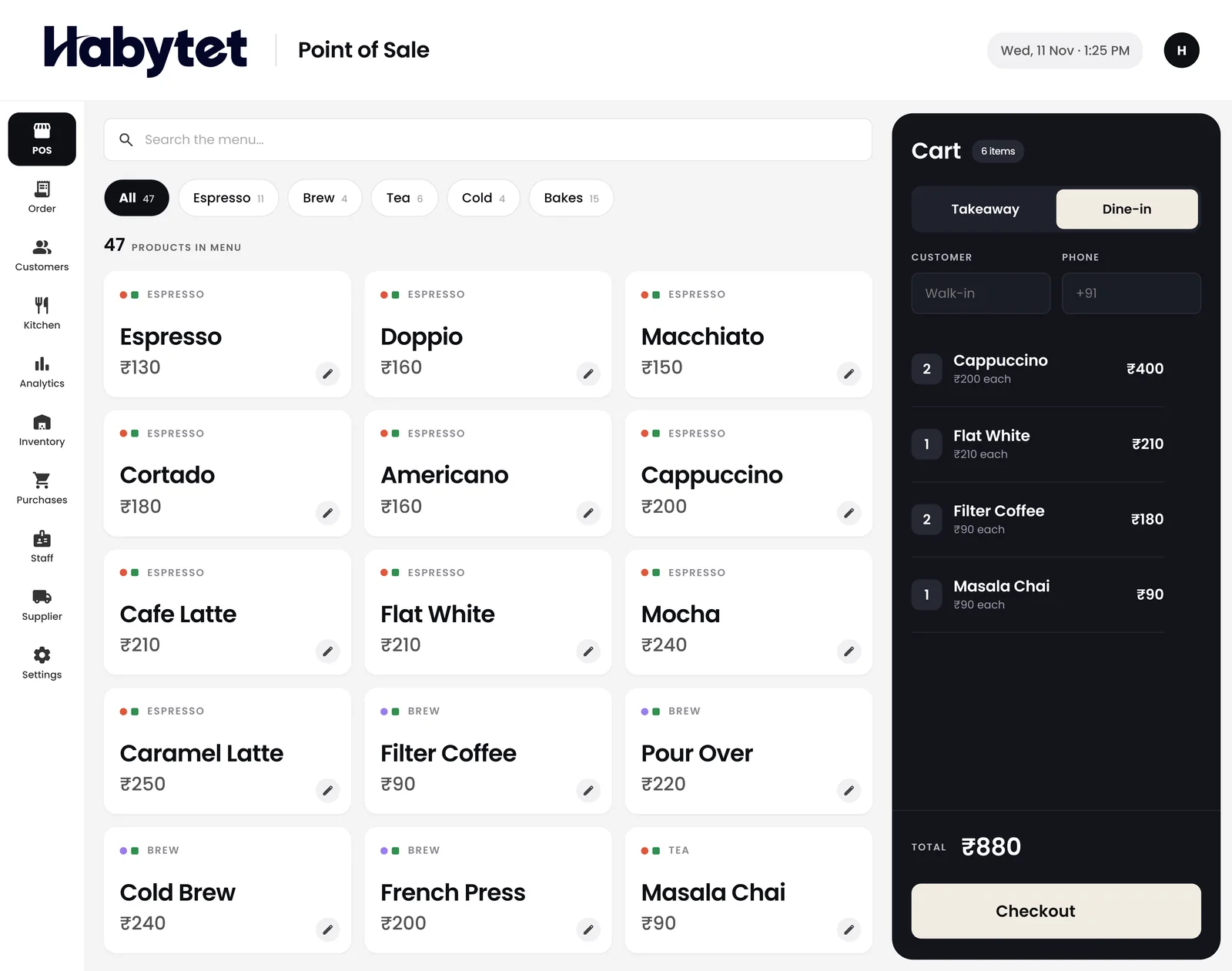
Habytet products in this guide
- Habytet POSHabytet POS is point of sale software for restaurants and cafes: billing, orders, the kitchen and stock on one system.
- Habytet QueueHabytet Queue is restaurant queue and token management: tokens at the podium, QR self-registration, a live waiting list, a now serving display board, table seating and queue reports.
Questions.
What causes a long queue at a cafe counter?
Usually a few repeated steps: customers deciding at the counter, slow item search on the billing screen, payment and change, and one person doing every job.
Does a POS shorten the queue?
It can, if bills take a few taps and payment is quick. Check the speed of billing in a demo with your own menu before you decide.
Should I add a second counter?
Only if the queue is long because of orders, not payments. A second person taking orders while another takes payment is often enough.
How does Habytet POS handle a bill?
Dine-in or takeaway, the bill is ready in a few taps, and it takes UPI, cash, card and online payments, with one bill split across modes.
See it running in your own business.
Tell us about your business and we will call you to set up a demo.
Thanks.
We will call you on .