
How to reduce kitchen order mistakes
Many kitchen mistakes start with orders passed on by voice or scribbled in a hurry. Send every order as a clear ticket or screen entry, keep notes on the order itself, and check dishes before they leave the pass.
Send every order in writing
A shouted order is easy to mishear. A printed ticket or a screen entry lets the cook read exactly what was ordered, and gives you a record if there is a dispute.
Keep notes on the order
Notes such as less spicy or no onion should be part of the order, not a separate slip or a word to the waiter. If the note is on the ticket the cook cannot miss it.
Show size and add-ons
A small tea and a large tea are different orders. So are a burger with extra cheese and one without. Make sure sizes and add-ons show on the ticket, in plain words.
One station, one ticket
If your kitchen has sections, give each its own ticket with only its own dishes. A cook who reads a long ticket for the whole order is more likely to miss an item.
Treat each round as new
When a table adds a round, send it as a new order. A clear new ticket stops the kitchen from repeating or skipping dishes.
- Check each dish against the ticket at the pass
- Mark dishes ready so the counter knows what is waiting
- Cancel a dish in the kitchen as well as on the bill
- Review mistakes with the team once a week
Where Habytet POS fits
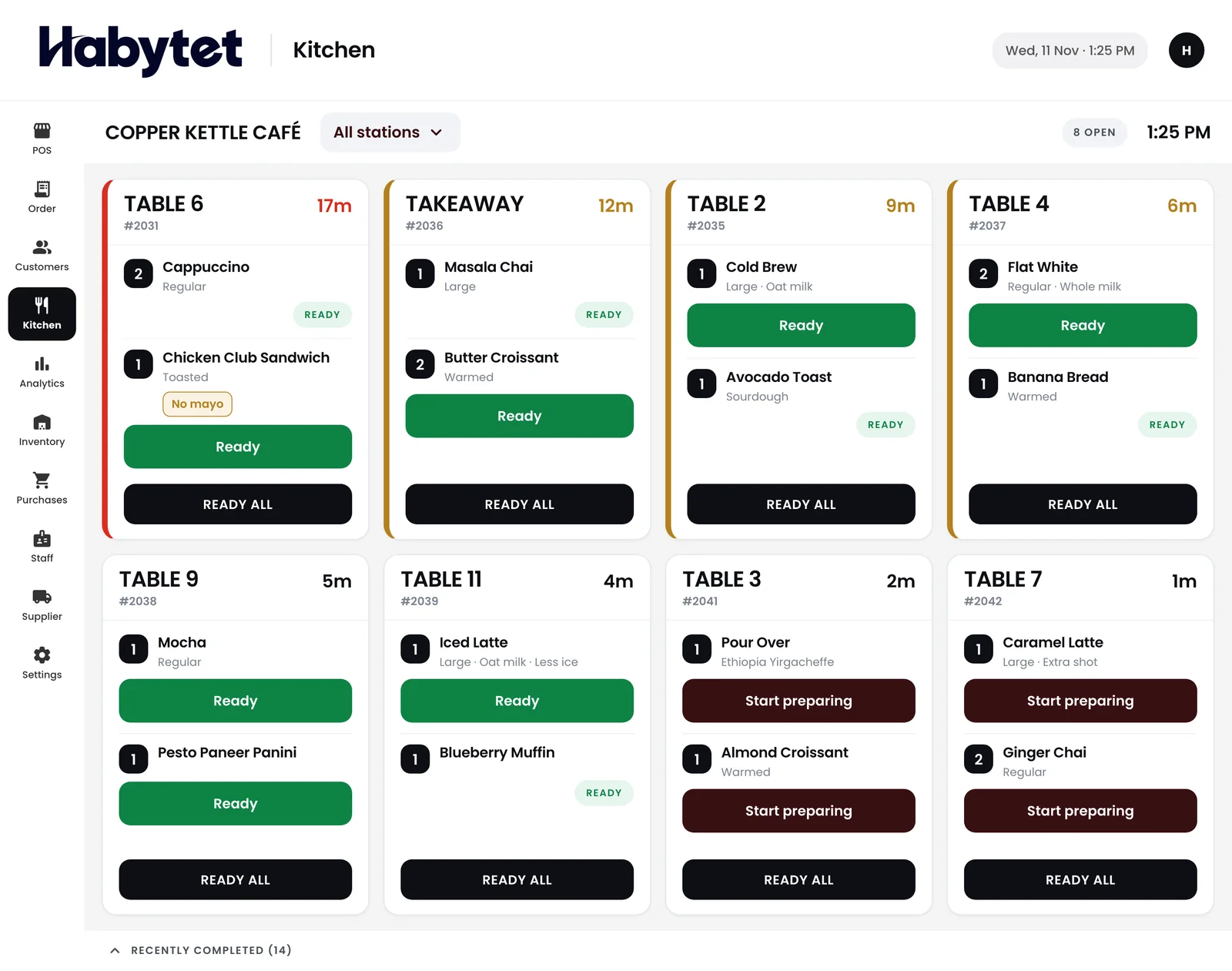
Habytet POS prints kitchen tickets, with one for each station the order needs, and shows orders on a kitchen display table by table, with each dish marked started and ready. Menu items can have sizes and add-ons, picked as the item goes into the order.
An occupied table keeps its running bill and new rounds are added to it.
Habytet products in this guide
Questions.
What causes mistakes in kitchen orders?
Often it is orders passed on by voice, notes written on loose slips, and rounds that are not clearly marked as new.
Does a kitchen screen help?
Yes. It shows each order clearly and lets cooks mark dishes started and ready, so the counter can see what is waiting.
Does Habytet POS show orders in the kitchen?
Yes. It has a kitchen display with orders table by table, each dish marked started and ready, and it prints kitchen tickets for each station.
Can menu items have sizes and add-ons in Habytet POS?
Yes. Menu items in Habytet POS can have sizes and add-ons, picked as the item goes into the order.
See it running in your own business.
Tell us about your business and we will call you to set up a demo.
Thanks.
We will call you on .