
Restaurant billing software checklist
Good restaurant billing software makes a correct GST bill quickly, sends the order to the kitchen and shows you the day's sales. Use the checklist below in a demo, with your own menu on the screen.
Check the bill first
The bill is the document the customer pays against, so check it before anything else. It should show your name, the items, the tax and the total, and it should be quick to make at a busy counter.
Ask to see a bill for a dine-in order and a takeaway order, and one with a discount.
- Your GSTIN printed on the bill, once you have entered it
- Menu prices that include GST, or GST added on top, as you price
- A discount that is shown clearly on the bill
- A bill you can open again later as a PDF
Check how people pay
Counters in India take UPI, cash and card every day. Check that all the modes you use are there, and that one bill can be split across modes when a group pays part in cash and part by UPI.
Also ask what happens when a regular wants to pay later, and how that amount is tracked until it is paid.
Check the kitchen side
The kitchen needs to know what to cook. Check that orders reach it as a printed kitchen order ticket (KOT), a kitchen screen, or both, and that a new round added to a table shows up as new.
If your kitchen has sections, check that each section sees only its own dishes.
Check tables and takeaway
If you serve tables, a table should keep its running bill while new rounds are added. If most of your sales are takeaway, billing should take only a few taps. Test both.
Check stock and purchases
Billing tells you what sold. Stock tells you what is left. Look for stock on hand, a clear list of what is running low, and a record of what you bought from suppliers and what you still owe.
Check staff access and reports
Each person should have their own login, and you should choose what each role can do. Then check that you can see sales, bills and top sellers for any date, from your phone, without standing at the counter.
Check the practical things
These are the questions people forget until after they buy. Ask each one and ask to see the answer on the screen.
- Which devices does it run on, and do you already own them?
- Which printers work with it, and how are they connected?
- What happens at the counter if the internet connection drops?
- Who sets it up, trains the staff and answers when something breaks?
- Can you take your data out if you ever move?
Where Habytet POS fits
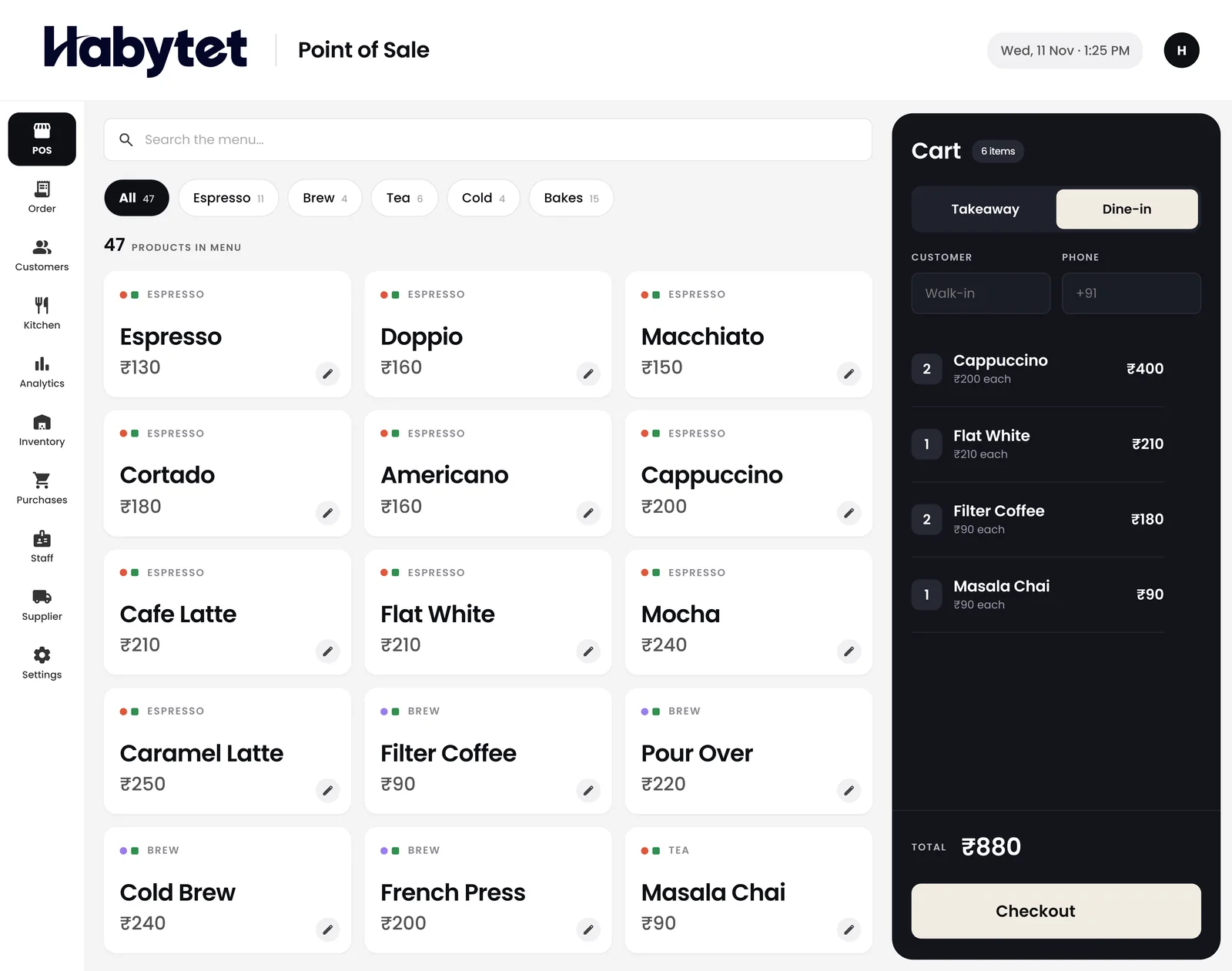
Habytet POS adds GST to each bill once a GSTIN is entered and prints the GSTIN. It takes UPI, cash, card and online payments, and one bill can be split across modes. It has a kitchen display and prints kitchen tickets, and every staff member has their own login with roles you set.
Sales and bills can be seen on a phone for today or any date range. A demo is arranged through the short form on this page.
Habytet products in this guide
Questions.
What should restaurant billing software do?
It should make a correct GST bill fast, take your payment modes, send orders to the kitchen, show stock and let you see the day's sales. Test each in a demo.
Does Habytet POS add GST to bills?
Yes. Once a GSTIN is entered it adds GST to each bill and prints the GSTIN. Menu prices can include GST or have it added on top.
How long should a billing software demo be?
Long enough to bill a dine-in order, a takeaway order and a split payment with your own menu. Ask to see each step yourself rather than a slide.
Should I ask about the internet connection?
Yes. Ask what happens at the counter if the internet connection drops, and get the answer shown on the screen before you buy.
See it running in your own business.
Tell us about your business and we will call you to set up a demo.
Thanks.
We will call you on .