
Restaurant inventory management basics
Restaurant inventory management means knowing what is in your store room, what each dish uses and what is running low, so you reorder before you run out and waste less. Start by counting every item, setting a minimum for each, and recording each purchase and each use.
List every item and count it
Begin with a full list of what you keep: vegetables, dairy, dry goods, drinks, packaging. Count each item once, with the same unit every time, such as kilograms, litres or pieces. A list with mixed units is a common reason stock figures stop matching.
Do this count on a quiet day, so that the numbers are the starting point you trust.
Set a minimum for each item
A minimum is the amount at which you reorder. Set it from how long your supplier takes to deliver and how much you use in that time. Fast-moving items need a higher minimum than things you use once a week.
Then you only need to look at one list: the items that have fallen below their minimum.
Record every purchase
Stock goes up when goods arrive, so each delivery should be recorded against the supplier, with what was ordered, what was received and what you owe. Checking the delivery against the order the same day catches short deliveries while the driver is still there.
Keeping purchases in one place also tells you what you owe each supplier without hunting through bills.
Link dishes to ingredients
Stock goes down when you cook. If each dish has a recipe, listing the ingredient and the quantity it uses, the stock can come down by recipe as dishes are sold, instead of someone counting by hand every night.
Start with your ten most-sold dishes and the costliest ingredients. You do not need every recipe on day one.
Count again and record waste
Spoilage, spills and staff meals are real stock movements. Record them as they happen, with a reason, so the figures keep their meaning. Count the main items again on a set day each week and compare the count with the system.
A small difference is normal. A large or repeating one points to a recipe quantity that is wrong, a missed purchase or waste that is not being recorded.
Where Habytet POS fits
Habytet POS shows stock on hand for every item and marks what is running low, and keeps every supplier purchase in one place with what is owed. Habytet Inventory adds a minimum for each item and stock that comes down by recipe when the kitchen starts a dish, and goes back if the bill is cancelled.
Purchase orders to suppliers can be made as PDFs, with goods received recorded against them.
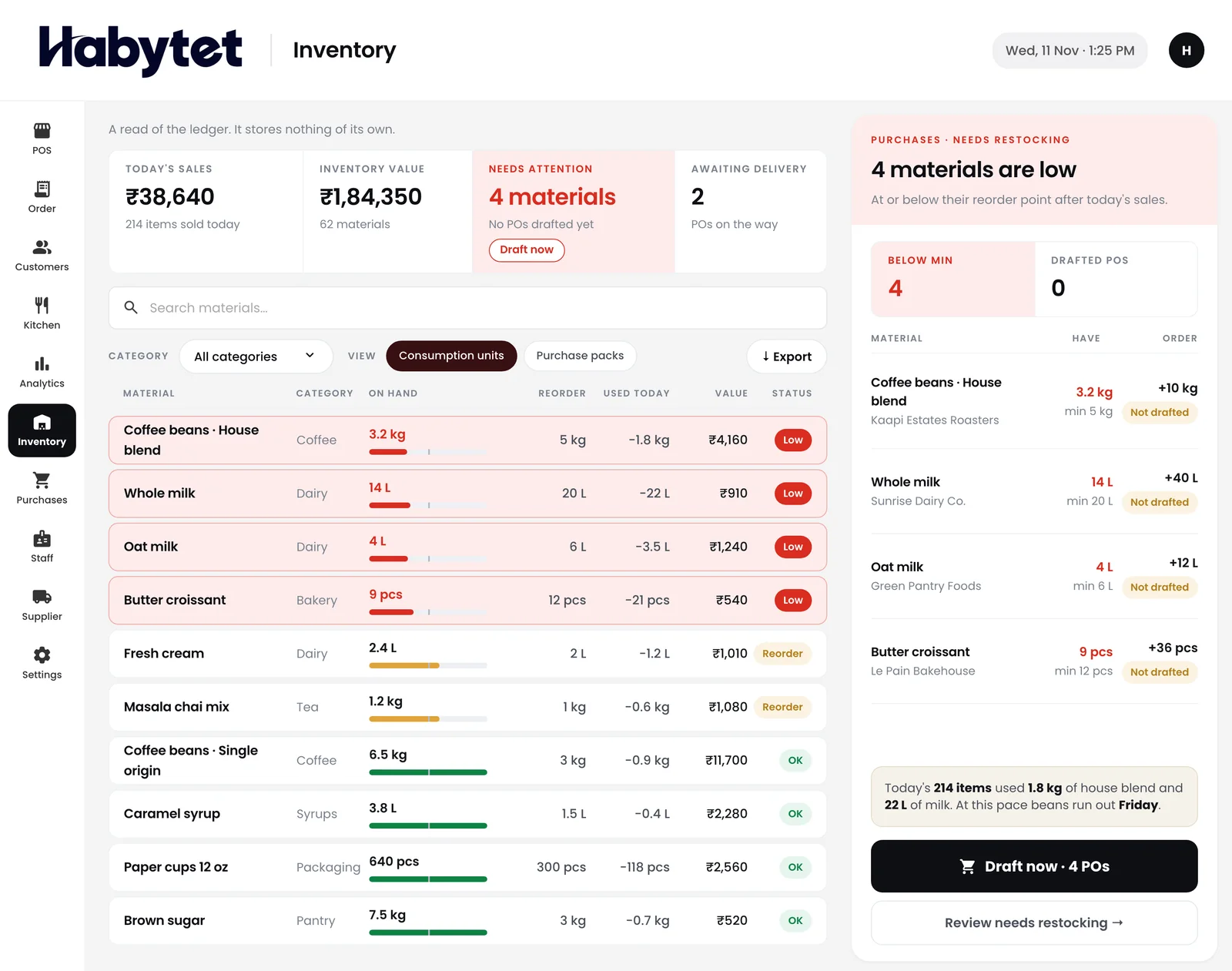
Habytet products in this guide
Questions.
What is restaurant inventory management?
It is keeping track of the ingredients and supplies in your restaurant: what you have, what each dish uses, what you bought and what is running low.
How often should I count stock?
Count the main and costly items every week, and everything on a set day each month. Fast-moving items may need a quick look more often.
What is a minimum stock level?
It is the amount of an item at which you reorder. Set it from how fast you use the item and how long your supplier takes to deliver.
Can stock come down automatically when I sell a dish?
Yes, when the dish has a recipe. With Habytet Inventory, recipe items come off stock when the kitchen starts the dish, and go back if the bill is cancelled.
See it running in your own business.
Tell us about your business and we will call you to set up a demo.
Thanks.
We will call you on .