
How to track food cost in a restaurant
Food cost is what you spent on ingredients for the food you sold, compared with what that food sold for. Count your stock at the start and end of a period, add what you bought, and compare.
What food cost means
Food cost is the money that went into the ingredients of the dishes you sold. It is usually shown as a share of food sales, so you can compare one week with another. It does not include rent or power.
The simple way to work it out
Take the value of your stock at the start of the period. Add everything you bought during the period. Subtract the value of your stock at the end. The result is what you used. Divide it by your food sales for the same period.
Use the same period for both figures, such as one week or one month, and count stock at the same time of day.
Write down each recipe
To know what each dish should cost, list its ingredients and quantities. A plate of biryani uses rice, meat, oil and spices in set amounts. When prices change, the cost of the dish changes, and you will see it.
Recipes also show waste. If you used more than the recipes say you should have, something is going missing or being over-portioned.
Record every purchase
Write down each purchase, with the supplier, the quantity, the price and what you still owe. Without this the formula does not work, because purchases are one of its three figures.
Count waste and give-aways
Spoiled food, spills, staff meals and free tastings all use stock. Note them as they happen, so they are not mistaken for theft or mistakes in billing.
- Check stock weekly for fast-moving items
- Compare what the recipes say you used with what you actually used
- Look at the items that are running low before they run out
- Ask your accountant how to treat stock for your accounts
Where Habytet POS fits
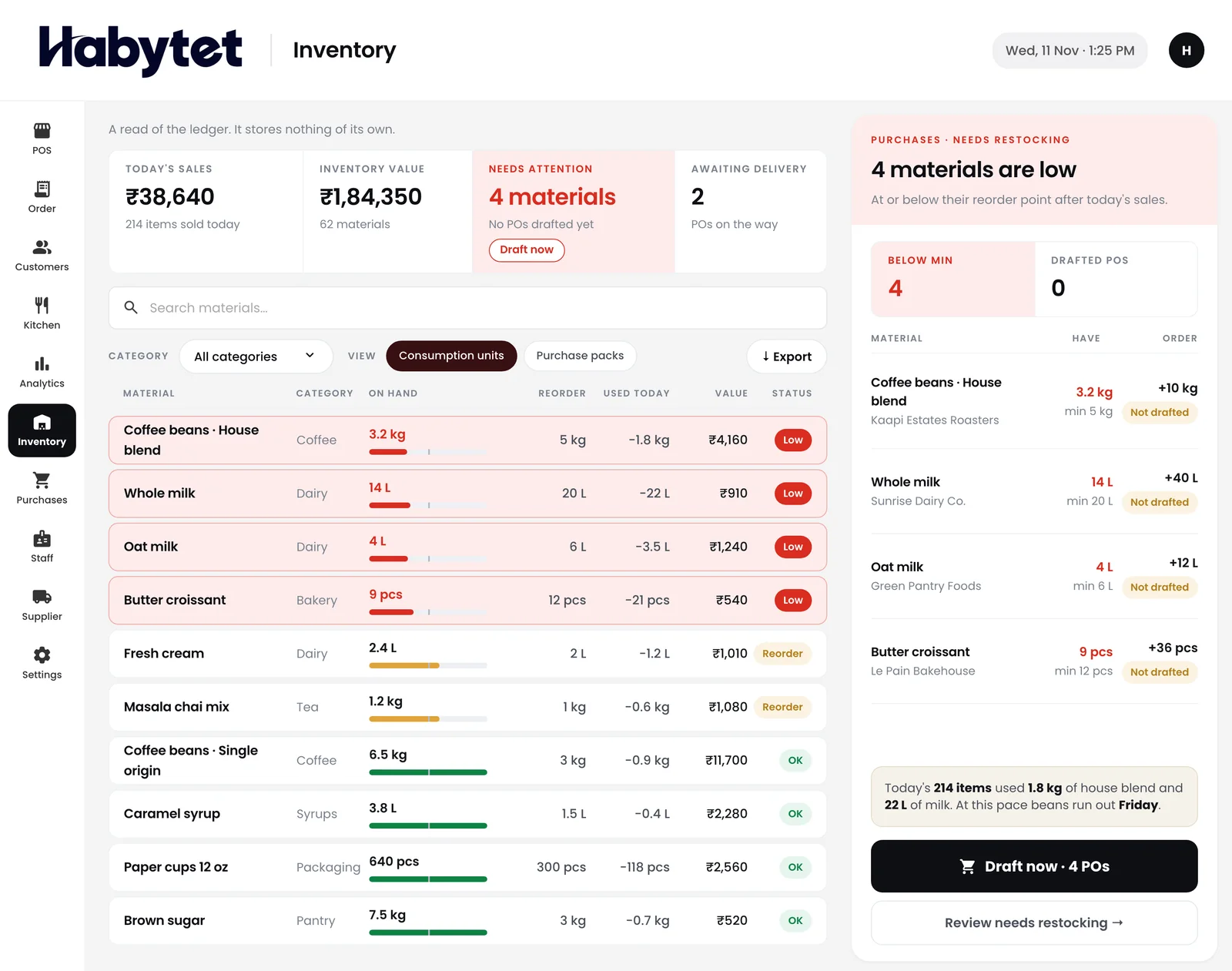
Habytet POS shows stock on hand for every item and marks what is running low. It also keeps every purchase from suppliers in one place, with what is owed.
With Habytet Inventory, the ingredients of an item with a recipe come off stock when the kitchen starts the dish, and go back if the bill is cancelled. You set a minimum for each item, and it lists everything that has fallen below it.
Habytet products in this guide
Questions.
How do you calculate food cost?
Start stock value plus purchases, minus end stock value, gives what you used. Divide that by food sales for the same period.
How often should I check food cost?
Weekly is practical for most restaurants. Fast-moving or costly items can be counted more often.
Does Habytet POS track stock?
Yes. It shows stock on hand for every item and marks what is running low. It also keeps supplier purchases with what is owed.
Can stock come off by recipe?
Yes, with Habytet Inventory. The ingredients of an item with a recipe come off stock when the kitchen starts the dish, and go back if the bill is cancelled.
See it running in your own business.
Tell us about your business and we will call you to set up a demo.
Thanks.
We will call you on .